Hi.
i've installed SH3D V3 now also on my PC, which is more suitable for rendering than my poor old G4-Powerbook [;)]
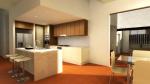
but, when i render my projects, some of my textures disappear in higher quality setting fotos. all textures are shown in the 3dView, so what is wrong here?
screenshot below:
macfrog, you seem gifted to find bugs. I should add you at the top of beta testers list! [;)]
Is the green color outside the house comes from the ground color you set in 3D view modification dialog or is it a big "room" you draw around the house?
Macfrog,
I have been using Sh3d for a long time now and i dont know about java so i do many observations to help some questions......and in this one i think that the room you are missing texture "bathroom"
is it a bath room ? anyways i see that there is a small room inside a room also there is different different floor textures is it so well i had problems like this 1-2 times before try making same texture for the floor there and if you want different texture in small room place a box and make it look like floor......
this trick worked for me maybe may not be this is the same problem but give it a try....
WROSUN
And other rooms sometimes the rooms might have some points where they intersect and creates flashing like effects in 3d view they can also create problems like the one you are facing.....i dont know its just an asumption......did you upload your sh3d file some where i would like to have a look at it.....
@puybaret
>Is the green color outside the house comes from the ground color you set in 3D view modification dialog or is it a big "room" you draw around the house?
it's an ordinary grass green colour applied to the endless outside ground. so, there is no surrounding object around that house. sometimes i put some little invisible green blocks outside to "force" the flyover camera to a specific spot, but this should not cause problems.
greets
macfrog
could it be that like me you are using the advanced rendering plugin rather than the standard photo renderer of version 3?
This issue puzzled me all last week but it turns out that in version 3.0 the advanced rendering plugin 1.6 does not compute the floor of the rooms (except for 1 room) and uses the default floor (grass in your case).
No, it's more like only my own imported textures aren't used. the build in ones applied to any room are just fine. but it was working nicely with v3 on my Mac. i think there might be something odd with the texture transfering to the PC. i'll focus on that issue for now.
macfrog
macfrog, I think you're on the right track. There might be some special data in your texture images that are accepted under Mac OS X but not under Windows. Did you use only JPEG, PNG, GIF or BMP images? I just tried and saw that TIFF images can work under Mac OS X but not under Windows!
If this is the case, please fill a request requiring to always save image in SH3D files at a format compatible with all operating systems.
@puybaret
yes. the textures i've used here are PNGs, originaly TIFFs from Cinema4D converted with GraphicConverter. Might be a Alpha problem. i will take a closer look when i'm back home tonight.
btw. there is another (oh no...) little glitch in the photo render dialog i want to snapshot too [;)]
@puybaret
i've checked my textures again: they are plain PNGs, no Alpha, 100x100 upto 512x512 pixels in size. Windows doesn't seem to have any problems with, they are usable in any kinda way.hm.
ideas?



 but it turns out that in version 3.0 the advanced rendering plugin 1.6 does not compute the floor of the rooms (except for 1 room) and uses the default floor (grass in your case).