High priority Blue lines on advanced render plugin photos!

This topic has been viewed 4163 times and has 3 replies
Thread status: Active
Still a problem with your graphic card? [img]http://www.sweethome3d.com/images/flags/en_small.gif[/img]
Post Reply New Topic
oddsketch
Posts: 2
Joined: Thu Jan 20, 2011 12:04 am
Country: USA
Contact:

Blue lines on advanced render plugin photos!

Post by oddsketch »

Hello everyone! I'm new here, so I'm hoping that my problem is an easy fix and that I'm just overlooking something obvious.

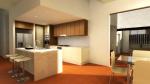
My goal is to make some print-worthy renders so I tried out the "Advanced Rendering Plug-In " and I've been very happy with the results, except for one thing! There's a blue line that appears on some of the surfaces with both the "fast" and "best" options. What am I doing wrong?

Please excuse the poor room layout; I threw something together quickly to test render some images. I'm linking a a version of a saved render and a screenshot of the program while the bug is in evidence:

Link to image on picassa
Image

Link to image on picassa
Image

Thank you for taking the time to read this!

User avatar
hansmex
Posts: 4027
Joined: Sat Sep 26, 2009 11:36 am
Country: Netherlands

Re: Blue lines on advanced render plugin photos!

Post by hansmex »

Emma,

At this moment, the way to make a good rendered image is:
- use version 3.0 or one of the v3.0 betas.
- use the command 3D view --> Create photo to make the render.

The AdvancedRendering plug-in was used during version 2.6, and served as a development tool. Its features have been incorporated into v3.0, so there's no need to use that plug-in anymore.

Please, try to render your image again as described above. Hopefully that solves your problem.
If not:
- share your file, so we can give it a try
- tell us all about your computer, OS, Java version, etc

Hans
Hans

new website - under constuction
hansdirkse.info
oddsketch
Posts: 2
Joined: Thu Jan 20, 2011 12:04 am
Country: USA
Contact:

Re: Blue lines on advanced render plugin photos!

Post by oddsketch »

It definitely works much better with the integrated rendering option.

Thank you very much, especially for such a prompt reply!
User avatar
wrosun
Posts: 96
Joined: Wed Nov 17, 2010 8:44 am
Country: Pokhara, Nepal

Re: Blue lines on advanced render plugin photos!

Post by wrosun »

Well i see the problem is solved....still for future reference try to check that the floor created ends exactly to the walls....because roof that we see is like refection of the floor we create and the spacing in floor causes spacing in the roof which may cause errors like the one above....
Post Reply New Topic

Who is online

Users browsing this forum: No registered users and 2 guests