Realistic hardwood floors?????????????
This topic has been viewed 22192 times and has 15 replies
Realistic hardwood floors?????????????
I downloaded some JPEG's of what looked like good hardwood floors but when I added them to Sweet Home it just looked like brown tiles. I've seen images of people having real hardwood floors but I can't find out how they did it. Any suggestions?

Re: Realistic hardwood floors?????????????
i got the textures from this site (textures tab to the left). I have googled my butt off. I SEE the pictures that have realitic hardwoods but no info on how to get them.

Re: Realistic hardwood floors?????????????
You should check the size of the texture you entered at importation time. A too small size could give the result you described from far.
Emmanuel Puybaret, Sweet Home 3D creator
Re: Realistic hardwood floors?????????????
one of them is 1024 X 1024 and it still looks like 1' X 1' tile when imported.
Re: Realistic hardwood floors?????????????
i just tried making a wall 8' long and .125" tall and texturing that and "building" my floor piece by piece. I've just begun messing with it but it looks like it has potential.
Re: Realistic hardwood floors?????????????
The size in pixel of the image is not the size you have to enter in the texture import wizard. The requested size is the size of the image in real life for example, 10x10 inches.
Walls are supposed to represent walls in real life. You'd rather create rooms and change the texture of their floor.i just tried making a wall 8' long and .125" tall and texturing that and "building" my floor piece by piece.
Emmanuel Puybaret, Sweet Home 3D creator
Re: Realistic hardwood floors?????????????
Scott,
It seems you're taking the hard way to make a textured floor.
SH3D is designed to make this porcess real easy, as follows:
1 - draw your walls (and make sure end wall and start wall are locked or overlapping);
2 - double-click inside the walls to create a room;
3 - right-click the room and apply a texture (works the same for walls and rooms);
4 - if you don't have the right texture, click on Import and select the correct image;
This is described in detail in the User's guide. Maybe you haven't taken the time to read it?
Hans
It seems you're taking the hard way to make a textured floor.
SH3D is designed to make this porcess real easy, as follows:
1 - draw your walls (and make sure end wall and start wall are locked or overlapping);
2 - double-click inside the walls to create a room;
3 - right-click the room and apply a texture (works the same for walls and rooms);
4 - if you don't have the right texture, click on Import and select the correct image;
This is described in detail in the User's guide. Maybe you haven't taken the time to read it?
Hans
Re: Realistic hardwood floors?????????????
Hans,
Yes, I have read the user's guide and followed the procedures just as you described but I am still not getting the effect I want. Do you have a picture of your 3D model with realistic hardwoods. I would love to see it. Also, as far as the size of the texture is concerned I have changed it from 1" to 20' and everything in between...still looks like tile. If anyone with suggestions on how to do would this please include a picture of your successful attempt I would really appreciate it. This is what I get: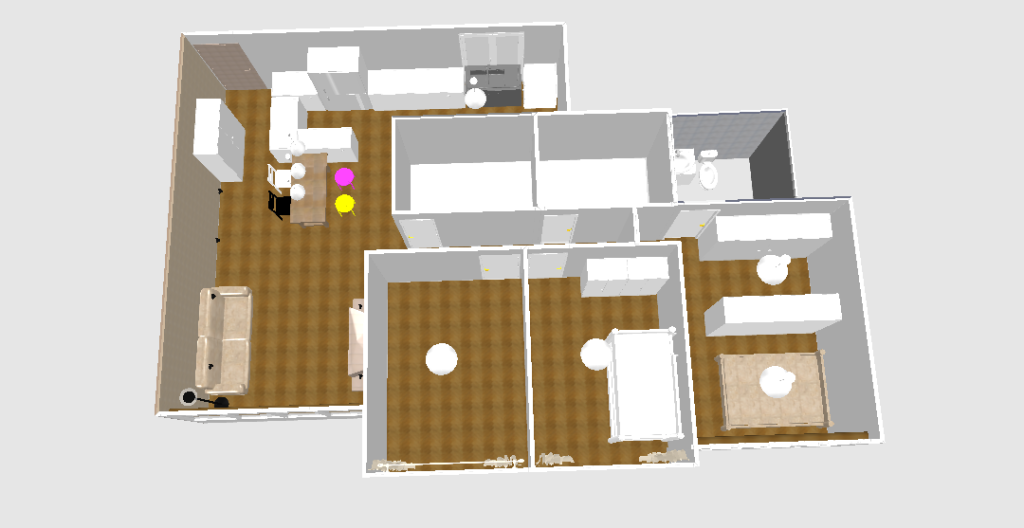
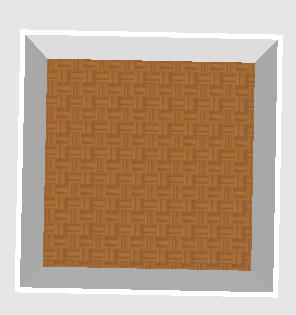
This is what i want:

Yes, I have read the user's guide and followed the procedures just as you described but I am still not getting the effect I want. Do you have a picture of your 3D model with realistic hardwoods. I would love to see it. Also, as far as the size of the texture is concerned I have changed it from 1" to 20' and everything in between...still looks like tile. If anyone with suggestions on how to do would this please include a picture of your successful attempt I would really appreciate it. This is what I get:
This is what i want:
Who is online
Users browsing this forum: No registered users and 1 guest