 Created texture display problem
This topic has been viewed 2809 times and has 4 replies
Created texture display problem
Hi, I made a new texture (wall tiles) by using guide from Internet (by using Power Point). Than, I put it on the one side of wall on the level 1. Later, I made a level 2 (56 cm above level 1) and moved that wall on the level 2. The problem is texture on the wall doesn't look ok, because it started from level 1. Please help me.
-
bdfd

- Posts: 2614
- Joined: Sat Mar 29, 2014 7:17 am
- Country: LILLE, Les Hauts de France, Western Europa
Re: Created texture display problem
Hi,Hi, I made a new texture (wall tiles) by using guide from Internet (by using Power Point). Than, I put it on the one side of wall on the level 1. Later, I made a level 2 (56 cm above level 1) and moved that wall on the level 2. The problem is texture on the wall doesn't look ok, because it started from level 1. Please help me.
I have had same problem when 2 walls are above themselves. [:(]
I do this :
Write original coordinates X & Y of the first wall.
Move first of the two walls to see the second and update the texture of the second wall.
Change X & Y to replace the first wall.
It will be OK.
[:)]
Evil progresses when good people do nothing!
---
SH3D 7.1 and nothing else - W11 64b in 4K
---
SH3D 7.1 and nothing else - W11 64b in 4K
Re: Created texture display problem
Hi,
I'm not sure that I understand right what I need to do. Please explain me with real datas.
I'm not sure that I understand right what I need to do. Please explain me with real datas.
Re: Created texture display problem
Giving you an accurate answer is a bit hard without having seen the texture and knowing the dimensions/scale (or even better, the entire sh3d file/screenshot). In thread 5533 Puybaret explains co-ordinates of wall/sky textures, which if I understand correctly, explains why your problem arises (but, then it seems you have found that out already). And if that is correct you have a couple of options...level 2 (56 cm above level 1) and moved that wall on the level 2...
Using a thin box along the wall with the tiles (provided you use a box that allows you to use the tile texture correctly). I.e. a box where the texture starts from the bottom of the box and not 0,0 co-ordinates of the room.
Or, you can adjust your texture by adding a number of pixels that equals 56 cm at the bottom of the texture. Actually, if the texture dimensions is meant to cover the height of the wall, you probably want to move those '56cm' pixels from the top of your texture to the bottom. (It may be easier to forget all about PowerPoint and adjust with an image editing software if you have one.)
ok
-
bdfd
- Posts: 2614
- Joined: Sat Mar 29, 2014 7:17 am
- Country: LILLE, Les Hauts de France, Western Europa
Re: Created texture display problem
Hi,Hi,
I'm not sure that I understand right what I need to do. Please explain me with real datas.
More simple ! [;)]
Look at the picture below :
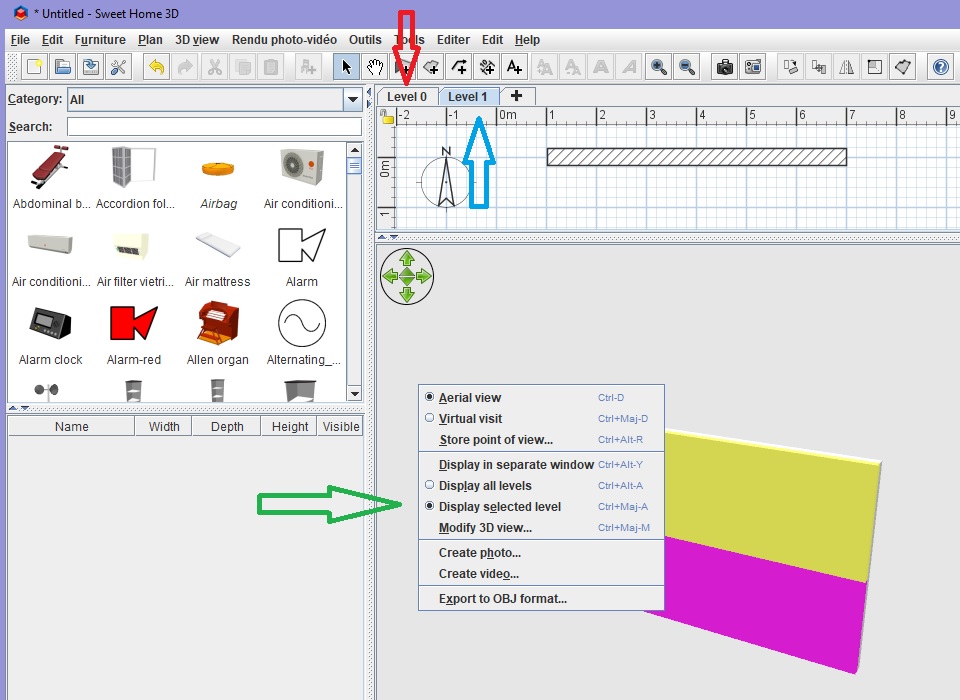
The red Arrow is for the first wall (pink).
The blue Arrow is for the higher wall (yellow).
The green Arrow [:))] is that you must do to have (right click) each wall separately (by double-click after choosing level).
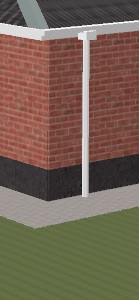
I use these actions for a next house with walls in two different materials (plaster for lower part and bricks for higher part).
[:)]
Evil progresses when good people do nothing!
---
SH3D 7.1 and nothing else - W11 64b in 4K
---
SH3D 7.1 and nothing else - W11 64b in 4K
Who is online
Users browsing this forum: No registered users and 1 guest