Same image – like night & day - a miracle?

This topic has been viewed 16539 times and has 16 replies
Thread status: Active
Discuss anything here [img]http://www.sweethome3d.com/images/flags/en_small.gif[/img]
User avatar
Ceciliabr
Posts: 637
Joined: Sun Jul 07, 2013 3:41 pm
Country: Copenhagen, Denmark
Contact:

Same image – like night & day - a miracle?

Post by Ceciliabr »

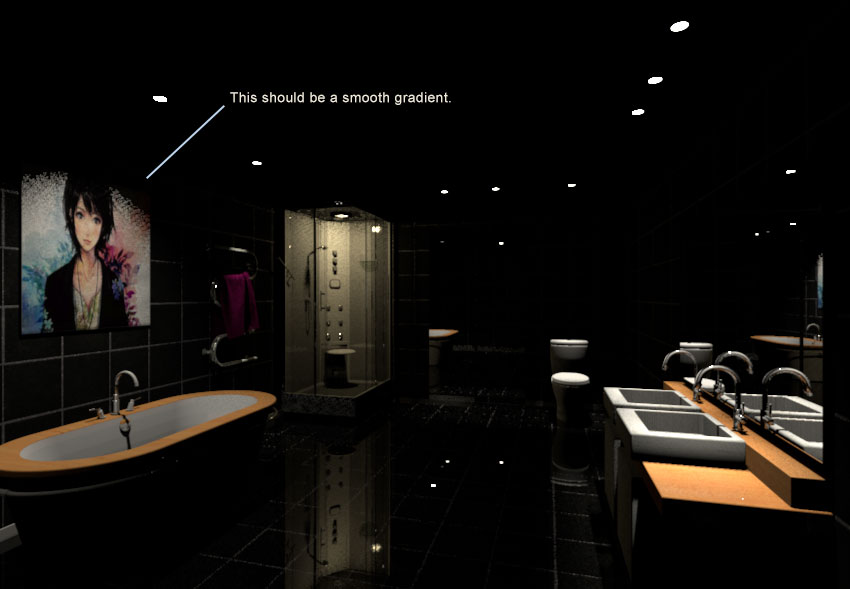
A "strange phenomena" occurred when I was making an illustration for this discussion.
I must have accidentally changed the time from day to night (which I would presume should not have any effect when rendering an image in a room without windows), and all of a sudden my ceiling had gone black.
And not only that, as you can see:

Daytime:
Image

Night:
Image

I tried changing the settings, but it had no effect.
The ceiling goes black when the sun goes down:
Image


Is there any rational explanation for this peculiar abnormality?

Cec

edit:
I have a link to the sh3d-file here .
User avatar
bdfd
Posts: 2614
Joined: Sat Mar 29, 2014 7:17 am
Country: LILLE, Les Hauts de France, Western Europa

Re: Same image – like night & day - a miracle?

Post by bdfd »

@cec,

I've found the same result. [:((]
For a minute I thought of the absence of roof.
But no change with a roof... very Strange !
Evil progresses when good people do nothing!
---
SH3D 7.1 and nothing else - W11 64b in 4K
enkonyito
Posts: 607
Joined: Thu May 28, 2015 4:52 pm

Re: Same image – like night & day - a miracle?

Post by enkonyito »

Is there any rational explanation for this peculiar abnormality?
This is a "normal" behavior of the renderer.

The default global illumination uses Ambient Occlusion and its parameters allow to have at daytime a minimum luminosity in a room completely closed.
So at night, without additional lighting, the image is black.

P.S.: At daytime, you have the same effect with diffusedBounces=0.
EnkoNyito
User avatar
Ceciliabr
Posts: 637
Joined: Sun Jul 07, 2013 3:41 pm
Country: Copenhagen, Denmark
Contact:

Re: Same image – like night & day - a miracle?

Post by Ceciliabr »

@ enkonyito
This is a "normal" behavior of the renderer.


Ok. That's good to know.

I have noticed some other forms of "unexpected behaviour" that you might interested in:

Image

It seems the wall texture is not rendering like it should when I'm using the Create photo with renderer:

Here with the default renderer:
Image

And here with the Create photo with renderer:
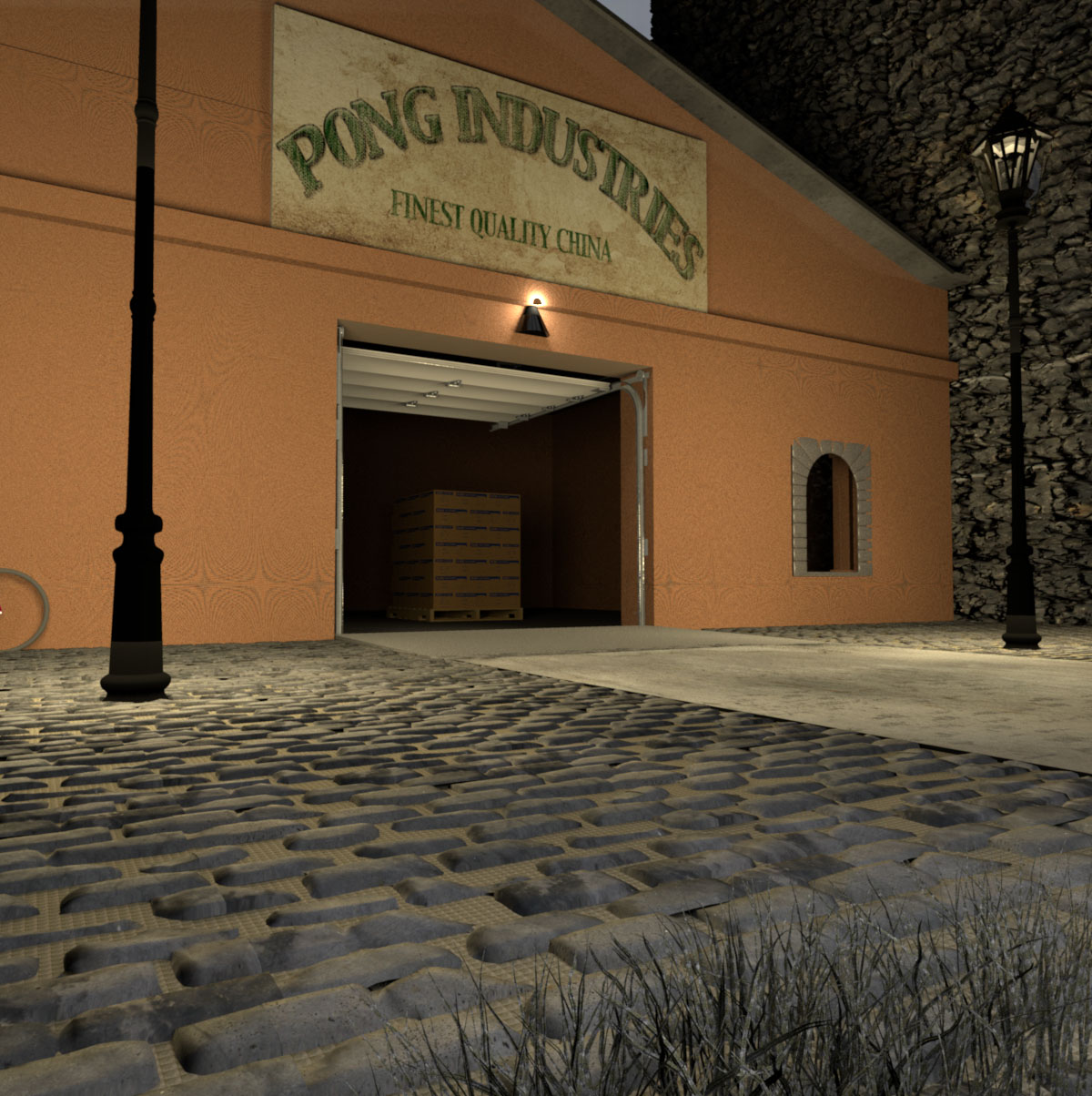
Image

The texture of the ground beneath the cobblestones don't look right. It has some kind of waffle-appearance compared to the image rendered with the default renderer.

I wanted to see if the same happened at daytime:

Image
It seems it did.

Here with the default renderer:
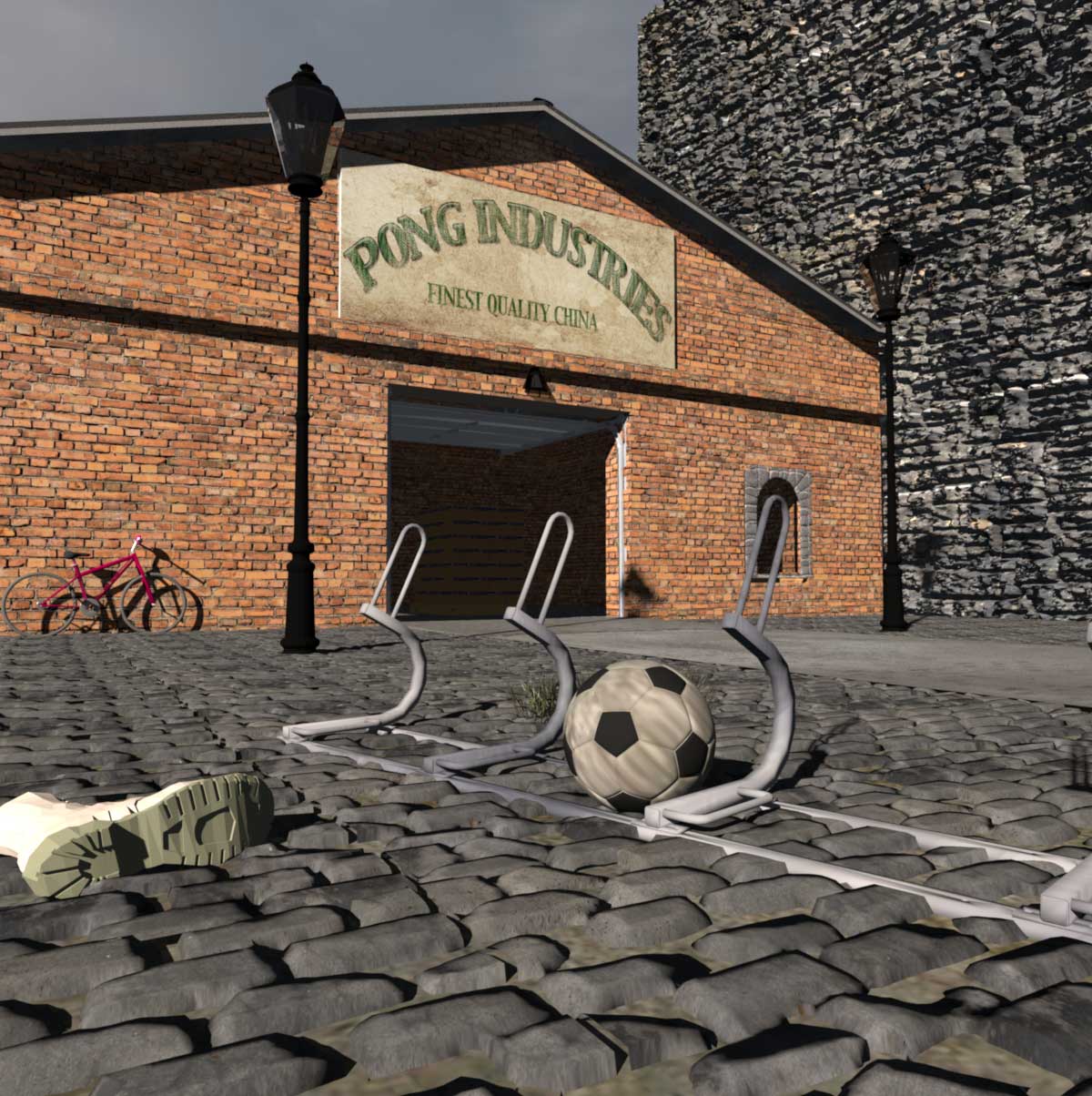
Image


And this is with the Create photo with renderer::
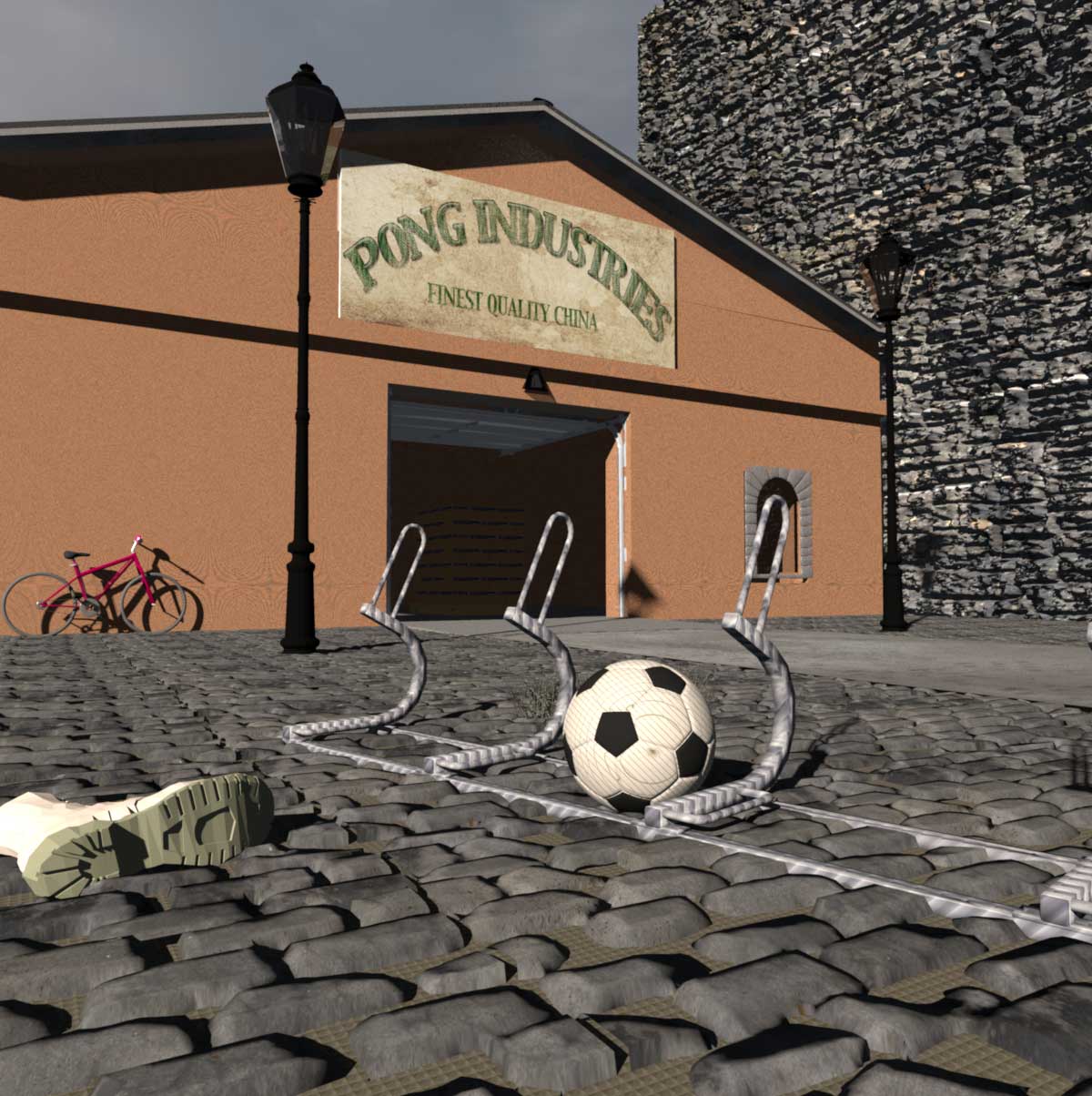
Image

And, as you can see, it's not only the walls and the ground texture that are different, the bicycle stand and the football also renders with a different looking texture.

I have the v1.3.2 version of the Create photo with renderer, and my settings for these renderings are the default settings of Q4.


Cec.

enkonyito
Posts: 607
Joined: Thu May 28, 2015 4:52 pm

Re: Same image – like night & day - a miracle?

Post by enkonyito »

You should use the PhotoVideoRendering plug-in .
EnkoNyito
User avatar
Ceciliabr
Posts: 637
Joined: Sun Jul 07, 2013 3:41 pm
Country: Copenhagen, Denmark
Contact:

Re: Same image – like night & day - a miracle?

Post by Ceciliabr »

@ enkonyito

Aha! A lot better.
But there's a minor issue with the light...

Image

It seems the positioning of the light source is not correct, compared to the default renderer.

cec
enkonyito
Posts: 607
Joined: Thu May 28, 2015 4:52 pm

Re: Same image – like night & day - a miracle?

Post by enkonyito »

Cecilia,

Which version of Sweet Home 3D and PhotoVideoRendering plug-in do you use?
Since SH3D-5.5 the lights are managed differently, in this case it is necessary to use the last version of the plug-in (PVR-1.3).

If the problem persists, can you send me your file?
EnkoNyito
User avatar
Ceciliabr
Posts: 637
Joined: Sun Jul 07, 2013 3:41 pm
Country: Copenhagen, Denmark
Contact:

Re: Same image – like night & day - a miracle?

Post by Ceciliabr »

@enkonyito

Perfect! [:)]


cec
enkonyito
Posts: 607
Joined: Thu May 28, 2015 4:52 pm

Re: Same image – like night & day - a miracle?

Post by enkonyito »

@Ceciliabr
Is there any rational explanation for this peculiar abnormality?
This is a "normal" behavior of the renderer.

The default global illumination uses Ambient Occlusion and its parameters allow to have at daytime a minimum luminosity in a room completely closed.
So at night, without additional lighting, the image is black.
I changed the behavior of the default global illumination to have a minimum nighttime brightness for a sky texture.
This option is disabled for a sky color because it changes to a blue hue that varies with time.

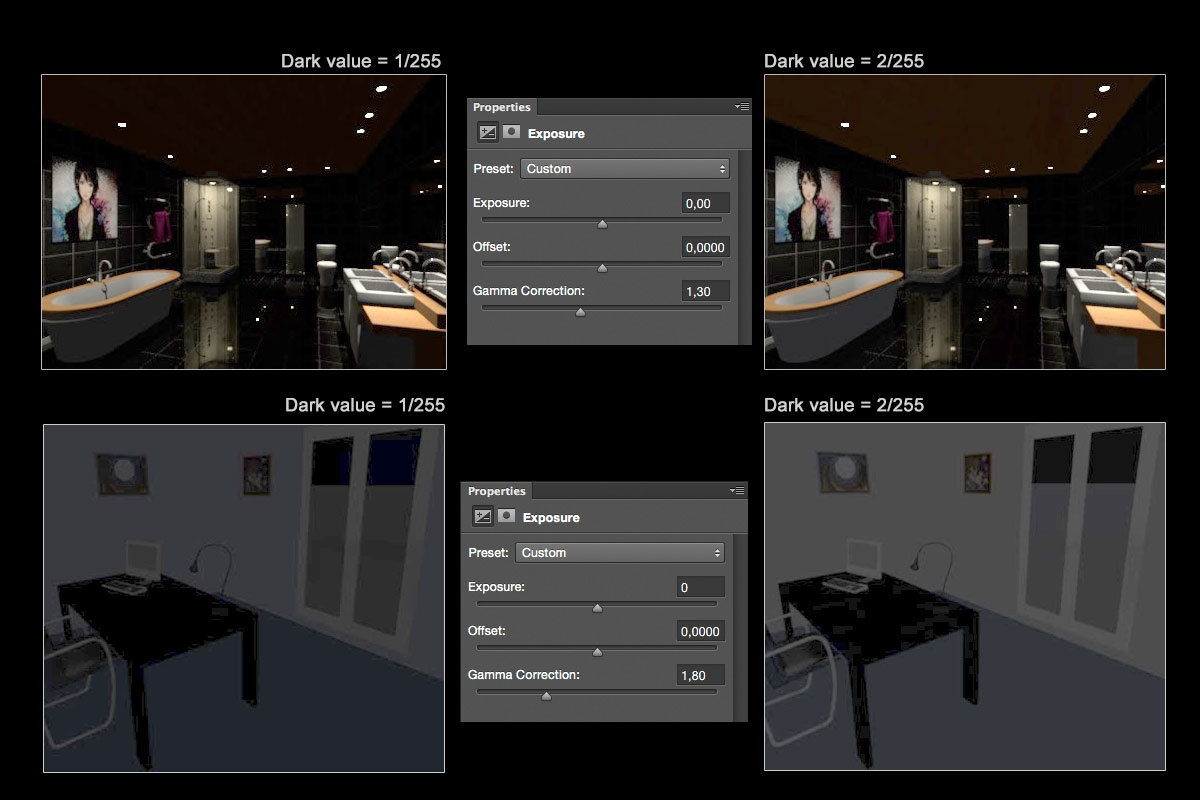
Dark value = 1/255
Image Daytime
Image Nighttime

Dark value = 2/255
Image Daytime
Image Nighttime

What result (value) do you prefer?


Here is another example without light, at night.
Image Dark value = 1/255
Image Dark value = 2/255
EnkoNyito
User avatar
Ceciliabr
Posts: 637
Joined: Sun Jul 07, 2013 3:41 pm
Country: Copenhagen, Denmark
Contact:

Re: Same image – like night & day - a miracle?

Post by Ceciliabr »

@enkonyito
What result (value) do you prefer?


I think I prefer dark level 2. The difference might seem minimal on these small pictures, but will probably be a lot more visible on a larger image.
changed the behavior of the default global illumination to have a minimum nighttime brightness for a sky texture. This option is disabled for a sky color because it changes to a blue hue that varies with time.


I did a Gamma Correction on your last images, and got this result ( used black background for easier viewing):

Image

On the two lower images I can see there is a blue hue that is more visible on dark level 1 than on dark level 2, but it seems to be the other way around on the two bathroom images. Does this have anything to do with sky texture or colour?

BTW: It's amazing how well all the details are preserved, even if the rendering is very dark.

Cec
Post Reply New Topic

Who is online

Users browsing this forum: No registered users and 1 guest