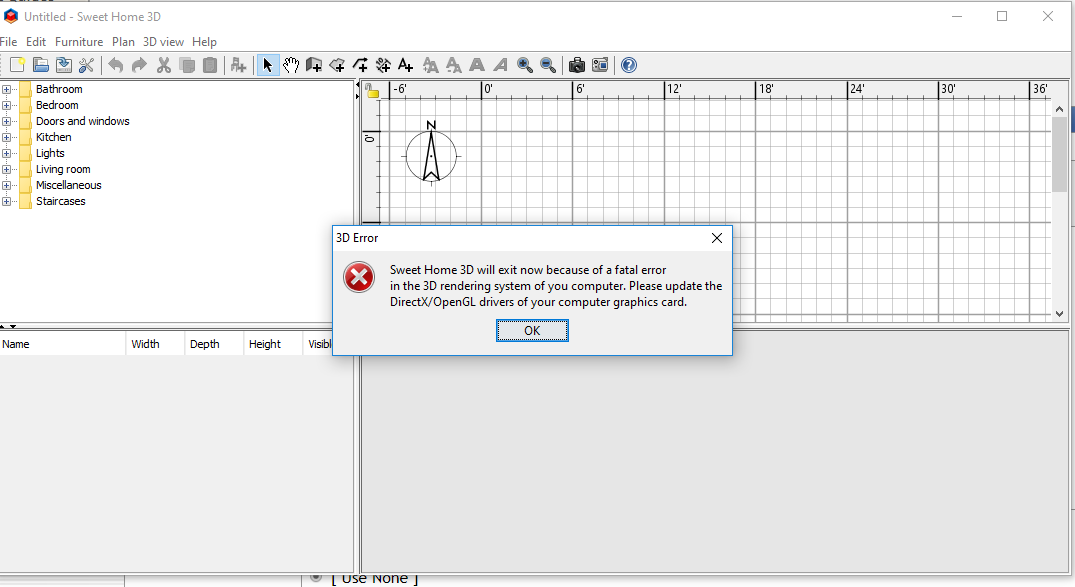
 3 d error
This topic has been viewed 4285 times and has 2 replies

Re: 3 d error
Hi Puybaret. I am trying to follow your link instructions but getting stuck with them
For people not used to commands, this can be achieved this way:
- Press <Windows> + R keys (YES)
- Type cmd and press <enter> key (YES)
- Drag and drop the icon of the installer SweetHome3D-5.5-windows.exe in the command window (NO- what does this mean and how do I do it??)
- Type a space in the cmd window (YES)
- Copy /os.arch=x86 /j3d.version=1.5.2 and paste it in the cmd window (NO - what do I enter for Windows 10???)
- Press <enter> key.
YES means I understand
NO means I need more help
thanks
T
For people not used to commands, this can be achieved this way:
- Press <Windows> + R keys (YES)
- Type cmd and press <enter> key (YES)
- Drag and drop the icon of the installer SweetHome3D-5.5-windows.exe in the command window (NO- what does this mean and how do I do it??)
- Type a space in the cmd window (YES)
- Copy /os.arch=x86 /j3d.version=1.5.2 and paste it in the cmd window (NO - what do I enter for Windows 10???)
- Press <enter> key.
YES means I understand
NO means I need more help
thanks
T
Who is online
Users browsing this forum: No registered users and 1 guest