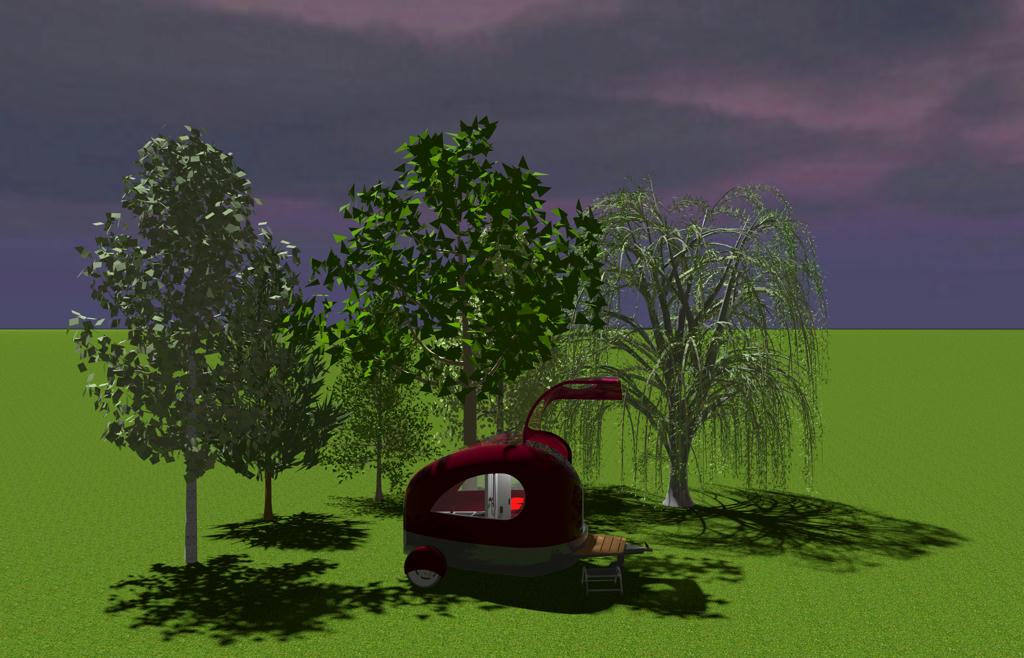
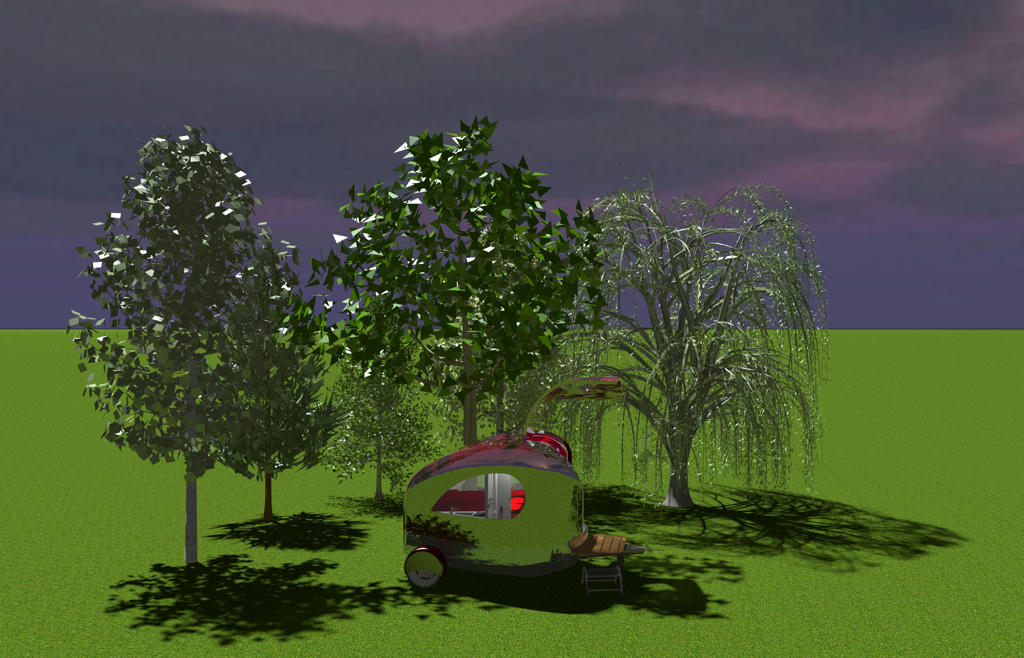
YafaRay rendering plug-in

This topic has been viewed 526847 times and has 172 replies
Thread status: Active
Test the features and bug fixes of future versions [img]http://www.sweethome3d.com/images/flags/en_small.gif[/img]
Post Reply New Topic
User avatar
Puybaret
Posts: 9440
Joined: Mon Nov 07, 2005 12:00 pm
Country: Paris, France
Contact:

YafaRay rendering plug-in

Post by Puybaret »

Hi,

I'm happy to present you the YafaRay Rendering plug-in able to render images with Yafaray engine, thanks to the new Tools > Create photo with YafaRay menu item (see the end of this message for download links).
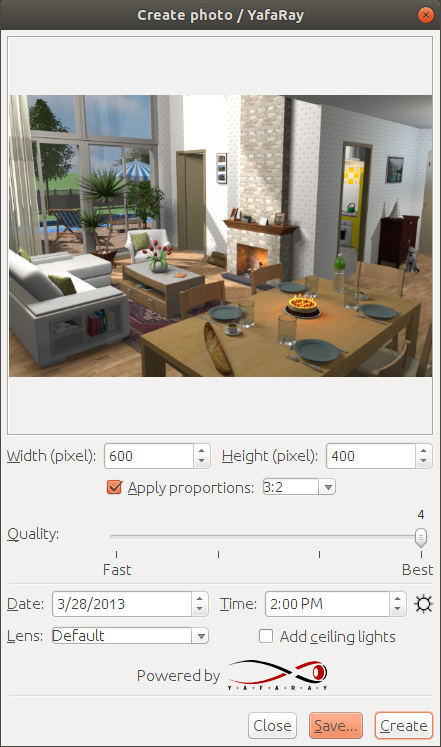
Image

After the rendering engines performance test made last year, YafaRay library looked like a good candidate to improve the rendering speed at two best quality levels in Sweet Home 3D.
Thus, this plug-in mostly replaces SunFlow engine by YafaRay engine, reusing the same features and look as the existing Create photo dialog box at the moment (both dialog boxes even share the same parameters).
It's able to run under Windows 32 / 64 bit, macOS 64 bit and Linux 32 / 64 bit. Spherical lens was missing in the version 1.0. You'll probably notice also that, compared to SunFlow, the default sky produces a slightly bluer color when a sky texture is not used.

From my tests, this new rendering engine runs twice faster. Not as much faster as the performance test let me hoped, but it's still a good improvement.
From a developer point of view, this plug-in is very close to the existing photo creation tool, with its [font=courier new]YafarayPhotoPanel[/font] and [font=courier new]YafarayRenderer[/font] classes close to the PhotoPanel and PhotoRenderer existing classes. This should allow developers (enkonyito?) who know these classes to improve this plug-in if they want, and me to factorize some code in a future version. Parameters available in YafaRay can be quite easily guessed from the XML examples provided in YafaRay downloads. Avoid to touch the native [font=courier new]YafarayRenderer.cpp[/font] file used as a bridge to YafaRay if you don't know JNI (Java Native Interface), but it shouldn't be necessary.

I'm looking forward to read your feedback about this plug-in [:)]

Many thanks to David Bluecame from YafaRay team for his help to fix some issues.

[Note: from July 13, 2012, YafaRay renderer is available in Sweet Home 3D 7.0 making this plug-in useful only if you use an older of Sweet Home 3D]

Download links for YafaRay Rendering plug-in:
YafaRay Rendering plug-in 1.4.5 (17 MB) was released on 02/25/2022 to fix crashes which happened with DAE models specifying only transparent color
YafaRay Rendering plug-in 1.4.4 (17 MB) was released on 03/13/2021 to fix shadow lines appearing on flat surfaces, some memory leaks and to support rendering with Sweet Home 3D available in Mac App Store
YafaRay Rendering plug-in 1.4.3 (17 MB) was released on 01/17/2021 to fix light rays that could appear at ceiling borders
YafaRay Rendering plug-in 1.4.2 (17 MB) was released on 01/13/2021 to support also Mac OS X 10.9, 10.11 and 10.12
YafaRay Rendering plug-in 1.4.1 (17 MB) was released on 01/12/2021 with Mac ARM Silicon support
YafaRay Rendering plug-in 1.4 (16 MB) was released on 11/25/2020[/b] to include YafaRay 3.5.1 and fix crashes under Windows
YafaRay Rendering plug-in 1.3.2 (21 MB) was released on 7/29/2020 to fix a launch issue on some macOS configurations
YafaRay Rendering plug-in 1.3.1 (21 MB) was released on 7/22/2020 to fix a launch issue on some macOS configurations
YafaRay Rendering plug-in 1.3 (21 MB) was released on 6/6/2020 with better handling of low memory issues
YafaRay Rendering plug-in 1.2 (21 MB) was released on 5/18/2020 with fisheye lens projection fixed and faster rendering launch delay
YafaRay Rendering plug-in 1.1 (24 MB) was released on 5/8/2020 with additional support for spherical lens
YafaRay Rendering plug-in 1.0 (24 MB) was released on 31/01/2020 after a beta test of a few months

Emmanuel Puybaret, Sweet Home 3D creator
User avatar
waleedfahmy
Posts: 28
Joined: Mon Aug 05, 2019 11:23 pm
Country: Egypt

Re: YafaRay rendering plug-in

Post by waleedfahmy »

Thank you Puybaret for great effort ,
downloading and going to try :)
User avatar
waleedfahmy
Posts: 28
Joined: Mon Aug 05, 2019 11:23 pm
Country: Egypt

Re: YafaRay rendering plug-in

Post by waleedfahmy »

SH3d crashes when I try to render using this plugin , ordinary rendering and photo-video rendering plug-ins are working ok .
my system is windows10 64 bit , processor intel core-I5 @1.7 GHz , 4GB ram ,Intel HD Graphics 4400
User avatar
Ceciliabr
Posts: 637
Joined: Sun Jul 07, 2013 3:41 pm
Country: Copenhagen, Denmark
Contact:

Re: YafaRay rendering plug-in

Post by Ceciliabr »

I might be doing something wrong, but it seems the YafaRay does not work properly on a Mac 6.1 running OS High Sierra.

Pressing the Create-button, it just changes colour for a second. Nothing else happens.

Cecilia
GnU
Posts: 4
Joined: Tue Aug 20, 2019 11:24 am
Country: Spain

Re: YafaRay rendering plug-in

Post by GnU »

The same for me:

SH3d crashes when I try to render using this plugin, ordinary rendering and photo-video rendering plug-ins are working ok. My system is Windows10 64 bit, Ryzen 1700, 16GB ram, RX580
ndorigatti
Posts: 66
Joined: Fri May 12, 2017 9:54 am
Country: Italia

Re: YafaRay rendering plug-in

Post by ndorigatti »

@Ceciliabr: Here works on a MacBook Pro 13 (2017, the one with usb-c) with Mojave

It seems also quite fast.

@Pubayet
I made a test with PVR 1.7 (SweetHome 6.2) Q4 (ambient occlusion)
And one with YafaRay plugin

PVR 1.7
:
Image


YafaRay Plugin
:
Image

I like a lot how Yafaray light goes to the "left" side of the picture, it is really close to what happens in real life, and ambient light is very nice.
On the other side lights allaround seem way better with enkyo plugin, I don't know if it depends with the usage of PVR light panels or it is something other.
In top right the cube light is very nice with enkyo plugin, but behaves bad on YafaRay.

It's very exciting as a new plugin and maybe enkyo can make a PVR-YafaRay plugin that is fast and nice!!!
User avatar
hansmex
Posts: 4027
Joined: Sat Sep 26, 2009 11:36 am
Country: Netherlands

Re: YafaRay rendering plug-in

Post by hansmex »

Great idea!! Thank you very much.

Unfortunately the plug-in crashes on every file I tried.
- - System: Windows Pro 10 64 bits, SH3D 6.2 with 8 GB memory allowance

I'm happy t o report that under Ubuntu the plugin rune just fine.
- - System: Ubuntu 18.04 64 bits, SH3D 6.2 with 2 GB memory allowance (installed from app store)

Does anyone know how I can change the memory allowance under Ubuntu?


Hans
Hans

new website - under constuction
hansdirkse.info
User avatar
bdfd
Posts: 2614
Joined: Sat Mar 29, 2014 7:17 am
Country: LILLE, Les Hauts de France, Western Europa

Re: YafaRay rendering plug-in

Post by bdfd »

Hi,

Even on my new PC, this plug-in crashes down sh3d software ???

Sh3D disappears when I execute the plug-in… [:D] :
in Q3 or Q4,
with old or new file !
=> except in Q1 and Q2. [:-/]

Not ready yet for everybody. [:((]
.
Evil progresses when good people do nothing!
---
SH3D 7.1 and nothing else - W11 64b in 4K
User avatar
UbuntuBirdy
Posts: 421
Joined: Thu Aug 31, 2017 10:31 pm
Country: Switzerland
Contact:

Re: YafaRay rendering plug-in

Post by UbuntuBirdy »

PVR 1.7
Image

PVR 1.8 Beta
Image

YafaRay
Image

Not what I expected, but yes, it's fast!
...and it safes some serious disk space... [:))]
Pascal

SH3D 6.6 / Ubuntu 22.04 (Mainline-Kernel) / Radeon RX580 / Ryzen 7 5800x
User avatar
Puybaret
Posts: 9440
Joined: Mon Nov 07, 2005 12:00 pm
Country: Paris, France
Contact:

Re: YafaRay rendering plug-in

Post by Puybaret »

Many thanks for your feedback, even if I hoped it would work better under Windows after all the energy I spent on resolving issues. On my side, the plug-in works with the installer of the free version of Sweet Home 3D under Windows 10, but not with the JAR executable version, the Microsoft Store version or under Windows 8.1. I fear that I pushed too far the ability to load DLLs on the fly under that system. I'll study possible other solutions.
Anyway, I fixed the issue encountered by Cecilia (just a missing DLLs for older macOS versions) and released a Beta 2 available here.

About images posted by UbuntuBirdy and ndorigatti, I'm happy you succeeded to run the plug-in but comparing your results with the ones generated with enkonyito plug-in isn't really fair, since I just tried to adjust YafaRay settings to reproduce images generated by the default Photo creation tool of Sweet Home 3D! But surely, even on that side, there must be some remaining bugs.

To Windows users, could you check if the program fails even with an empty home or some available from the File > New from demo menu item? Thanks [:)]
Emmanuel Puybaret, Sweet Home 3D creator
Post Reply New Topic

Who is online

Users browsing this forum: No registered users and 1 guest