Print at Dec 16, 2025, 6:07:32 PM
Posts: 312   Pages: 32   [ Previous Page | 7 8 9 10 11 12 13 14 15 16 | Next Page ]
View all posts in this thread on one page
Posted by dorin at Dec 14, 2022, 7:16:54 AM
Re: Generate roof plugin
@crackwood01 GRT thank you very much!
2d elevation in black and white on wich you can take measurements

Please explain me with more details (eventually with some pictures).
If it's possible for me, I'll try.
----------------------------------------
A computer program does what you tell it to do, not what you want it to do. Murphy's Law
When all else fails, read the instructions. Murphy's Law
If you don't like "AS IS", DIY. Dorin's law

Posted by Mike53 at Dec 14, 2022, 1:51:55 PM
Re: Generate roof plugin
Hi Dorin, you and Daniel have made a much needed plug work very well, thumbs up from me.

Posted by crackwood01 at Dec 14, 2022, 3:12:33 PM
Re: Generate roof plugin
Hi Dorin,

from now the only way to have 2d elevation is by using the plugin recently made.

The problem is that we prefer having black and white elevations and the possibility to take mesaures on it wich is not possible right now without exporting the image and reimport it as a background.

Posted by crackwood01 at Dec 14, 2022, 4:00:02 PM
Re: Generate roof plugin
Honestly, i think you have a lot of good stuff to start with.

You could try modidy the existing elevation plugin "side view" in adding a black and white option (and maybe some standard "black and white textures").
You could try to modifiy the "draw 3d dimensions line" to be able to use it on he 2d dialog.

Being able to export all 4 sides in pdf would be great to.

Posted by dorin at Dec 14, 2022, 4:07:15 PM
Re: Generate roof plugin
Hi to all and tanks for your appreciations.
@crackwood01
Now I understudy what you propose.Thanks for enlightening me!
You've right but, in SH3D, we have 2 different things:
-1. The elevation which are measured from the bottom of piece;
-2. The high of piece;
We need both.
I think that could be solved by Daniels118 trough them 3D Dimension plugin to make it to be able to measure objects even outside the wall or building.
At that moment we could improve some options in this plugins.
Anyway we will try to do something in this way.
Will be useful to many other users.
----------------------------------------
A computer program does what you tell it to do, not what you want it to do. Murphy's Law
When all else fails, read the instructions. Murphy's Law
If you don't like "AS IS", DIY. Dorin's law

Posted by dorin at Dec 14, 2022, 4:13:21 PM
Re: Generate roof plugin
It's appear we write in the same time.
Your proposal are also in my mind for few years.
Step by step we (including you) will make it (SH3D) better.
----------------------------------------
A computer program does what you tell it to do, not what you want it to do. Murphy's Law
When all else fails, read the instructions. Murphy's Law
If you don't like "AS IS", DIY. Dorin's law

Posted by dorin at Dec 16, 2022, 12:21:24 PM
Re: Generate roof plugin
The GRT offer you a new beta version Generate roof v.4.0.beta2
It was planed to appear at the end of 2023.
Without priceless help of Daniele this version are not possible to exist.

All users have to thank to crackwood01 and Klaus60 who "bought" a year for you!

1. It's a beta version so, Used with care!

2. Whats new:
-add roof thickness;
-compute holes in roof projection;
-make faces invisible in preview;
-add a fine tuning slider;
-remove Help button as useless;
-remove room under the roof;
-add some translations(IT and CN).

3. TO DO:
-add some specific property to the roof object(I don't know yet what or which);
-add a entry in the Help menu (for this are needed more collaboration. Maybe hansmax could do this);
-implement the other functions already programed by Tom Kelly.

4. Some pictures with some explanations:

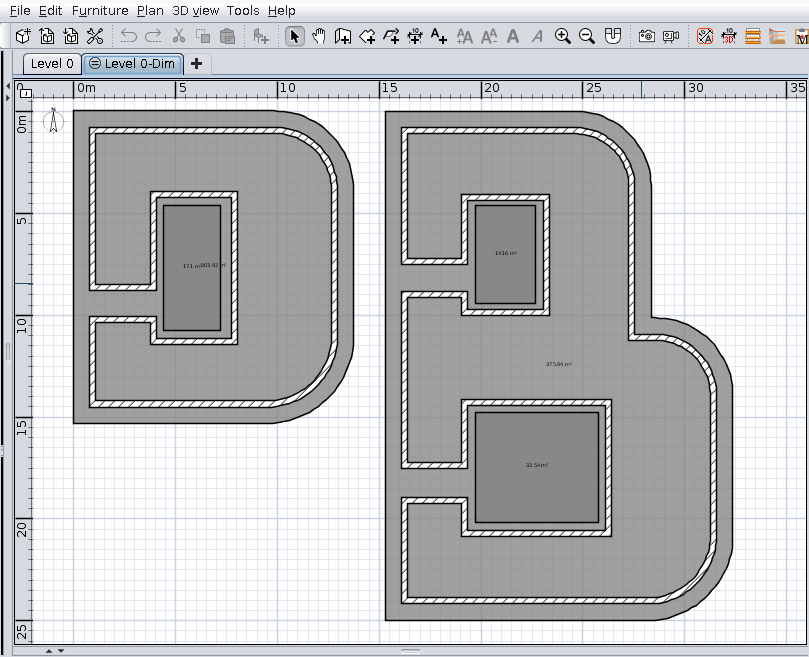
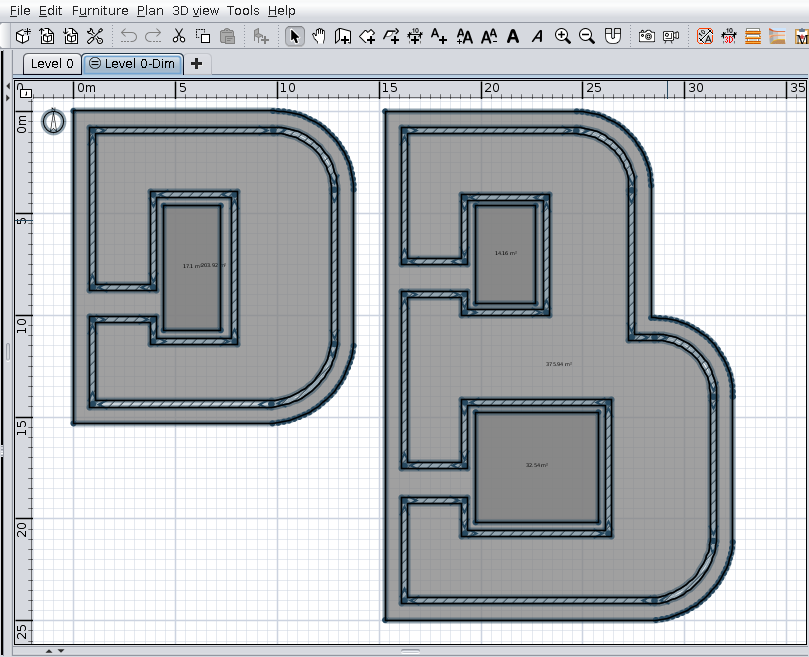
Here are two letters with holes


Ctrl+A to select all (not mandatory). You could also select only needed rooms.


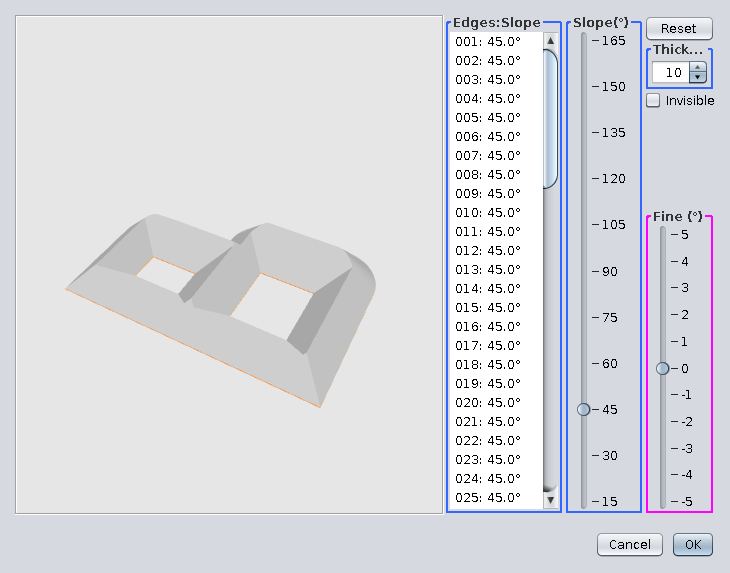
Tools->Generate roof...
As you could see ONLY the B are generated because is the bigger from selection.
If you want D you have to select only D.


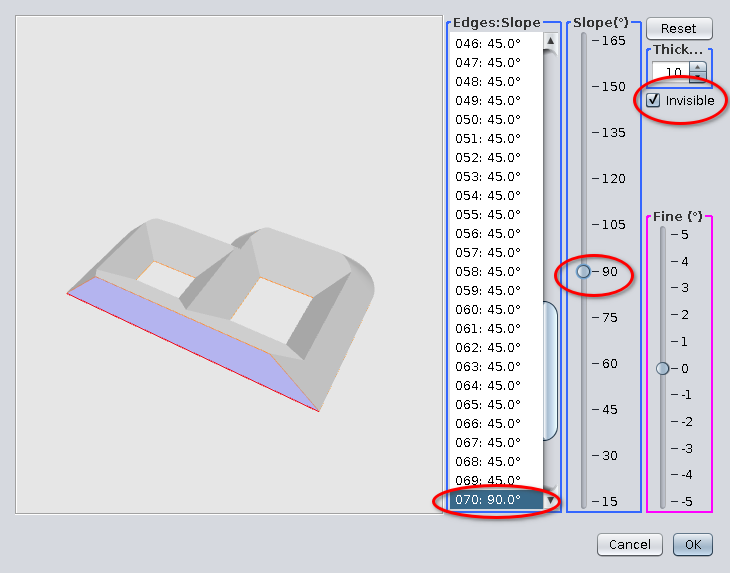
Select one or more faces;
Modify slope as needed and make it invisible.


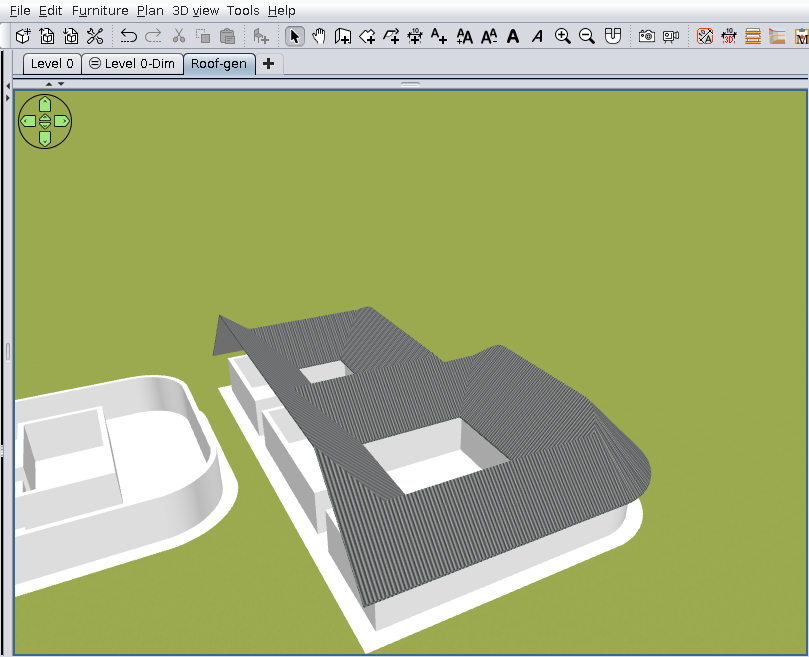
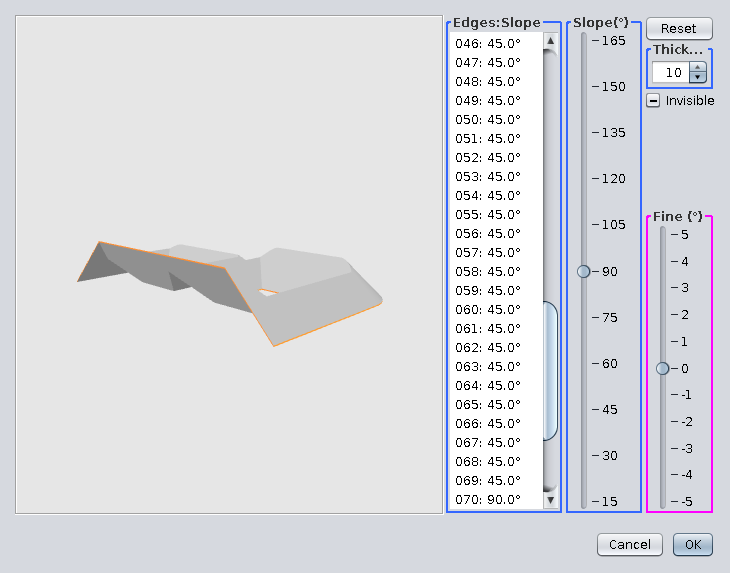
This could be the result in preview. OK.


Set materials texture and you could have this:


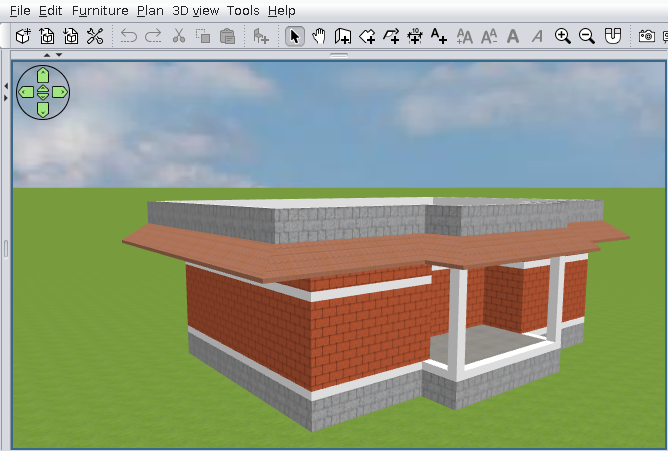
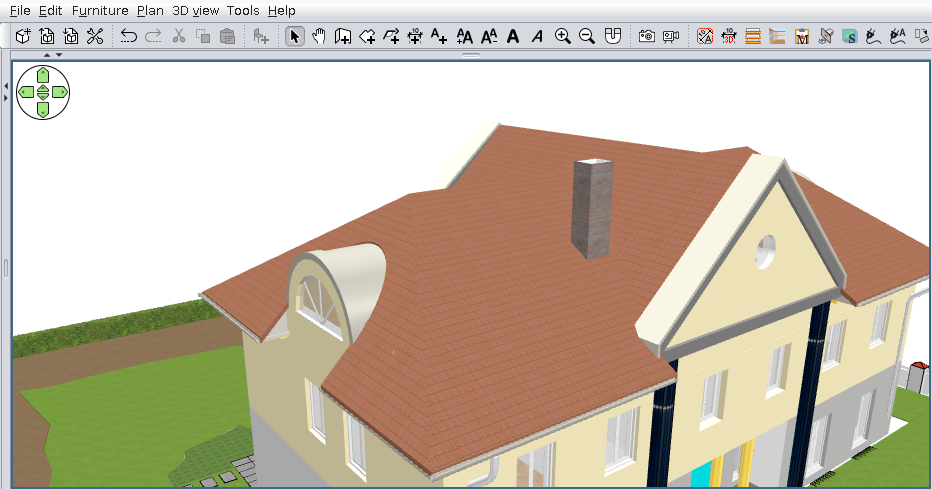
Finally few roofs made with this plugin:
This one I've use the holes feature:


For this one I've have to made a lot of aids walls and rooms until I've find an optimal solution
Are made from three different pieces of roof.


We (GRT) wish you all good health and a new year at least as good as the last!

Also on Source Forge
----------------------------------------
A computer program does what you tell it to do, not what you want it to do. Murphy's Law
When all else fails, read the instructions. Murphy's Law
If you don't like "AS IS", DIY. Dorin's law

Posted by Keet at Dec 16, 2022, 1:37:43 PM
Re: Generate roof plugin
WOW! This plugin is getting really professional. Congratulations to the GRT team and thank you very much for your efforts.
----------------------------------------
Dodecagon.nl
1300+ 3D models, manuals, and projects

Posted by hansmex at Dec 16, 2022, 2:50:32 PM
Re: Generate roof plugin
@Dorin

Thanks again for this magnificent work.
Let me know what you need as Help text, and I'll see what I can do.

H
----------------------------------------
Hans

new website - under constuction
hansdirkse.info

Posted by Vinci68 at Dec 16, 2022, 3:32:33 PM
Re: Generate roof plugin
Congratulations to the group, it's a great job. Happy holidays to all !

Posts: 312   Pages: 32   [ Previous Page | 7 8 9 10 11 12 13 14 15 16 | Next Page ]