|
Sweet Home 3D Forum » List all forums » » Forum: 3D problems » » » Thread: massive color-difference |
||
| Print at Dec 19, 2025, 7:56:11 AM |
|
|
| Posted by Mike53 at Nov 16, 2018, 10:49:44 PM |
|
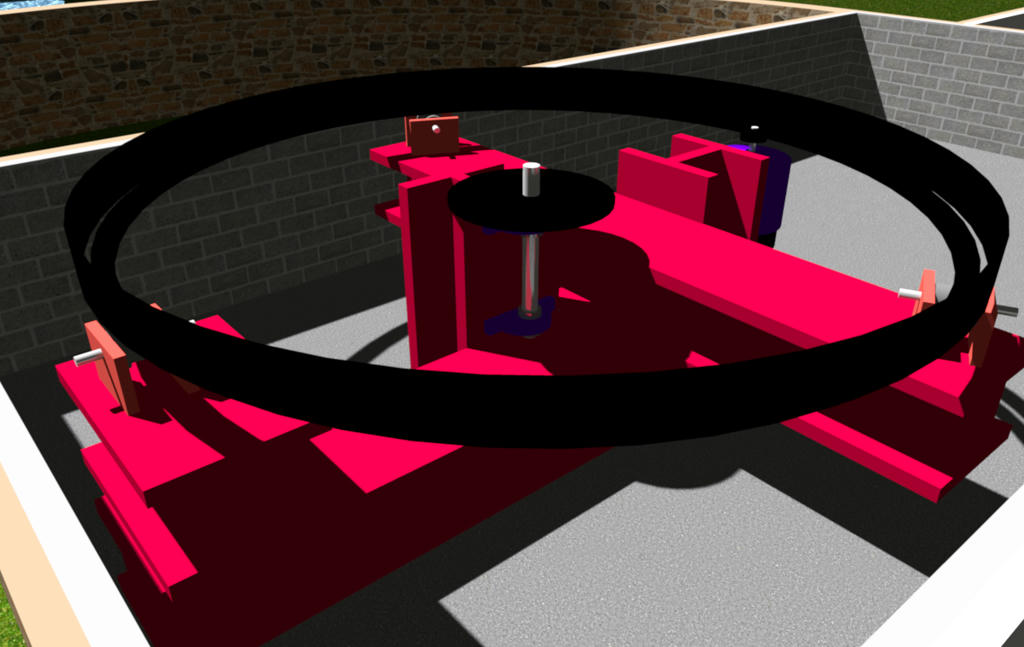
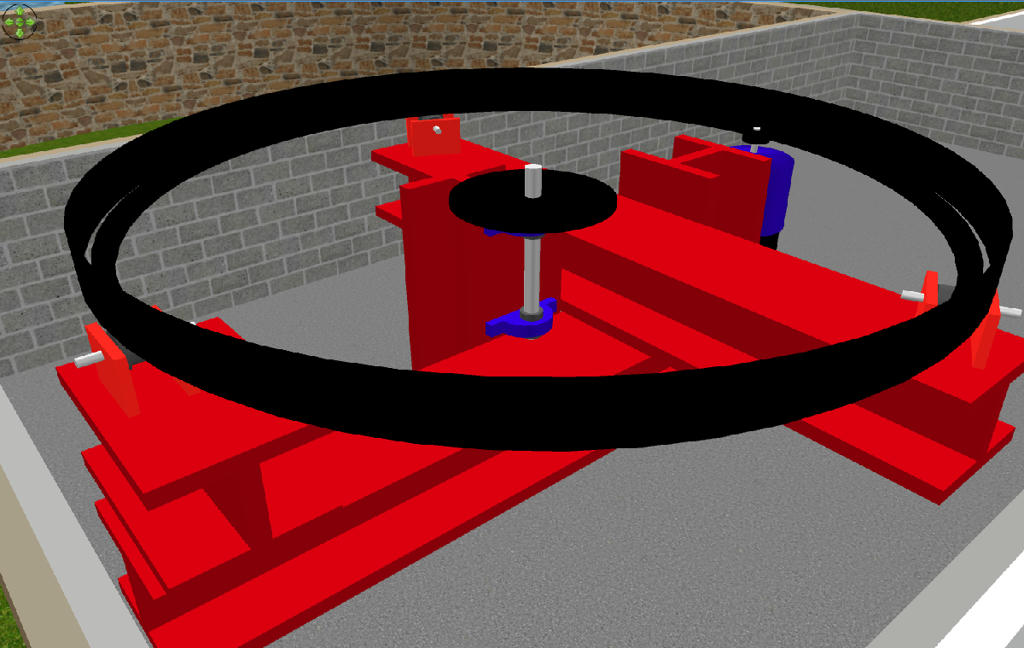
Re: massive color-difference Not so sure this is a new topic, i seem to recall questioning it a couple of years ago, i have found that using textures is far more accurate than colors, here are 2 images, 1 a screenshot the other a render. ![]() and this is a Q4 render ![]() not only does the red change to pink but it also shows how different objects color differently, the I beams are rooms and the roller support brackets are box's, both have the same color applied to them. Mike |
| Posted by hal9000 at Dec 6, 2019, 8:05:17 PM |
|
Re: massive color-difference Well, more than 1 year after the last post, but... Has somebody tried to render one of these projects with YafaRay to see if the color difference between a pure color and a texture of the same color is still there? ---------------------------------------- If a long walk every day were healthy, mailmen would be immortal. ![]() |
| Posted by UbuntuBirdy at Dec 7, 2019, 11:26:30 AM |
|
Re: massive color-difference Interesting idea. Yes, I have, but unfortunately I have changed all my projects from colored to textured objects. But I will this give a try. ---------------------------------------- Pascal SH3D 6.6 / Ubuntu 22.04 (Mainline-Kernel) / Radeon RX580 / Ryzen 7 5800x |
| Posted by enkonyito at Dec 13, 2019, 2:28:20 AM |
|
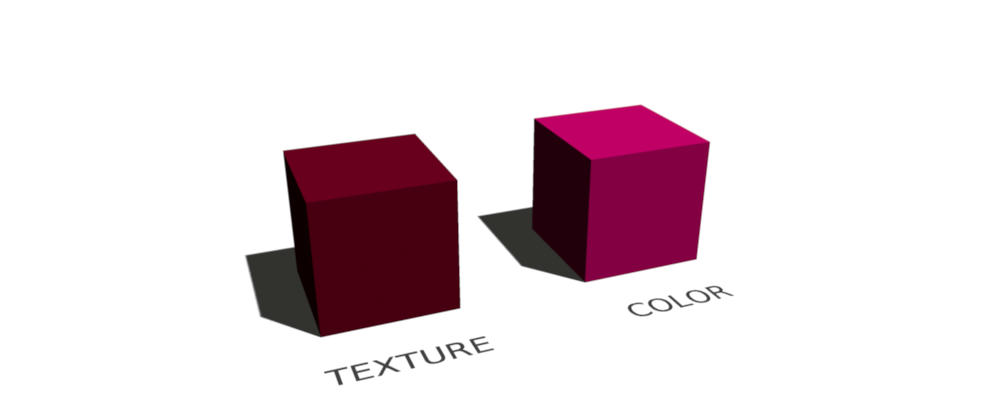
Re: massive color-difference @UbuntuBirdy This picture shows what's wrong in my opinion: - The left cube has a texture which is only colored as #520015 - The right cube has the color #520015 directly In my opinion both cubes should look the same, we should see exactly the same color. But only the textured cube shows the color #520015 as it should be. I think the difference comes from the way Java 3D processes colors or textures. Example of rendering in quality 1. Enko ---------------------------------------- EnkoNyito |
| Posted by Mike53 at Feb 21, 2021, 11:24:25 AM |
|
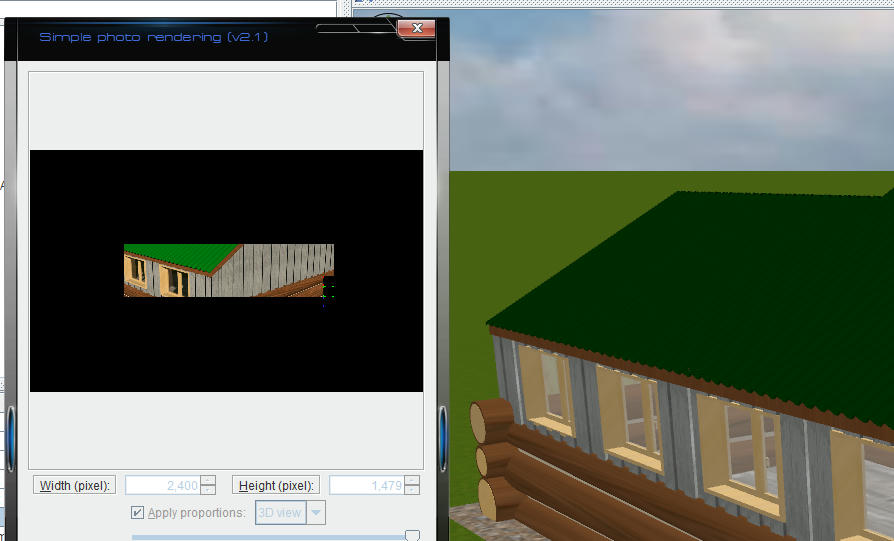
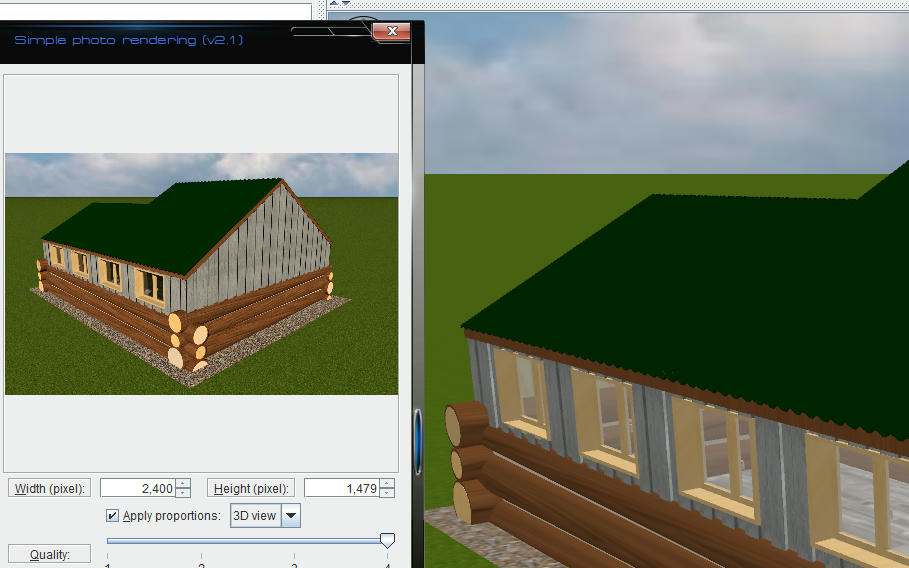
Re: massive color-difference Not sure if this issue has been attended to but i am still getting the same issue Roof with colour:- ![]() Roof with texture:- ![]() |
| Posted by hansmex at Feb 21, 2021, 11:40:35 AM |
|
Re: massive color-difference This is a known "problem". Using an even-coloured texture is the solution, as you already found out. H ---------------------------------------- Hans new website - under constuction hansdirkse.info |
| Posted by Mike53 at Feb 21, 2021, 1:16:11 PM |
|
Re: massive color-difference Just because it is something that is a "KNOWN PROBLEM" shouldn't mean we have to continue with "work arounds" rather than sorting the issues. As a maintenance engineer i quite often use "work arounds" when needed to get a machine running, but, these are temporary, I return as soon as possible to properly make repair. |
| Posted by reddy.shyam at Feb 26, 2021, 6:47:43 AM |
|
Re: massive color-difference While we are at it, is my issue same as well? All my bright colors become pale when I generate an image. Please see attached. Any setting I need to change while generating image? Cannot attach any image host files for some reason. Tried imgur and prnt.sc` |
| Posted by kutlu9 at Mar 14, 2021, 8:20:22 AM |
|
Re: massive color-difference I'm having same problem as reddy.shyam. I was using the programm without any problems, suddenly my images become over exposed. Uninstall/reinstall didn't solved it. I noticed sky texture or color doesn't render (rendering with only pure white color) making final image over exposed. |
| Posted by c0d3z3r0 at Dec 27, 2024, 8:40:17 PM |
|
Re: massive color-difference The problem seems to be that Java3D expects Linear RGB as input color space:https://forum.jogamp.org/sRGB-and-gamma-correction-in-Java3d-td4038946.html I've tested this by manually setting the RGB value of a wall to a gamma-corrected value ( lin=255*(val/255, 2.2) ), which makes yafaray and sunflow output the correct color. There are two options: 1) feed in a generated texture or 2) convert the colors to linear RGB |
|
|
|
Current timezone is GMT Dec 19, 2025, 7:56:11 AM |