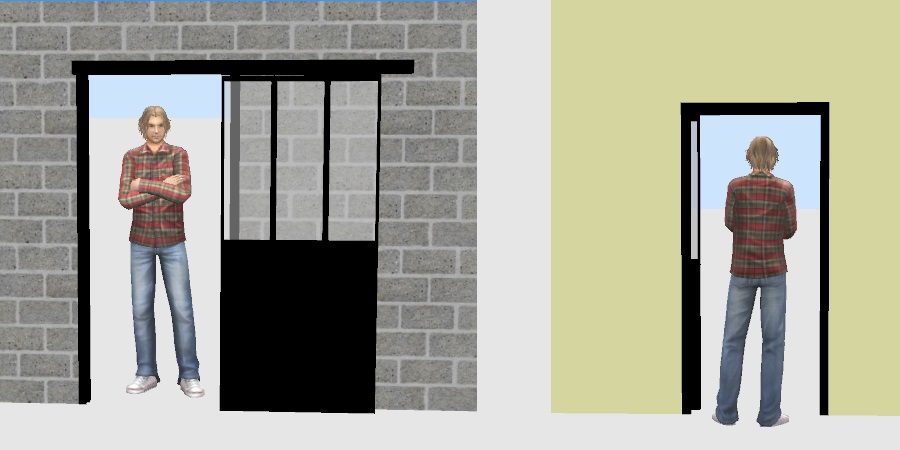
cool Sliding door glazed

This topic has been viewed 13599 times and has 8 replies
Thread status: Active
Looking for a particular 3D model or texture? [img]http://www.sweethome3d.com/images/flags/en_small.gif[/img]
Post Reply New Topic
User avatar
bdfd
Posts: 2614
Joined: Sat Mar 29, 2014 7:17 am
Country: LILLE, Les Hauts de France, Western Europa

Sliding door glazed

Post by bdfd »

Hi,

Here are two new models of sliding doors glazed, one opened and the another closed.

Closed
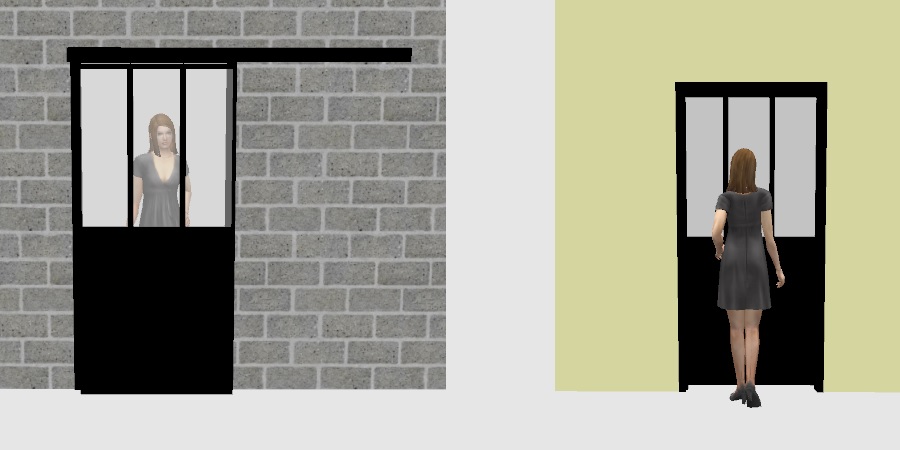
Image

Opened
Image

Download and unzipp them before to import.

IMPORTANT !
do not forget :
to add an standard embrasure in black color,
for import, click on the option 'door and window',
to remove the magnetism to put the sliding door glazed,
Put the sliding door glazed near the wall, not in.

---

# This file is distributed under the CC-BY Creative Commons Attribution 3.0 Unported license
# available at http://creativecommons.org/licenses/by/3.0/ or under the terms of the GNU General Public License
# as published by the Free Software Foundation and available at http://www.gnu.org/copyleft/gpl.txt

Verriere fermee = closed
Verriere ouverte = opened

Regards.

[:)]
Attachments
Verriere ouverte.zip
(139.54 KiB) Downloaded 513675 times
Verriere fermee.zip
(129.05 KiB) Downloaded 512695 times
Evil progresses when good people do nothing!
---
SH3D 7.1 and nothing else - W11 64b in 4K
VeroniQ
Posts: 886
Joined: Tue Mar 03, 2015 9:01 am
Country: France

Re: Sliding door glazed

Post by VeroniQ »

Well done, Bdfd, and so fashionable!
okh
Posts: 1545
Joined: Sun May 12, 2013 9:43 pm

Re: Sliding door glazed

Post by okh »

..add an standard embrasure in black color, for import, click on the option 'door and window', to remove the magnetism to put the sliding door glazed, Put the sliding door glazed near the wall, not in.
Or add library properties (see thread 2006 for the whole shebang), something like this guestimate:

Code: Select all

doorOrWindow#1=true
doorOrWindowCutOutShape#1=M 0.029,0.04 h0.46 v.962 h-0.46 z
doorOrWindowWallThickness#1=15
doorOrWindowWallDistance#1=-6.2
Or even edit the [font=courier new]<doorOrWindow .../> [/font] properties in [font=courier new]Home.xml[/font] replacing:

Code: Select all

wallCutOutOnBothSides='true' boundToWall='false'
by something like:

Code: Select all

wallThickness='0.903616' wallDistance='-0.373494' cutOutShape='M 0.029,0.04 h0.46 v.962 h-0.46 z' wallCutOutOnBothSides='true'
Backup first, though, easy to make a mess [:)] The cutout will be the same in both cases, but in [font=courier new]Home.xml[/font] all values are relative to model size, also wall alignment. As model is 16.6 deep wallThickness = 0.903616 (15/16.6) and wall Distance -0.373494 (-6.2/16.6).
ok
PS. In light of the hols approaching, all concerned with dietary requirements of models, there is information in SF 3D models 261. Combined with a bit of editor magic, it is quite astonishing how small it is possible to make a model.
User avatar
bdfd
Posts: 2614
Joined: Sat Mar 29, 2014 7:17 am
Country: LILLE, Les Hauts de France, Western Europa

Re: Sliding door glazed

Post by bdfd »

Thanks to Lady Vero & okh.

It's an another way to give 3D models with automatic import. [;)]

[:)]
Evil progresses when good people do nothing!
---
SH3D 7.1 and nothing else - W11 64b in 4K
okh
Posts: 1545
Joined: Sun May 12, 2013 9:43 pm

Re: Sliding door glazed

Post by okh »

It's an another way to give 3D models with automatic import
Sorry, do not get it. Could you rephrase, please? ok
User avatar
bdfd
Posts: 2614
Joined: Sat Mar 29, 2014 7:17 am
Country: LILLE, Les Hauts de France, Western Europa

Re: Sliding door glazed

Post by bdfd »

It's an another way to give 3D models with automatic import
Sorry, do not get it. Could you rephrase, please? ok
A sh3f file can be importing into sh3d automatically.

[:)]
Evil progresses when good people do nothing!
---
SH3D 7.1 and nothing else - W11 64b in 4K
okh
Posts: 1545
Joined: Sun May 12, 2013 9:43 pm

Re: Sliding door glazed

Post by okh »

..sh3f file...
Ah yes. I might have mentioned that library is about .sh3f files; and that while the cutout is available from the editor, the other properties must be added manually to PluginFurnitureCatalog.properties inside the .sh3f file. But then, that is what thread 2006 is all about.
User avatar
bdfd
Posts: 2614
Joined: Sat Mar 29, 2014 7:17 am
Country: LILLE, Les Hauts de France, Western Europa

Re: Sliding door glazed

Post by bdfd »

Hi,

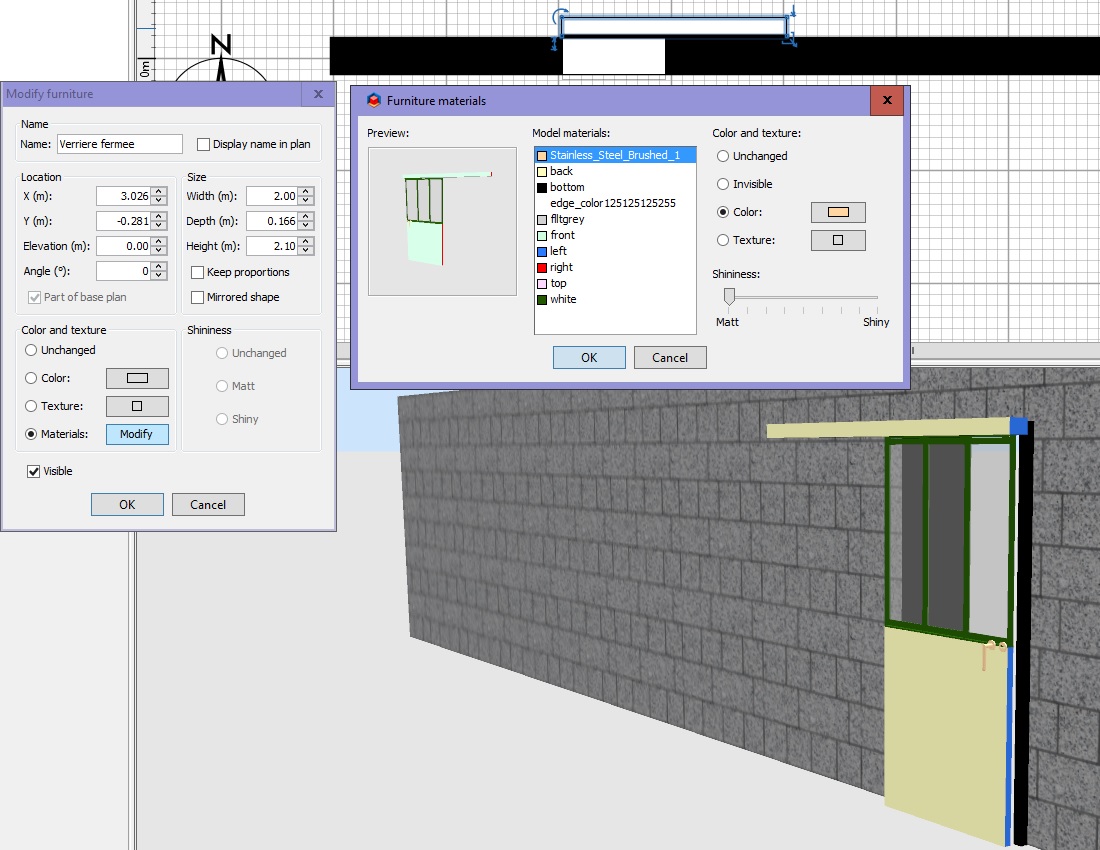
If you want, you can update the colors by another colors or textures.

Image

Comments are welcoming by PM. [;)]

[:)]
Evil progresses when good people do nothing!
---
SH3D 7.1 and nothing else - W11 64b in 4K
Hexilium
Posts: 1
Joined: Mon Jan 15, 2018 9:17 am

Re: Sliding door glazed

Post by Hexilium »

I used it in my project, so thank you.
Too often, reaching for thoughts, we abuse our patience Księgowa Jelenia Góra.
Post Reply New Topic

Who is online

Users browsing this forum: No registered users and 3 guests