Corrective version 1.4.2
- minimum night brightness off for a time range of sky color
- offscreen image without rendering progress panel (quality 1 and 2)
Photo-video rendering plug-in
This topic has been viewed 841322 times and has 225 replies
Re: Photo-video rendering plug-in
EnkoNyito
-
bdfd

- Posts: 2614
- Joined: Sat Mar 29, 2014 7:17 am
- Country: LILLE, Les Hauts de France, Western Europa
Re: Photo-video rendering plug-in
Great ! [=D>]
Perhaps add the version in the top of the window... [;)]
Perhaps add the version in the top of the window... [;)]
Evil progresses when good people do nothing!
---
SH3D 7.1 and nothing else - W11 64b in 4K
---
SH3D 7.1 and nothing else - W11 64b in 4K
-
bdfd
- Posts: 2614
- Joined: Sat Mar 29, 2014 7:17 am
- Country: LILLE, Les Hauts de France, Western Europa
Re: Photo-video rendering plug-in
Hi enko,Corrective version 1.4.2
- minimum night brightness off for a time range of sky color
- offscreen image without rendering progress panel (quality 1 and 2)
I got a problem in using PVR 1.4.2 this afternoon. [:(]
See belowed screenshot
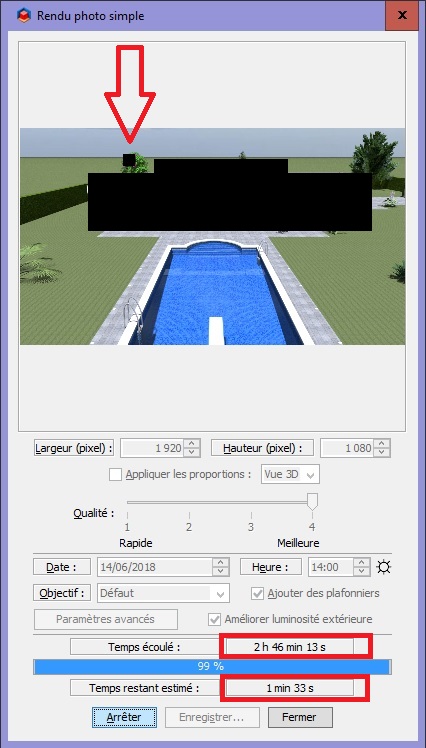
it's been 01 hour that he informed me that there was 1mn33s !
I lost 2h46mn [moderated]
Do you know Why ?
This only concerns a square (red Arrow) and the last ???
Evil progresses when good people do nothing!
---
SH3D 7.1 and nothing else - W11 64b in 4K
---
SH3D 7.1 and nothing else - W11 64b in 4K
Re: Photo-video rendering plug-in
Hi bdfd,
Are you sure you are using the right version of the plug-in?
It is displayed in the menu and the panels.

Regarding your problem of rendering stuck at 99%, reproduces it
- without the enhencement of the external brightness?
- with a width of 640 pixels for example?
- with the standard photo panel of Sweet Home 3D?
It may happen that the rendering engine "crashes" on a particular object that requires a lot of computation.
The estimated remaining time is based on the percentage of progression and the elapsed time.
Enko Nyito
Are you sure you are using the right version of the plug-in?
It is displayed in the menu and the panels.
Regarding your problem of rendering stuck at 99%, reproduces it
- without the enhencement of the external brightness?
- with a width of 640 pixels for example?
- with the standard photo panel of Sweet Home 3D?
It may happen that the rendering engine "crashes" on a particular object that requires a lot of computation.
The estimated remaining time is based on the percentage of progression and the elapsed time.
Enko Nyito
EnkoNyito
-
bdfd
- Posts: 2614
- Joined: Sat Mar 29, 2014 7:17 am
- Country: LILLE, Les Hauts de France, Western Europa
Re: Photo-video rendering plug-in
Hi enko,
TY for your return.
But no, I haven't this window.
Step 1
Take at the begining to understand my problem.
On the belowed screen, here is the menu of sh3d 5.7 with files in sub-directory ( note the date and the size of the pvr ).
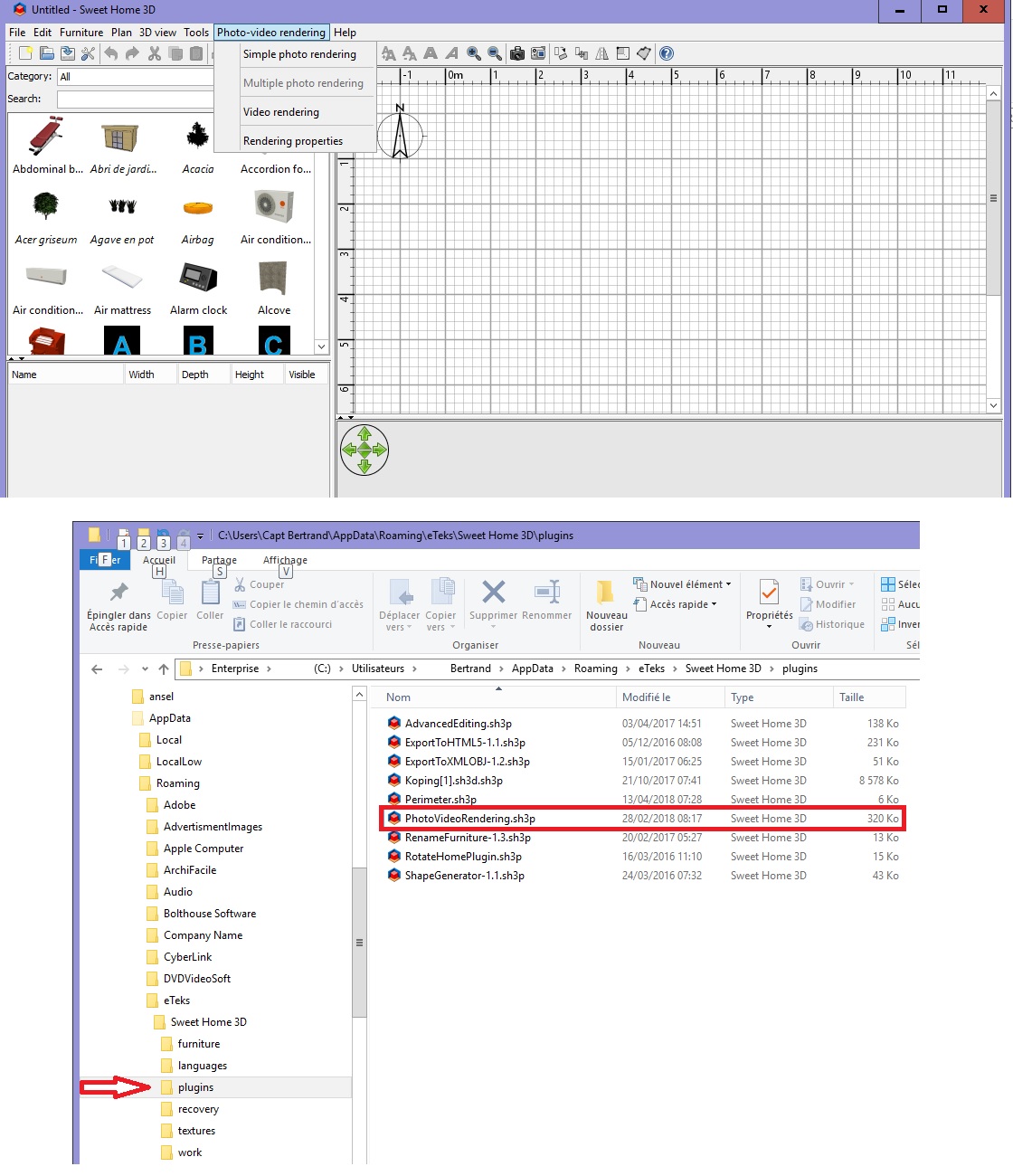
Step 2
I 've downloaded and installed pvr-1.4.2.sh3p
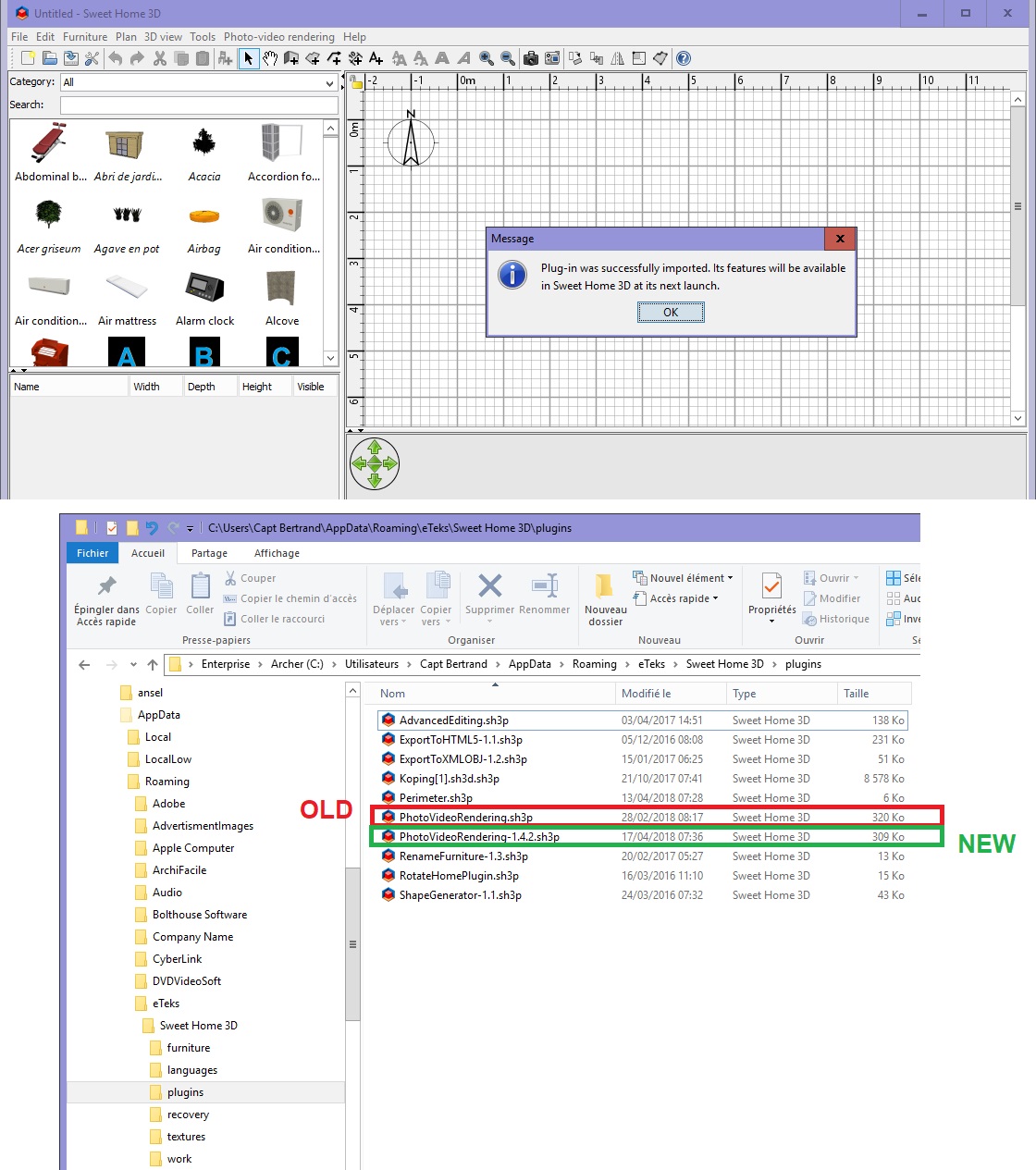
None update ???
Why ?
Step 3
I deleted old file and renamed new...
Launch !
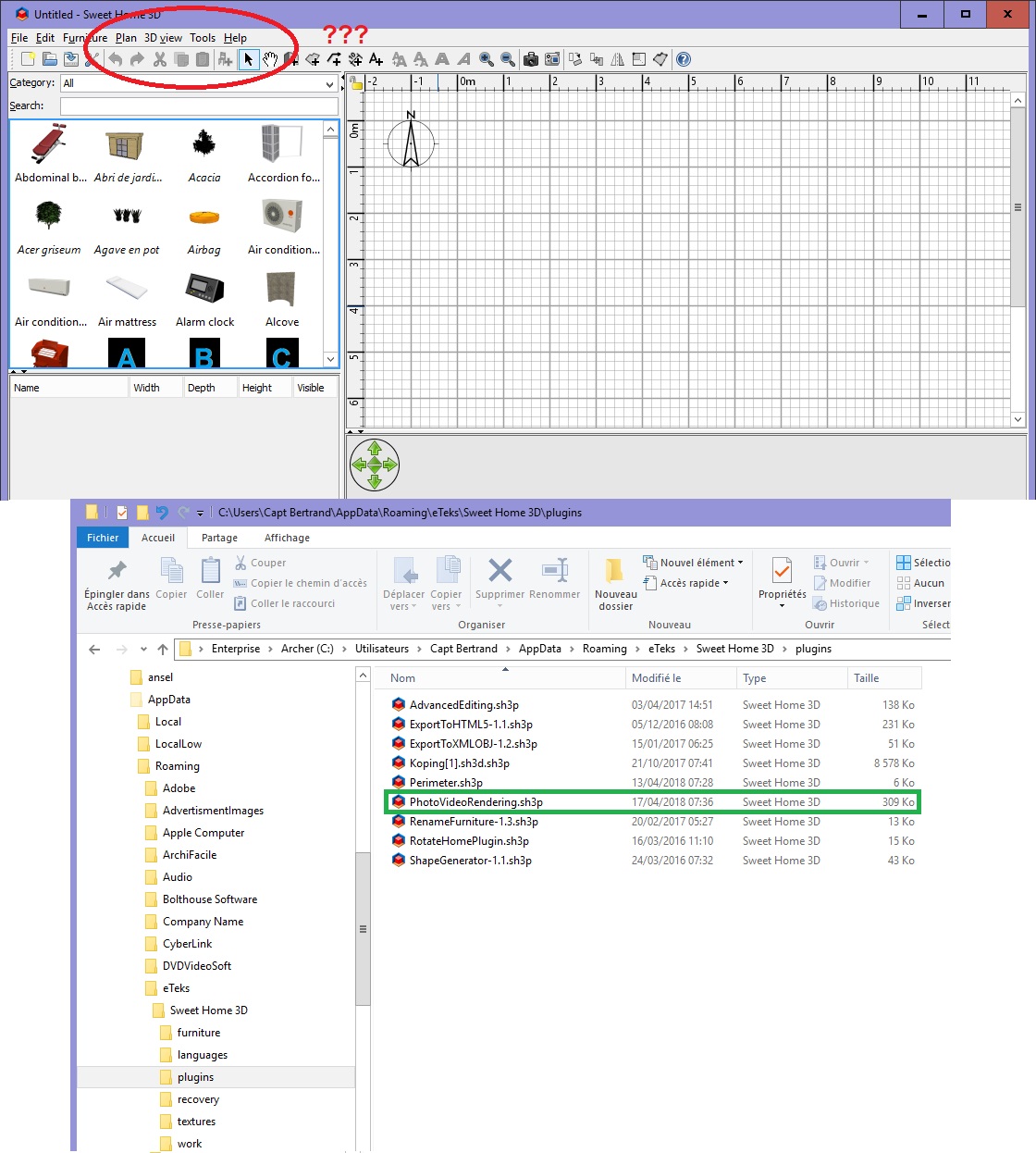
! The option of the menu has disappeared !
Did you see this before ?
Do you have an explanation for me ?
[:)]
Manu, if you can help us eventually... [;)]
TY for your return.
But no, I haven't this window.
Step 1
Take at the begining to understand my problem.
On the belowed screen, here is the menu of sh3d 5.7 with files in sub-directory ( note the date and the size of the pvr ).
Step 2
I 've downloaded and installed pvr-1.4.2.sh3p
None update ???
Why ?
Step 3
I deleted old file and renamed new...
Launch !
! The option of the menu has disappeared !
Did you see this before ?
Do you have an explanation for me ?
[:)]
Manu, if you can help us eventually... [;)]
Evil progresses when good people do nothing!
---
SH3D 7.1 and nothing else - W11 64b in 4K
---
SH3D 7.1 and nothing else - W11 64b in 4K

Re: Photo-video rendering plug-in
I would quit Sweet Home 3D, remove all PhotoVideoRenderingxxx.sh3p files, install one again and relaunch Sweet Home 3D.
Emmanuel Puybaret, Sweet Home 3D creator
-
bdfd
- Posts: 2614
- Joined: Sat Mar 29, 2014 7:17 am
- Country: LILLE, Les Hauts de France, Western Europa
Re: Photo-video rendering plug-in
I follow the process but none update.
More, I've lost an option of the menu...
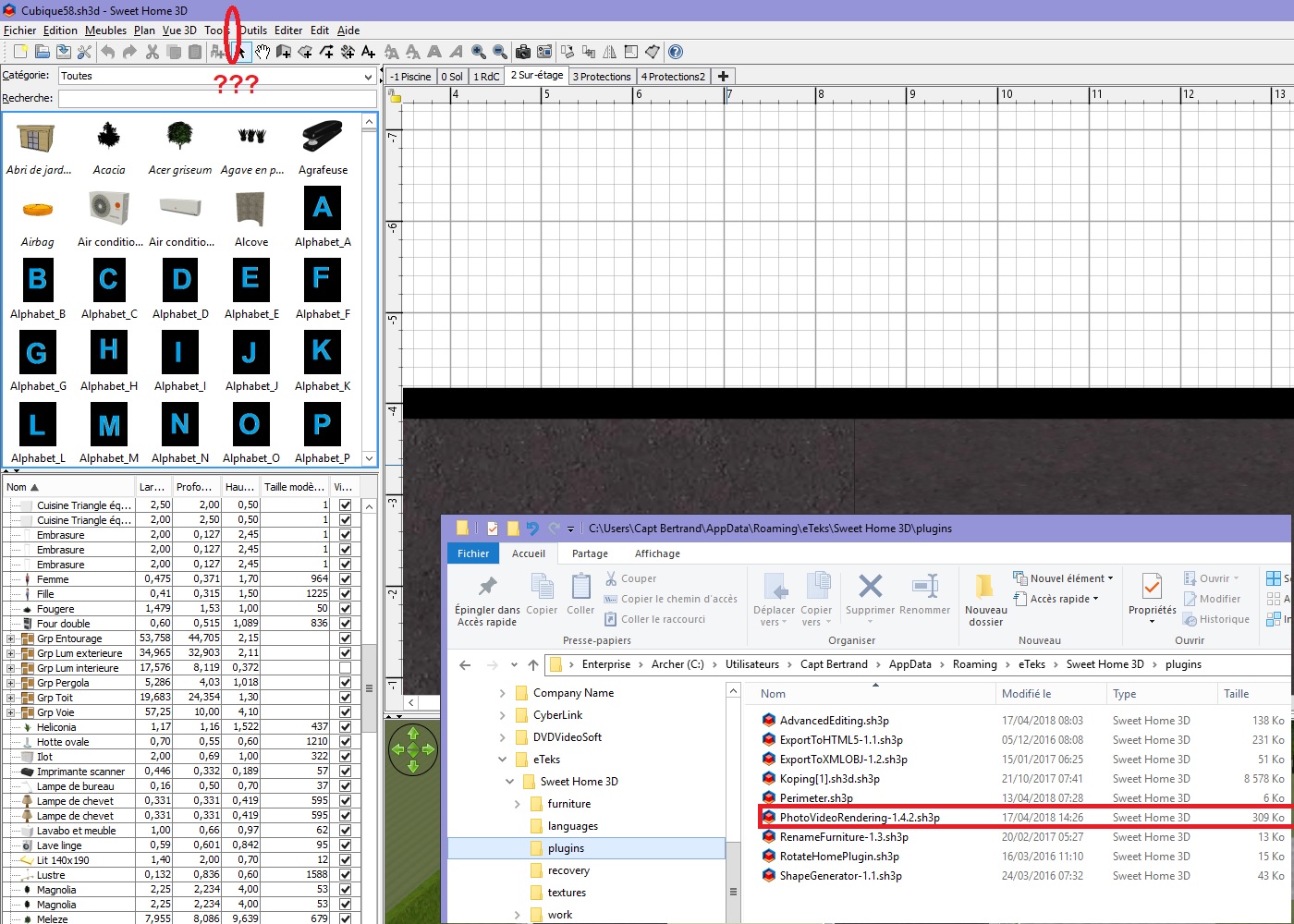
[:(]
More, I've lost an option of the menu...
[:(]
Evil progresses when good people do nothing!
---
SH3D 7.1 and nothing else - W11 64b in 4K
---
SH3D 7.1 and nothing else - W11 64b in 4K
Re: Photo-video rendering plug-in
I do not know if this is the general case but I prefer to display the extensions of files whose type is known.
For example, the Sweet Home 3D types recognized by the operating system are sh3p (plugins), sh3f (furniture) and sh3l (languages). The sh3t type (textures) is not recognized as a Sweet Home 3D type.
By clicking Help -> About... -> Libraries... , you can only see the list of plug-ins recognized by Sweet Homme 3D even though many more are installed.

As Emmanuel Puybaret suggests, it can be useful to do a little cleaning by removing all plug-ins starting with PhotoVideoRendering or PVR especially if you have installed test versions.
Follow this method for installing the plug-in:
[*]Download the latest version
[*]Open the PhotoVideoRendering-xxx.zip compressed folder
[*]Double-click on the PhotoVideoRendering.sh3p file
(If you use the portable version of SH3D, put the .sh3p file in the data/plugins folder)
Sweet Home 3D then displays:
[*]either a first installation message

[*]or a replacement message

click on Replace
Hoping that it will be useful to everyone!
For example, the Sweet Home 3D types recognized by the operating system are sh3p (plugins), sh3f (furniture) and sh3l (languages). The sh3t type (textures) is not recognized as a Sweet Home 3D type.
By clicking Help -> About... -> Libraries... , you can only see the list of plug-ins recognized by Sweet Homme 3D even though many more are installed.
As Emmanuel Puybaret suggests, it can be useful to do a little cleaning by removing all plug-ins starting with PhotoVideoRendering or PVR especially if you have installed test versions.
Follow this method for installing the plug-in:
[*]Download the latest version
[*]Open the PhotoVideoRendering-xxx.zip compressed folder
[*]Double-click on the PhotoVideoRendering.sh3p file
(If you use the portable version of SH3D, put the .sh3p file in the data/plugins folder)
Sweet Home 3D then displays:
[*]either a first installation message
[*]or a replacement message
click on Replace
Hoping that it will be useful to everyone!
EnkoNyito
-
bdfd
- Posts: 2614
- Joined: Sat Mar 29, 2014 7:17 am
- Country: LILLE, Les Hauts de France, Western Europa
Re: Photo-video rendering plug-in
TY Enko.
It works fine ! [=D>]
It works fine ! [=D>]
Evil progresses when good people do nothing!
---
SH3D 7.1 and nothing else - W11 64b in 4K
---
SH3D 7.1 and nothing else - W11 64b in 4K
Re: Photo-video rendering plug-in
Version 1.5
- management of other types of light (PointLight, TriangleMeshLight)
Libraries Other types of light only compatible with this plug-in, containing:
- 3 light panels of modifiable color
- 6 light points of different colors
Available in the Light sources category.
- management of other types of light (PointLight, TriangleMeshLight)
Libraries Other types of light only compatible with this plug-in, containing:
- 3 light panels of modifiable color
- 6 light points of different colors
Available in the Light sources category.
EnkoNyito
Who is online
Users browsing this forum: No registered users and 1 guest