
Hi Cecilia,
the results are very good, but I do not understand how should I use the image you posted in order to obtain similar results, can you explain better?
thank you
Light & textures - rendering examples of this and that.
This topic has been viewed 457510 times and has 128 replies

Re: Light & textures - rendering examples of this and that.
I will try.I do not understand how should I use the image you posted in order to obtain similar results, can you explain better?
I have used demoproject#3 for this purpose:
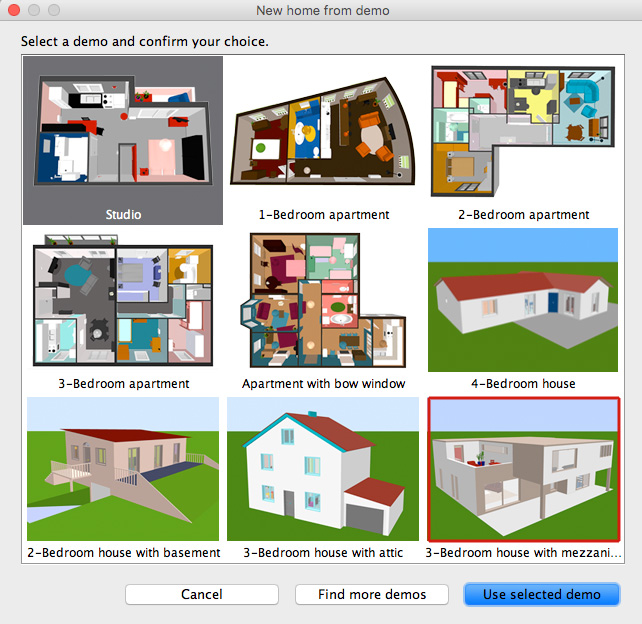
Please download the modified project file HERE
When you open the project go to this view:
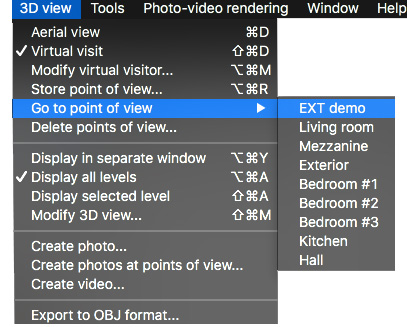
As you might notice, I have made some quick ( and dirty) modifications to the project file,
like replacing the sky with my sky template and adding a swimming pool (to get a reflective surface).
I have also added some other stuff that you might find useable.
Now you can render a preview where you will see the coordinates for the part of the sky that will be visible in the final rendering.
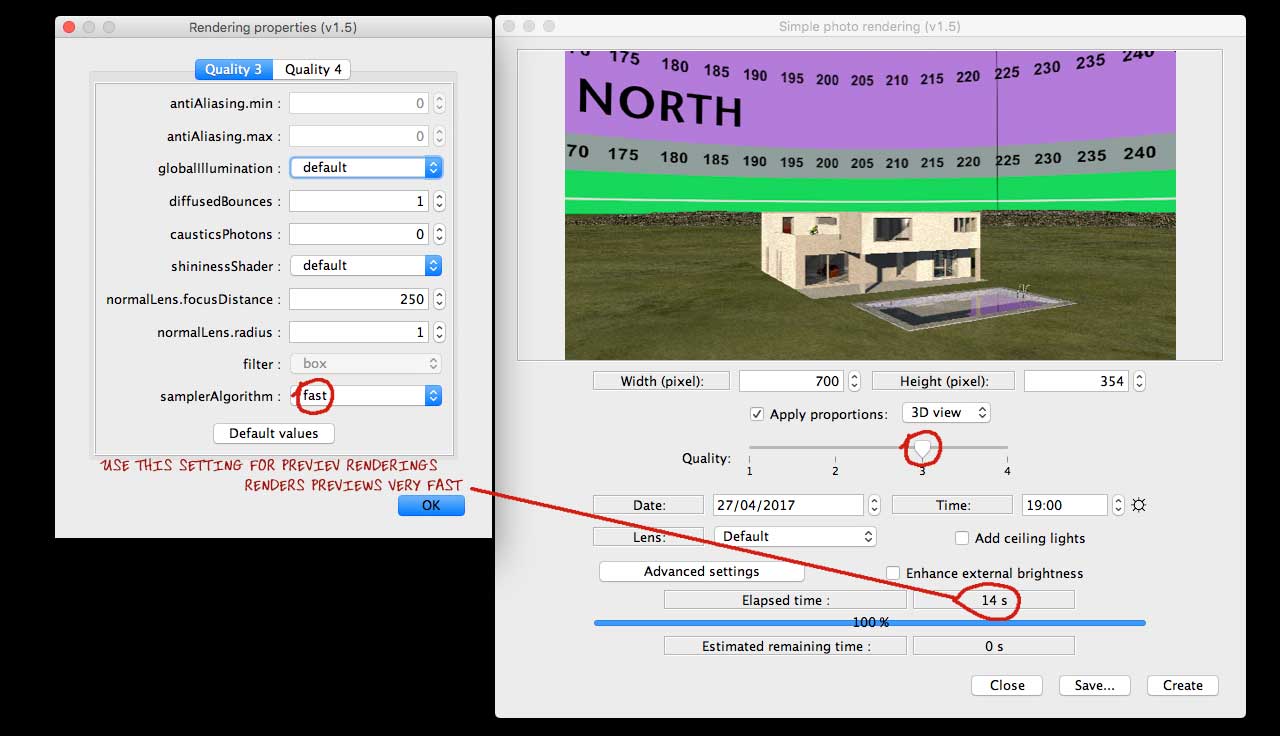
Find an image that you would like as background, and open the sky template in a suitable editor.
Don't choose a small image – choose an image that is at least 1024 px wide, but preferably bigger.
The best size is an image you don't have to stretch in order to make it fit inside the coordinates,
and remember that if you have an horizon in your sky image, it should preferably not exceed the green
area on the bottom of the sky template.
Make sure that your image is aligned at the bottom ( preferably moved a few pixels below) so you're absolutely sure there's no gap,
as a gap at the bottom will create an ugly line along the horizon.
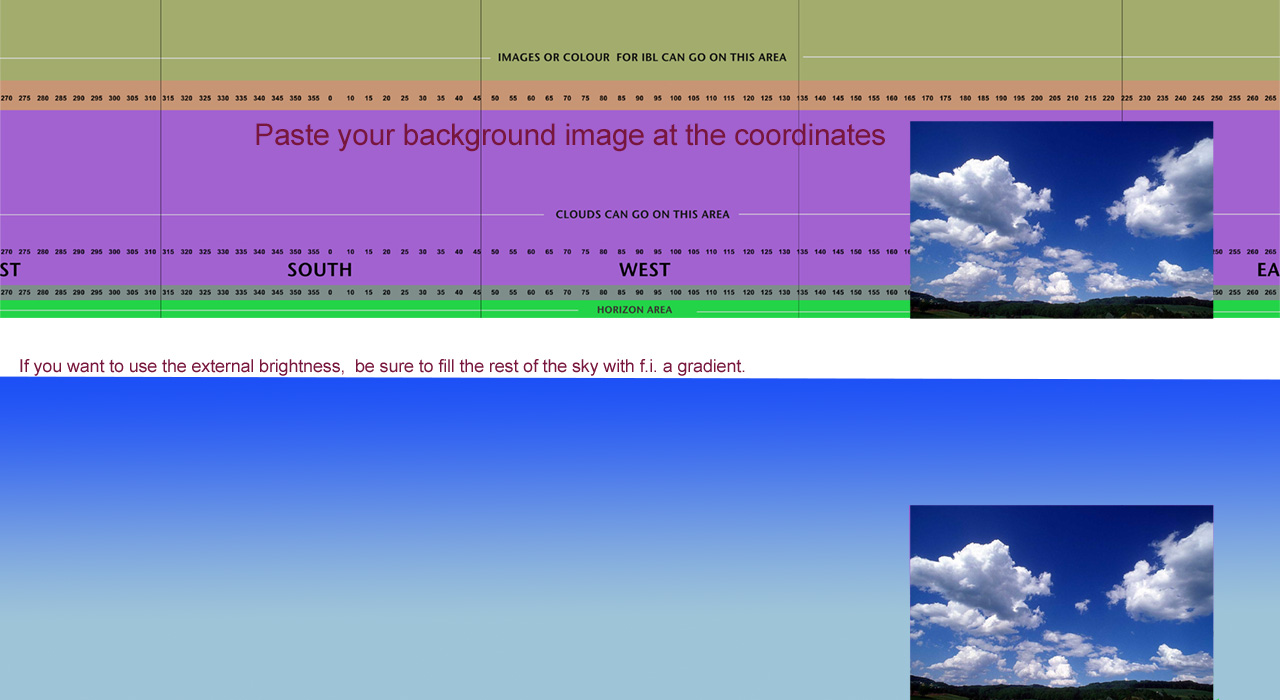
Save the edited sky template under a different name. Use jpg @ high or maximum quality.
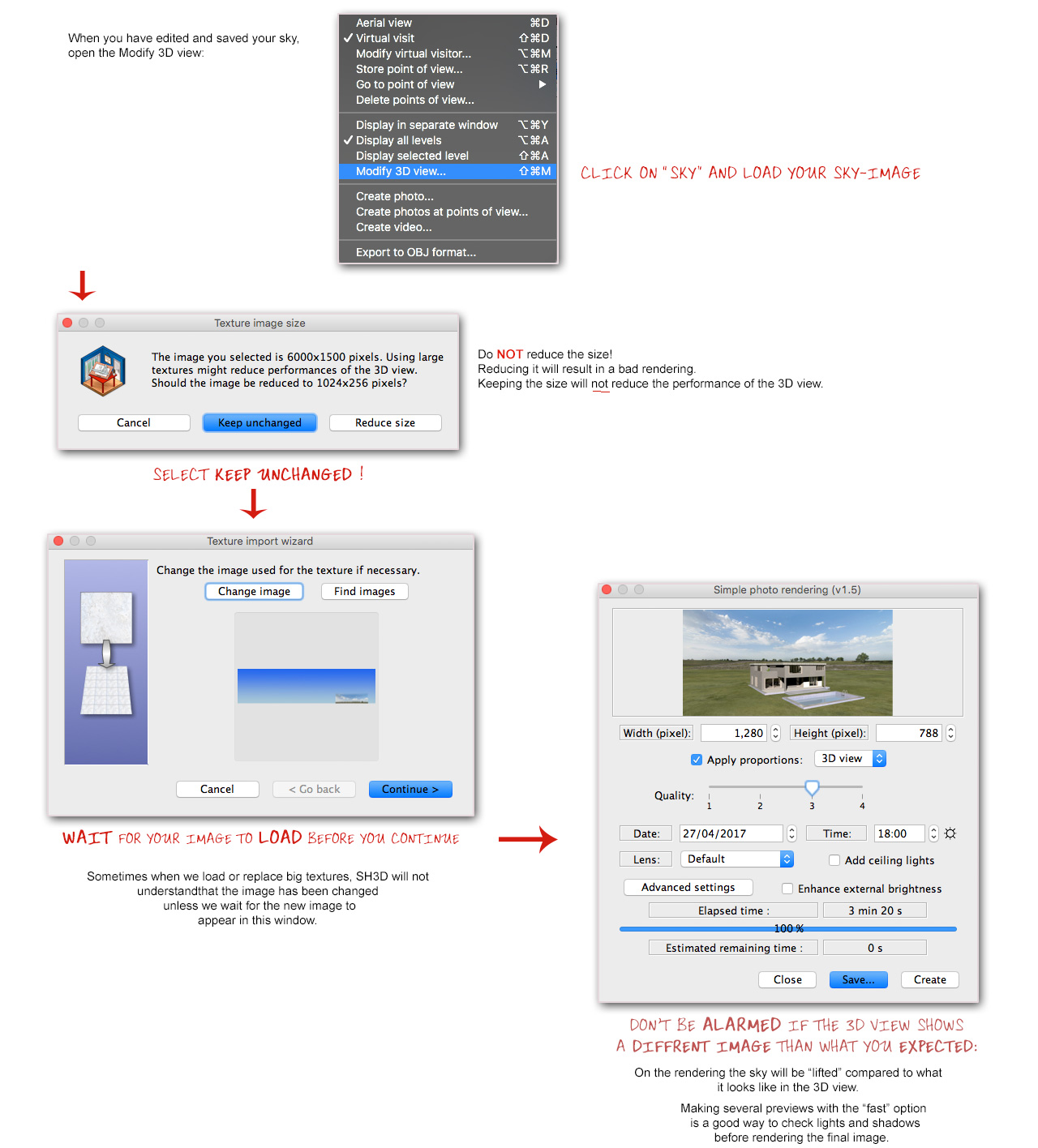
Hope this was helpful.
Cec
______________________
Oh yes, almost forgot,
my final image:
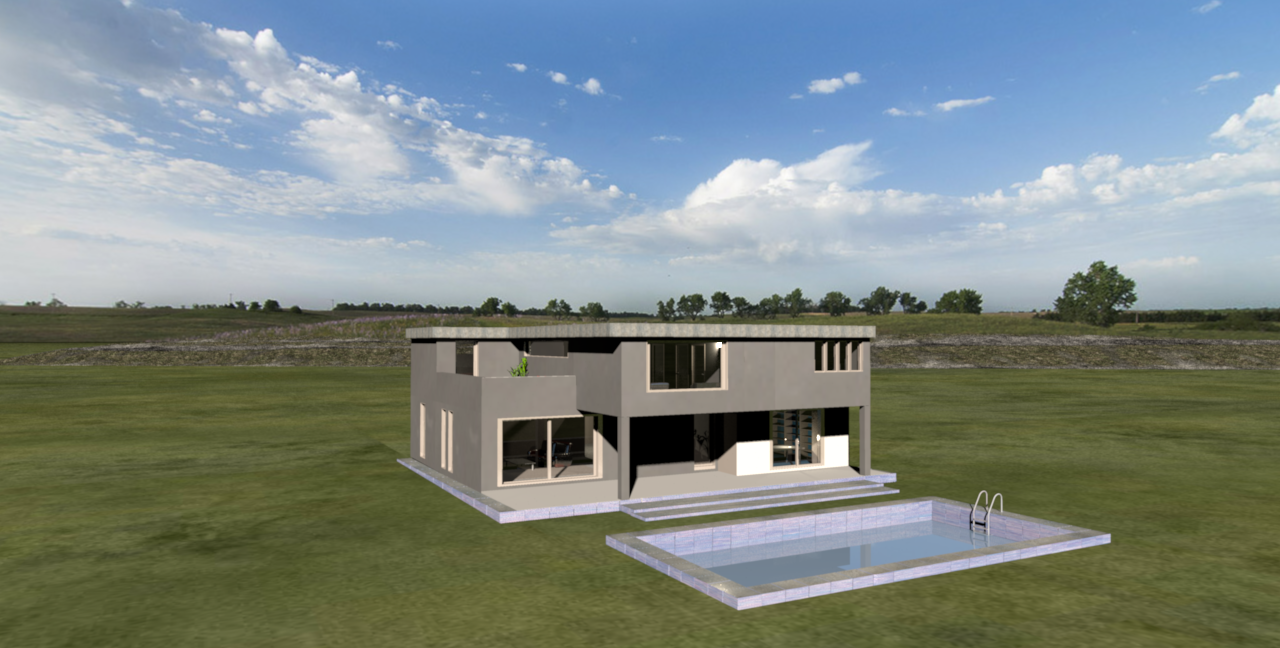
Lots of luck, and don't hesitate to ask if something is unclear.
c
-
UbuntuBirdy

- Posts: 421
- Joined: Thu Aug 31, 2017 10:31 pm
- Country: Switzerland
- Contact:
Re: Light & textures - rendering examples of this and that.
I'm just impressed... just impressed, but extremely impressed !!!
...am I repeating me???
I can not believe how simple your solution is for this impressive result!
...am I repeating me???
I can not believe how simple your solution is for this impressive result!
Pascal
SH3D 6.6 / Ubuntu 22.04 (Mainline-Kernel) / Radeon RX580 / Ryzen 7 5800x
SH3D 6.6 / Ubuntu 22.04 (Mainline-Kernel) / Radeon RX580 / Ryzen 7 5800x
Re: Light & textures - rendering examples of this and that.
It is clear, thanks. But, for the ground? How did you create it? Is it the part of the sky image below the horizon or is it another image that you used?
Re: Light & textures - rendering examples of this and that.
The ground is textured with an image that I have created with Photoshop – an image that you can access and use, as it's used in the project file.But, for the ground? How did you create it? Is it the part of the sky image below the horizon or is it another image that you used?
The ground texture is a low-res compromise between resolution and weight. This grassy ground weighs 1.2 Mb. If I could choose freely, I would choose to use a file that weighs like 200Mb, or even more. But Sh3D can't handle files of that size. It just goes white, even with 64Gb of memory assigned in the [font=courier new]plist-file[/font] .
Anyway;
the ground plane will always be tiled if it's textured – the tiling effect is mathematically unavoidable. But if you make your grassy ground texture into a 20000x20000 cm tile ( like in the project file), then the ground will no longer appear as a matted green bathroom floor – unless you really zoom out and watch it from a 1000 meters altitude.
Please download the project file.
If you still have the same question after examining it, I shall have to make an effort to explain myself in an even simpler manner.
Cec
Re: Light & textures - rendering examples of this and that.
[:)]I can not believe how simple your solution is for this impressive result!
I'm just waiting for Puybaret to upgrade me to Expert Member [;)]
-
UbuntuBirdy
- Posts: 421
- Joined: Thu Aug 31, 2017 10:31 pm
- Country: Switzerland
- Contact:
Re: Light & textures - rendering examples of this and that.
my vote for you![:)]I can not believe how simple your solution is for this impressive result!
I'm just waiting for Puybaret to upgrade me to Expert Member [;)]
Pascal
SH3D 6.6 / Ubuntu 22.04 (Mainline-Kernel) / Radeon RX580 / Ryzen 7 5800x
SH3D 6.6 / Ubuntu 22.04 (Mainline-Kernel) / Radeon RX580 / Ryzen 7 5800x
Re: Light & textures - rendering examples of this and that.
Yes, absolutely, my vote as well for Cecilia to be promoted.
Re: Light & textures - rendering examples of this and that.
Here is a result I obtained using your template Cecilia.

What do you think about it?
What do you think about it?

Re: Light & textures - rendering examples of this and that.
Great job.
Really appreciate it!
Really appreciate it!
Who is online
Users browsing this forum: No registered users and 1 guest