Sweet Home 3D 6.0

This topic has been viewed 1206412 times and has 196 replies
Thread status: Active
Test the features and bug fixes of future versions [img]http://www.sweethome3d.com/images/flags/en_small.gif[/img]
Post Reply New Topic
ndorigatti
Posts: 66
Joined: Fri May 12, 2017 9:54 am
Country: Italia

Re: Sweet Home 3D 6.0

Post by ndorigatti »

Great you like it [:)]
I know that you proposed an angle for the sky texture offset, but using a percentage seems more versatile in other cases, and isn’t too difficult to convert from degrees : 180° = 50%, 90° = 25%, 45° = 12.5%,...
What about adding this as hint/popover of the slider?
A lot of information are among the forum but very difficult to find or imagine in the app. And this is really important, not everyone is following the forum unfortunately
User avatar
Puybaret
Posts: 9440
Joined: Mon Nov 07, 2005 12:00 pm
Country: Paris, France
Contact:

Re: Sweet Home 3D 6.0

Post by Puybaret »

The Beta 8 just contains a quick fix I forgot in the texture choice dialog box.
Emmanuel Puybaret, Sweet Home 3D creator
User avatar
YGYL
Posts: 157
Joined: Tue Feb 05, 2013 4:00 pm

Re: Sweet Home 3D 6.0

Post by YGYL »

1.Sky texture Do not support 16K
2.Sky texture may get stuck after multiple settings.It is recommended to add a preview graph to the texture of 4K 8K 16K, otherwise it will affect the speed very much.

3. I suggest that an 'Apply' button should be added to the XY offset set window.So that users can see changes immediately.
4.It is recommended to add the function of changing texture color(Hue) and texture transparency. Very convenient.
5.I suggest changing the image preview size of the texture settings window from 128X128 to 256X256 or 512X512.
128 is too small to see the difference
okh
Posts: 1545
Joined: Sun May 12, 2013 9:43 pm

Re: Sweet Home 3D 6.0

Post by okh »

My only little problem now, is that my list of imported test textures has become ridiculous. Among a few good ones, there are many hundred totally useless, experimental images. [:)] It would be great if the texture import wizard had a check- box NOT saving an imported texture (other than in the .sh3d file) - like furniture.
..proposed an angle for the sky texture offset, but using a percentage seems more versatile in other cases...
Interesting interface issue considering some recent threads, e.g. Cec' brilliant guide in thread 8832, the Azure home, thread 8828 - and whether to use the compass to 'simulate'. People use different references for orientation and how they see the world. Whether to keep a map North up, or turn the map to align with terrain. Cec' template measures degrees from the point of view of the virtual visitor, whereas I need the compass orientation to read the 3D view.

Even if I in theory would prefer a degree angle sky texture, in practice conversion is easy and it makes no difference. And since percentage is more consistent with other textures and probably easier and more intuitive to use in normal cases, percentage is probably a better interface choice. (But if possible, I agree with ndorigatti that a hint could be a good idea.) And never mind the measure, the important thing is the function that works very well. Thanks again.

Code: Select all

<texture attribute='skyTexture' xOffset='0.20833' .../>
<compass northDirection='1.3089969' .../>
<observerCamera yaw='1.3089969' pitch='-0.16801324' .../>
<camera yaw='4.456615' pitch='0.0' .../>
<pieceOfFurniture angle='1.3089969'...'/>
User avatar
Ceciliabr
Posts: 637
Joined: Sun Jul 07, 2013 3:41 pm
Country: Copenhagen, Denmark
Contact:

Re: Sweet Home 3D 6.0

Post by Ceciliabr »

Great things are happening here! [:)]
I have finally been able to test this, and I can't wait to get my hands on the final version (or a non-web-start beta version).
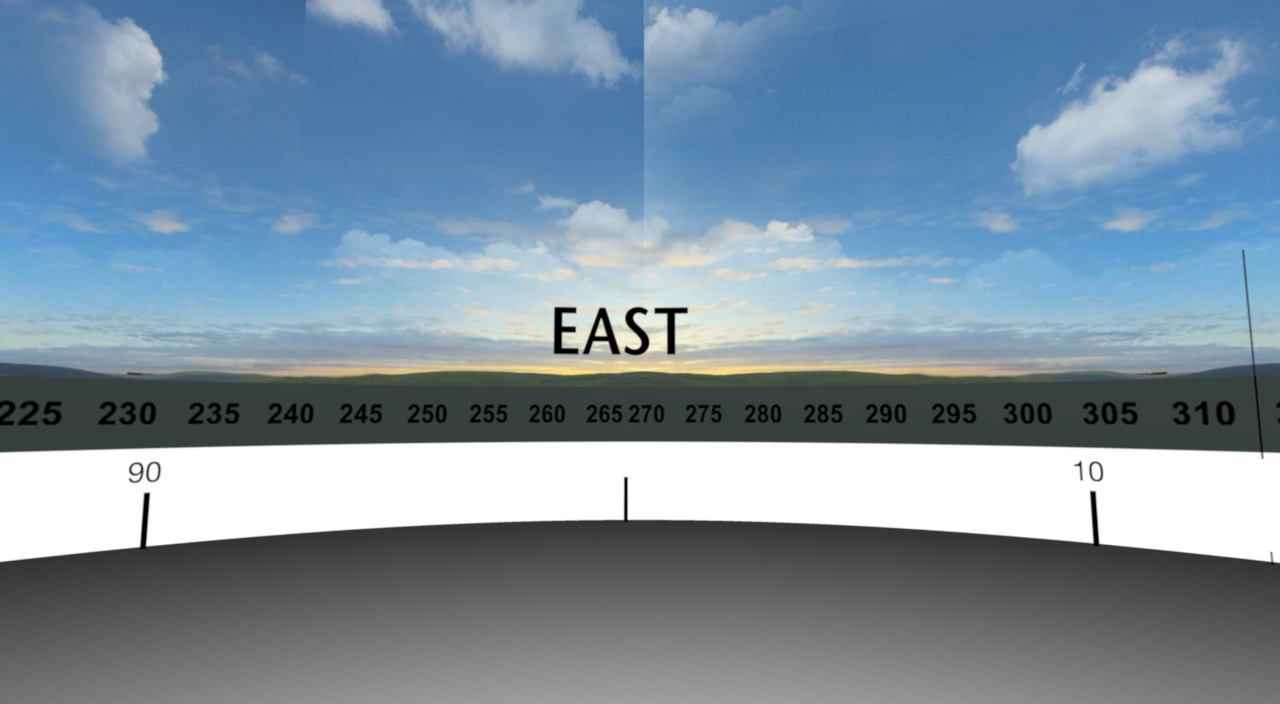
It won't display any of my projects, but I managed to play a bit and create a small object or whatchamacallit – to utilize the sky offset spinner:
With sky offset, this joint will no longer be something I have to use time on :
Image

My first project with v6 Beta8: Horizontal_Scale.sh3d It's not perfect, but it works.

... and the new colour palette is perfect [:)]

Question:
I use curved walls a lot when creating models, and I make custom textures for them. Of course I can open my calculator and calculate the length, which is what I do, but caould the math be included in the modify walls window?
(And it would be great if we could curve a wall 360° )

Great work!

Cecilia
okh
Posts: 1545
Joined: Sun May 12, 2013 9:43 pm

Re: Sweet Home 3D 6.0

Post by okh »

Very good, great features.

But I have a problem with Add point to room. It just sort of stops at the context menu item, and no point is created when context menu closes. Context menu still has highlight on Add point to room when context menu is opened again.

Could someone check whether it is just me?

ok
VeroniQ
Posts: 886
Joined: Tue Mar 03, 2015 9:01 am
Country: France

Re: Sweet Home 3D 6.0

Post by VeroniQ »

Could someone check whether it is just me?
Same for me. And "Delete point from room" has also no effect...
User avatar
Puybaret
Posts: 9440
Joined: Mon Nov 07, 2005 12:00 pm
Country: Paris, France
Contact:

Re: Sweet Home 3D 6.0

Post by Puybaret »

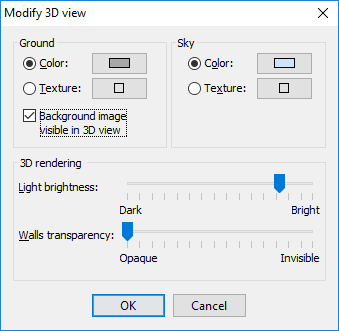
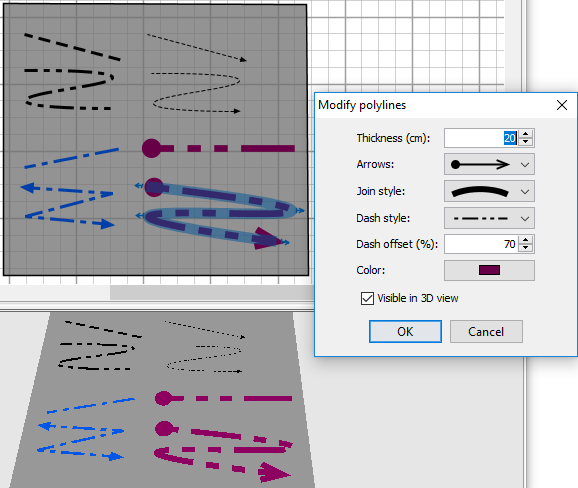
Thanks for your feedback and reporting the issue in the Plan contextual menu. It's fixed in the Beta 9 which brings also the following two new features :
- It's now possible to view the background image set at ground level in the 3D view too, by selecting the new check box Background image visible in 3D view in the 3D view modification dialog box.

Image

- Each polyline may also be viewed in the 3D view with a new check box in its modification dialog. When the polyline uses a dash style, you can set an offset too, to shift the starting of the dash pattern.

Image

These features are probably the last ones with user interface items that will appear in the coming version 6.0, so I can start to ask our great contributors to translate the new texts before considering a final release.
Emmanuel Puybaret, Sweet Home 3D creator
User avatar
bdfd
Posts: 2614
Joined: Sat Mar 29, 2014 7:17 am
Country: LILLE, Les Hauts de France, Western Europa

Re: Sweet Home 3D 6.0

Post by bdfd »

Hi,

Everybody Didn't see that the used compass was 'wrong' since few weeks ! [:D]

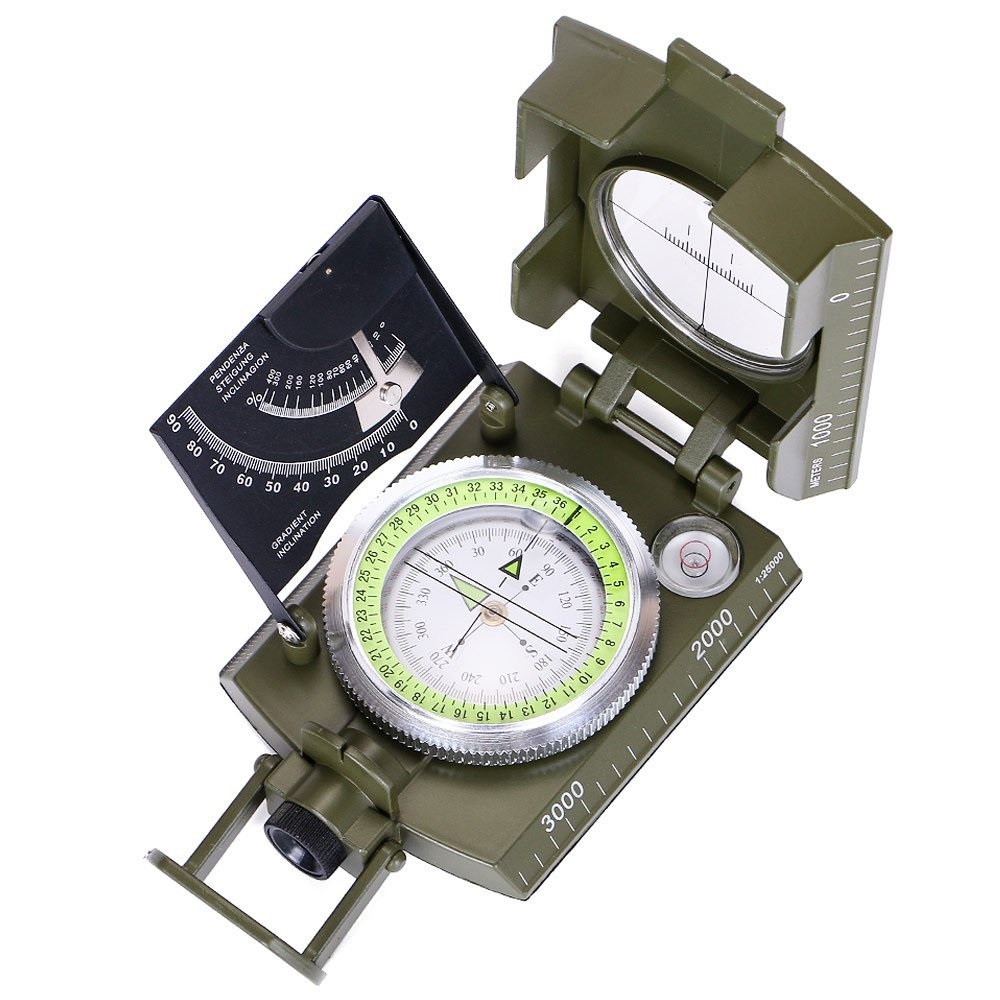
A personal compass taken in my hands tell us that (like e.g. below) :
Image
North = 0°,
East = 90°,
South = 180° and
West = 270°.

What is the Reason ? [:-/]

Regards,
bdfd.
.
Evil progresses when good people do nothing!
---
SH3D 7.1 and nothing else - W11 64b in 4K
User avatar
Puybaret
Posts: 9440
Joined: Mon Nov 07, 2005 12:00 pm
Country: Paris, France
Contact:

Re: Sweet Home 3D 6.0

Post by Puybaret »

Bdfd, the compass shown in Sweet Home 3D plan doesn’t show any angle.
And the X offset field of the sky texture lets the user shift that texture on the basis that the left border of the texture image will appear at the East for an offset and a compass angle both equal to 0. It could have been a better idea to consider that the left border of the sky texture is at North when its offset is equal to 0, but that would break the compatibility of previous SH3D files. I’ll see if I can add a N to indicate the North on the texture image preview to help users understand this.
Emmanuel Puybaret, Sweet Home 3D creator
Post Reply New Topic

Who is online

Users browsing this forum: No registered users and 2 guests