Hidden HTML- tricks anyone?

This topic has been viewed 6927 times and has 8 replies
Thread status: Active
Discuss anything here [img]http://www.sweethome3d.com/images/flags/en_small.gif[/img]
Post Reply New Topic
User avatar
Xiste
Posts: 269
Joined: Fri Apr 18, 2014 10:22 pm
Country: Oslo, Norway
Contact:

Hidden HTML- tricks anyone?

Post by Xiste »

I wonder what I'm doing wrong here.
I made this viewHome abouut three years ago. It was my first attempt at making a HTML-view, so it might have been beginners luck that it turned out exactly as I wanted, easy to move around inside, and I can zoom in an out at will.
Now, however, when I try to make a similar HLTM-view fa section of my new studio, I find it impossible to navigate in it.

So I'm wondering if there's any help to get here, from someone who is more familiar with this HTML- function.
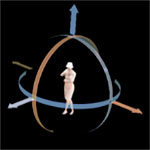
This part of the project is to create a 3D representation of the speaker configuration of my new mix stage.


HERE is a project file in case some would like to give it a try.

Mix stage,speaker layout, walls removed. Very wide screen.

Image


Mix stage with lights on. Normal lense.
Image
Xiste
User avatar
UbuntuBirdy
Posts: 421
Joined: Thu Aug 31, 2017 10:31 pm
Country: Switzerland
Contact:

Re: Hidden HTML- tricks anyone?

Post by UbuntuBirdy »

I don't understand exactly what your issue is. Your sh3d file contains only two 3D objects (the speaker layout and the camera control) and a text.
With the viewer it works exactly the same way as on the app.

3D AUDIO
Pascal

SH3D 6.6 / Ubuntu 22.04 (Mainline-Kernel) / Radeon RX580 / Ryzen 7 5800x
User avatar
Xiste
Posts: 269
Joined: Fri Apr 18, 2014 10:22 pm
Country: Oslo, Norway
Contact:

Re: Hidden HTML- tricks anyone?

Post by Xiste »

Hm...

I'm not able to zoom in on the text in the HTML-viewer, neither on Windows or Mac. The same goes for your file. It's exactly like mine.

This is a screenshot.
I can not zoom in any further than this, so there's no way anyone can read the text (which is "the issue").

Image

On the viewer for my old studio, I can zoom on any detail.
The object is 16 x 6 meters, so it's not a tiny object.


The quick-fix for this was to ask the intended recipients of this HTML-view to download SH3D, and use that as a viewer, and send them the project file. That's why I exported the whole project as one obj-file, so they couldn't mess it up.
The camera control is just an invisible box, and used to position the Arial viewer.

But thanks anyway for taking the time to look at this. :)

Xiste
User avatar
UbuntuBirdy
Posts: 421
Joined: Thu Aug 31, 2017 10:31 pm
Country: Switzerland
Contact:

Re: Hidden HTML- tricks anyone?

Post by UbuntuBirdy »

Ok, now I understand what you mean. This is the aerial view, it's not possible to zoom into an object (it's always almost totaly viewable). But you can solve this issue by setting the eyes height of the virtual visitor to let's say a third of what you have set now.
Pascal

SH3D 6.6 / Ubuntu 22.04 (Mainline-Kernel) / Radeon RX580 / Ryzen 7 5800x
User avatar
Ceciliabr
Posts: 637
Joined: Sun Jul 07, 2013 3:41 pm
Country: Copenhagen, Denmark
Contact:

Re: Hidden HTML- tricks anyone?

Post by Ceciliabr »

My immediate reaction here is that placing your object on Level 1 is creating the problem. Try creating one or two more levels, and place your objects on the top level. I think that will do the trick.

BTW: Love your cinema rendering. Is this going to be an irl project?

Be safe.

Cecilia
User avatar
Xiste
Posts: 269
Joined: Fri Apr 18, 2014 10:22 pm
Country: Oslo, Norway
Contact:

Re: Hidden HTML- tricks anyone?

Post by Xiste »

Thank you both. I will try this right away.
User avatar
Xiste
Posts: 269
Joined: Fri Apr 18, 2014 10:22 pm
Country: Oslo, Norway
Contact:

Re: Hidden HTML- tricks anyone?

Post by Xiste »

Yup!
After some tries and errors, now it works!


3DView

Both the virtual and the arial view is perfext.

Thank you both so much!

Xiste
User avatar
Puybaret
Posts: 9440
Joined: Mon Nov 07, 2005 12:00 pm
Country: Paris, France
Contact:

Re: Hidden HTML- tricks anyone?

Post by Puybaret »

There's another solution, which consists of enabling the preferences option Aerial view centered on selection then selecting the item that should be used as rotation center.
If you don't want to bother too much with JavaScript, copy these lines of codes just before the last [font=courier new]</script>[/font] line of the HTML page:

Code: Select all

setTimeout(function() {
    homeComponent.getUserPreferences().
        setAerialViewCenteredOnSelectionEnabled(true);
    homeComponent.getHome().setSelectedItems(
        [homeComponent.getHome().getFurniture() [0] ]);
}, 1000);
Here, this piece of code selects the first piece of furniture (represented by 0 between brackets []). If you want an other one, change the number between brackets [font=courier new][1][/font] for the second one, [font=courier new][2][/font] for the third one (not taking into account items in groups).
The last number [font=courier new]1000[/font] represents the delay in milliseconds before this code is executed. Maybe it will have to last longer in your case.
Emmanuel Puybaret, Sweet Home 3D creator
User avatar
Xiste
Posts: 269
Joined: Fri Apr 18, 2014 10:22 pm
Country: Oslo, Norway
Contact:

Re: Hidden HTML- tricks anyone?

Post by Xiste »

Thanks!

I will try this for my next html-view.
Post Reply New Topic

Who is online

Users browsing this forum: No registered users and 1 guest

