Generate roof plugin

This topic has been viewed 2463552 times and has 338 replies
Thread status: Active
Questions about extending features and developing plug-ins [img]http://www.sweethome3d.com/images/flags/en_small.gif[/img]
Post Reply New Topic
User avatar
dorin
Posts: 824
Joined: Thu Apr 24, 2014 9:14 am
Country: Vatra Dornei, Suceava, Romania

Generate roof plugin

Post by dorin »

In the series of YAUP: GenerateRoof plugin v1.0 alpha
!!! WARNING !!!
  • Fail on more than 90% of cases
  • Not all texture are correct rendered
Q:"Why you published like this?"
A:"It's a path trout jungle. Someone else could make a highway from this"

How I think to use:
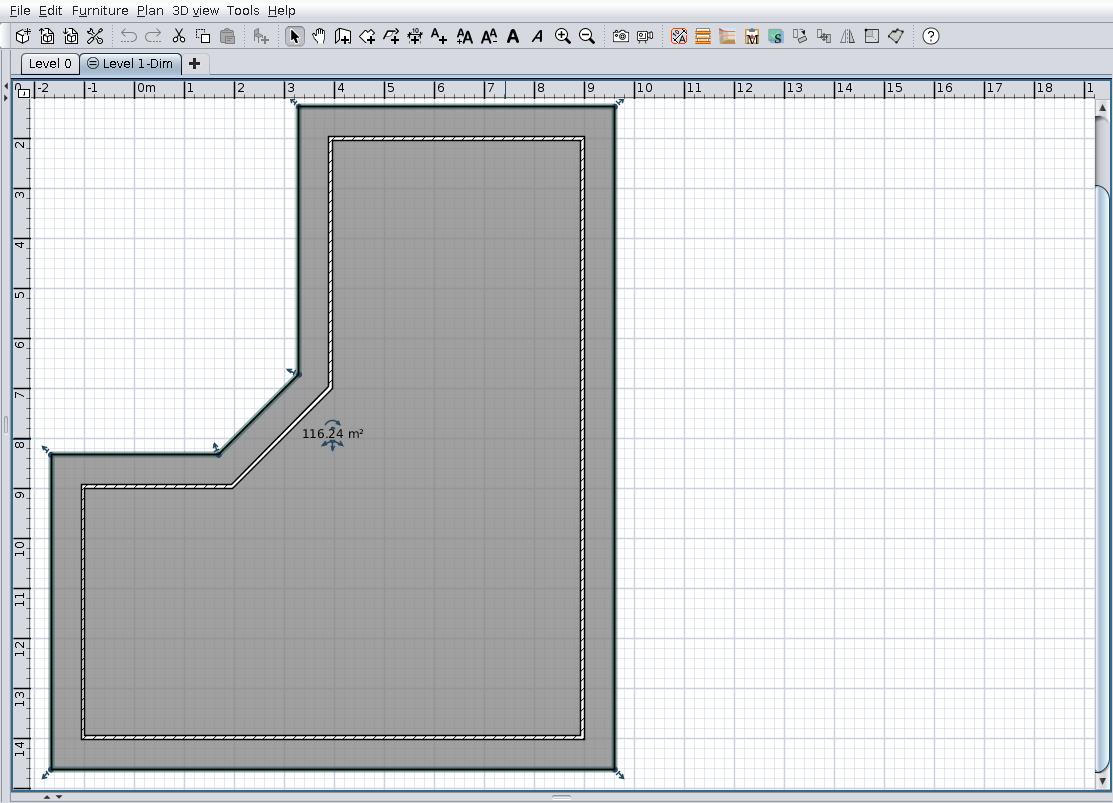
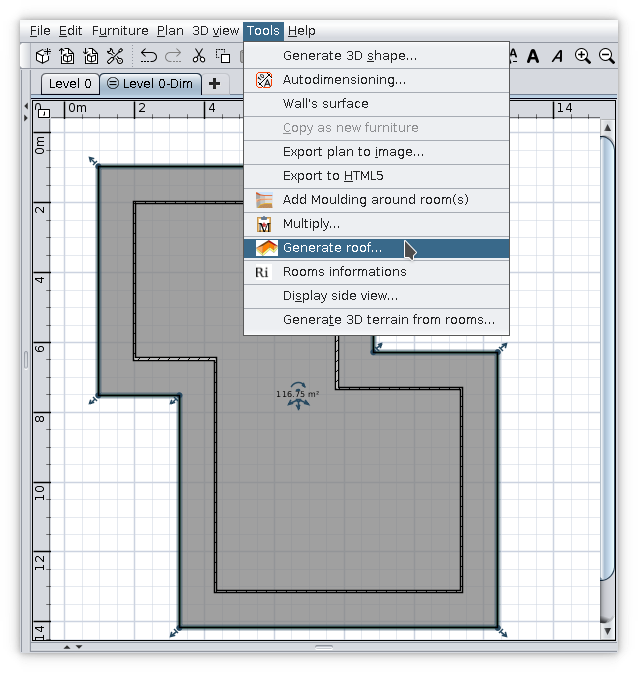
  1. Select a room (manually made or trout Autodimensioning))
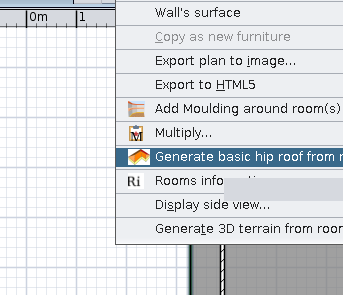
  2. Tools -> Generate roof... bla.. bla..
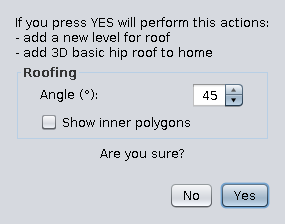
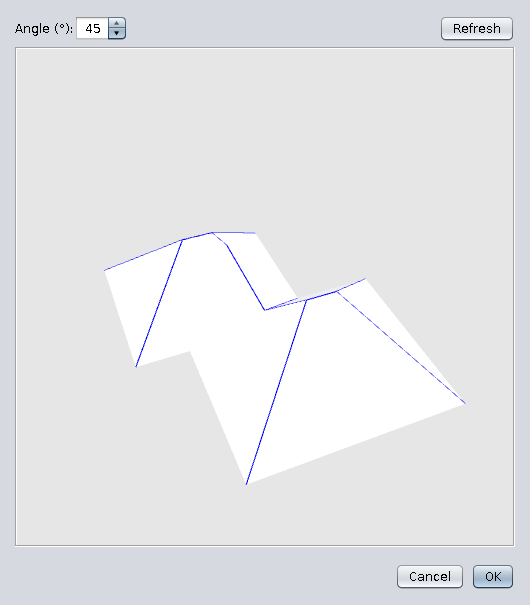
  3. Set roof faces angle -> OK (optionally check inner polygons)
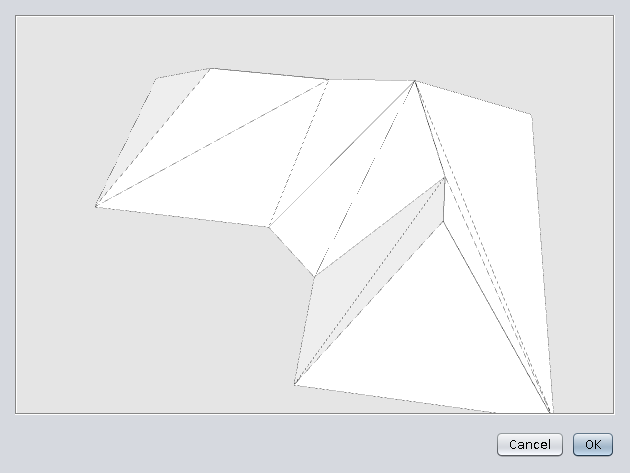
  4. On preview click OK
    [/list=1]
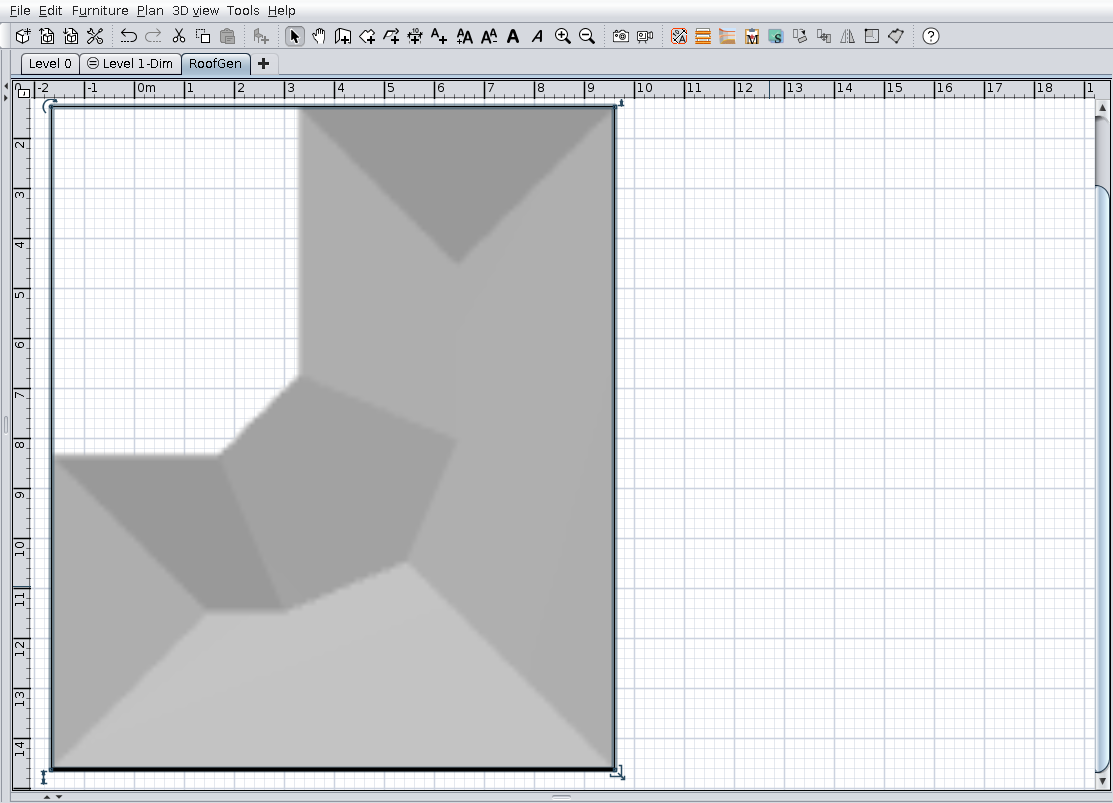
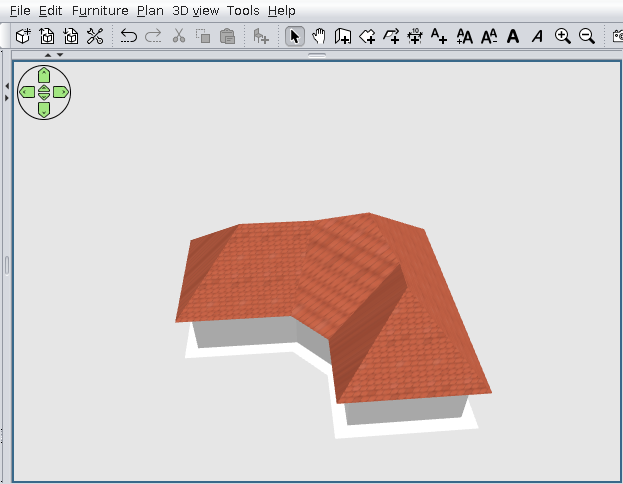
    Image Image Image Image

    Result something like this:
    Image

    Now you have to set textures and texture angle:
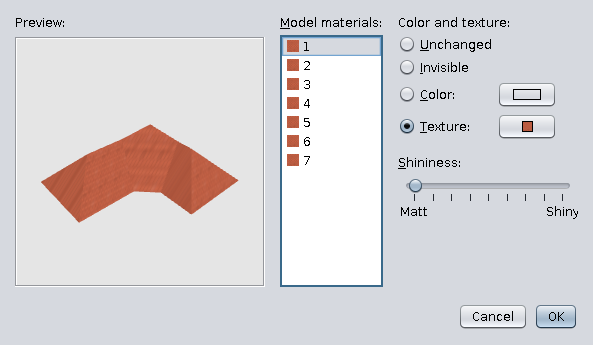
    Image

    Finally (if You have lack):
    Image

    Don't forget!!!
    It's an alpha stage AND
    I'm not a programmer!

    PS This is the test file .

A computer program does what you tell it to do, not what you want it to do. Murphy's Law
When all else fails, read the instructions. Murphy's Law
If you don't like "AS IS", DIY. Dorin's law
User avatar
hansmex
Posts: 4027
Joined: Sat Sep 26, 2009 11:36 am
Country: Netherlands

Re: Generate roof plugin

Post by hansmex »

Your plugin works on the test-file, and also on a simple square house. That's a start.

The problem with the textures is not new. Maybe Puybaret will solve it some day.

Thank you for your hard work, I'm sure it will get better :-)

H
Hans

new website - under constuction
hansdirkse.info
User avatar
dorin
Posts: 824
Joined: Thu Apr 24, 2014 9:14 am
Country: Vatra Dornei, Suceava, Romania

Re: Generate roof plugin

Post by dorin »

Thanks Hans!
As usual you are tolerant of me!
I'm sure it will get better :-)
I hope so also but not in my life time.
I think it's a wrong way (approach) or at least too complicated.
There are a lot of math which are over my helmet.
It's hard for a "One man show" and I need help. I haven't received any help so far and I don't think I will.
It is difficult to consult only with yourself.
I think to try with 3D plane approach but is not more simple.
My plan is to try another challenge: cross section plan.
We will see!!!
Thanks again for moral support!
A computer program does what you tell it to do, not what you want it to do. Murphy's Law
When all else fails, read the instructions. Murphy's Law
If you don't like "AS IS", DIY. Dorin's law
User avatar
Puybaret
Posts: 9440
Joined: Mon Nov 07, 2005 12:00 pm
Country: Paris, France
Contact:

Re: Generate roof plugin

Post by Puybaret »

Nice first version. Congratulations! [:)]
As inner polygons seem to be generally accurate, I guess you are on the good path to fix most issues.
Emmanuel Puybaret, Sweet Home 3D creator
User avatar
dorin
Posts: 824
Joined: Thu Apr 24, 2014 9:14 am
Country: Vatra Dornei, Suceava, Romania

Re: Generate roof plugin

Post by dorin »

Thanks Emmanuel!
inner polygons seem to be generally accurate

Of course, are made with your code from PlanControler.
The part responsible with roof computation (partially mine, partially stolen) don't work as expected.
I will let this path for other volunteers(if any).
As I've already say, I will try another approach (if the life time hope permit).
I've study about 3D Plane equation for few weeks and appear is not so complicated as seems at first view.
For this version I've work in frog, with out a plan and try, test and fail without a clear target.
The main path remain the same:
roof projection -> compute roof -> create shape -> add to Home Plane.
Now I'll try to be more clearly organized. I've start to make a logical diagram for this plugin like in '70+ years. I will put it here when I have first version.
A computer program does what you tell it to do, not what you want it to do. Murphy's Law
When all else fails, read the instructions. Murphy's Law
If you don't like "AS IS", DIY. Dorin's law
User avatar
YGYL
Posts: 157
Joined: Tue Feb 05, 2013 4:00 pm

Re: Generate roof plugin

Post by YGYL »

The reason for the texture error is that the texture coordinates are calculated incorrectly
-----obj example--------
mtllib Exemple9.mtl
g 1_1_1_1_1_1
usemtl default
v 4496.651 683.83997 1944.5
v 4080.21 267.83997 2360.941
v 5405.8 267.83997 2360.941
v 4739.619 582.83997 2045.1409
v 5090.0 582.83997 2045.1409
vn 0.0072383927 0.71531975 0.6987598
vn -0 0.70748127 0.7067321
vn 0.0048255385 0.7128935 0.7012557
vn 0.0072383634 0.7155777 0.6984956
vn -0 0.708003 0.7062094
vt 2.572153 3.0108545 0
vt 4.0783777 0.0 0
vt 4.0783777 4.7945237 0
vt 2.9361613 3.52434 0
vt 2.9361613 4.7916303 0

f 1/1/1 2/2/2 3/3/3
f 4/4/4 1/1/1 3/3/3
f 4/4/4 3/3/3 5/5/5
--------------------
5 polygon vertices V, corresponding to 5 VT
Bring 5 V's into 3D space,The apex of a partially sloping roof can be seen.

But it is not easy to calculate the correct texture coordinate value, and I don't know
There are such UV tools in other modeling software
Pelmenik
Posts: 2
Joined: Wed Jul 21, 2021 6:57 am
Country: New Zealand

Re: Generate roof plugin

Post by Pelmenik »

like this plug-in.
I tried it with a 25deg hipped roof for an L shaped house and it worked well. To set percentage and angle for a corrugated texture for each roof section was quick. Now I will attach the flashings and other details.

My usual way to make a roof is by deciding the roof angles, calculate walls for each roof section, .obj, and then lay them into each other at the decided angles and then attach flashings and any other details.
User avatar
dorin
Posts: 824
Joined: Thu Apr 24, 2014 9:14 am
Country: Vatra Dornei, Suceava, Romania

Re: Generate roof plugin

Post by dorin »

[:o)] In the series of YAUP: Generate Roof plugin v.1.0
Don't expect too much!
As I promise I've try another approach: planes intersections.
There is advantages and disadvantages.

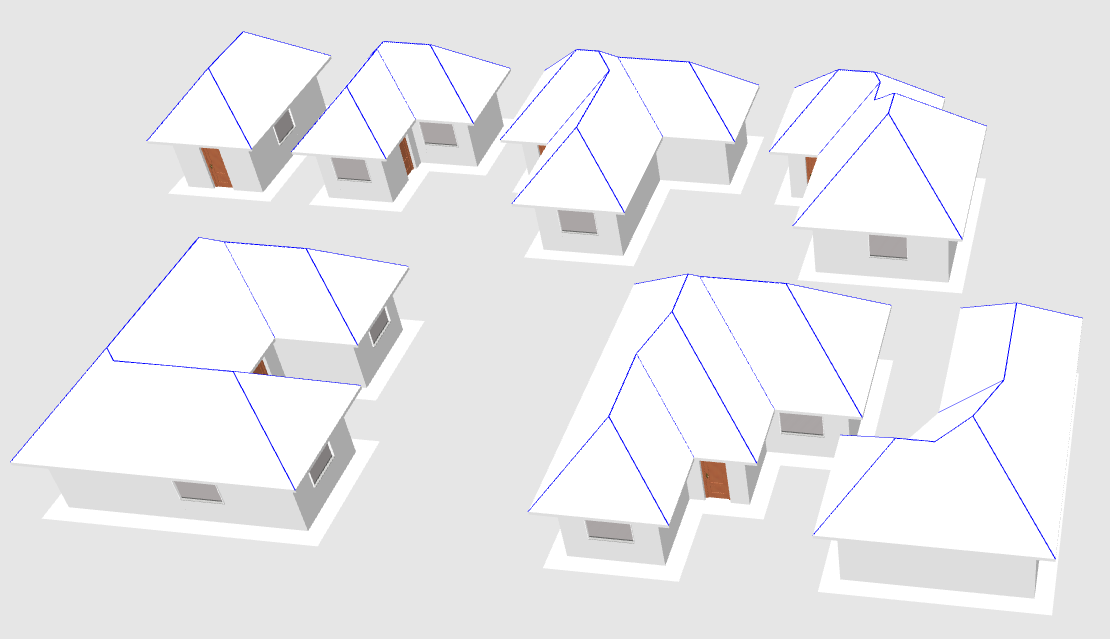
Anyway few words and pictures for this version:
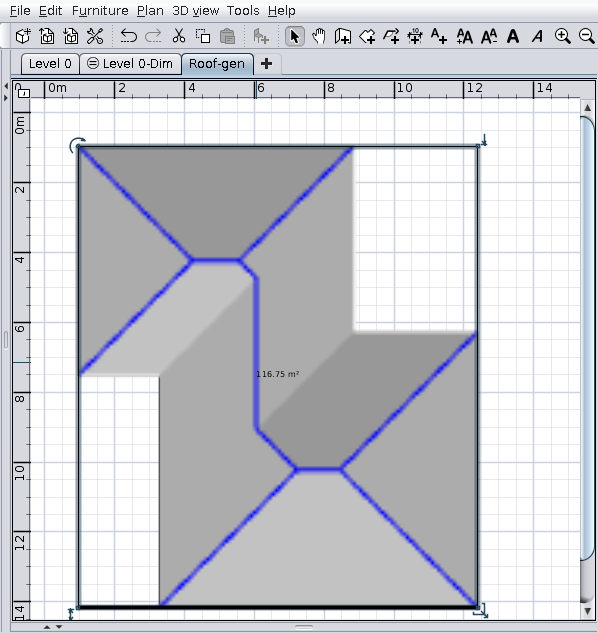
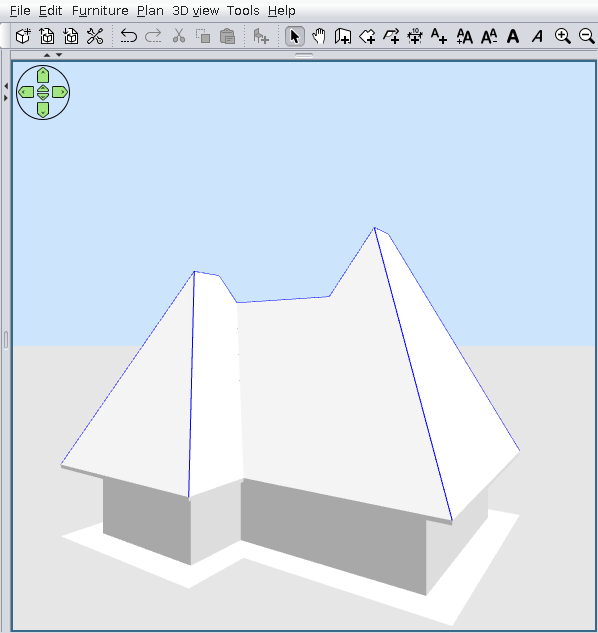
It work for few simple roofs: rectangle and shape L, T, S, F(as described here).
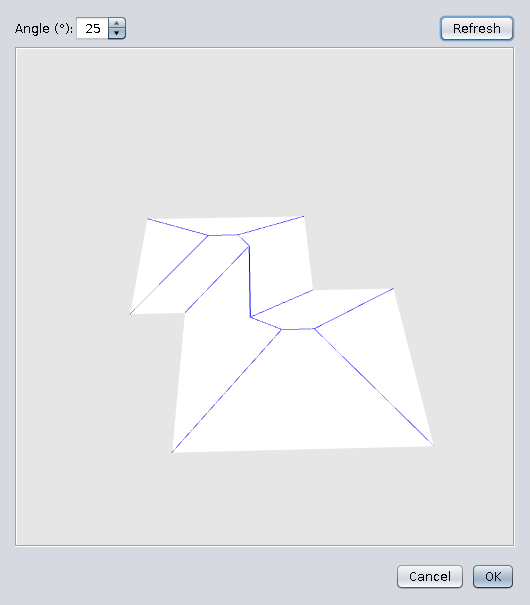
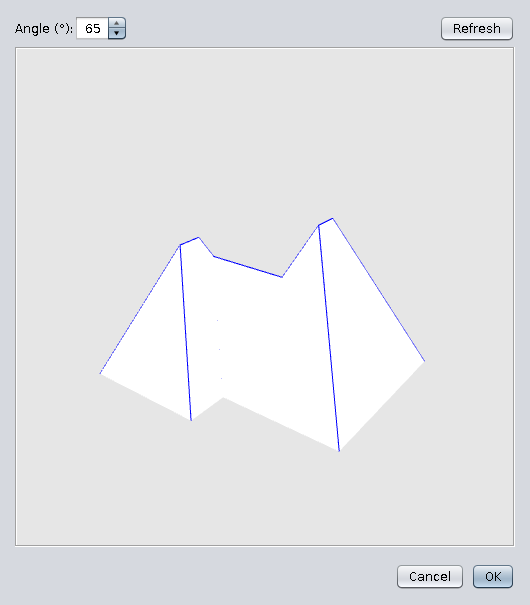
Don't work as expected on complex shapes like E or round.
The angle could be adjusted before add roof to home plane.
The blue edges could be made invisible when You set texture.

BUGS:
-Sometimes make SH3D unresponsive;
-Texture coordinate are wrong on north faces;
-The interior face of roof are transparent.

Image Image Image Image Image Image Image

Also on SurceForge .
A computer program does what you tell it to do, not what you want it to do. Murphy's Law
When all else fails, read the instructions. Murphy's Law
If you don't like "AS IS", DIY. Dorin's law
User avatar
Puybaret
Posts: 9440
Joined: Mon Nov 07, 2005 12:00 pm
Country: Paris, France
Contact:

Re: Generate roof plugin

Post by Puybaret »

Nice gift for Christmas! Thank you Dorin [:)]
Emmanuel Puybaret, Sweet Home 3D creator
User avatar
bdfd
Posts: 2614
Joined: Sat Mar 29, 2014 7:17 am
Country: LILLE, Les Hauts de France, Western Europa

Re: Generate roof plugin

Post by bdfd »

Hi,

Thank you for this first try.

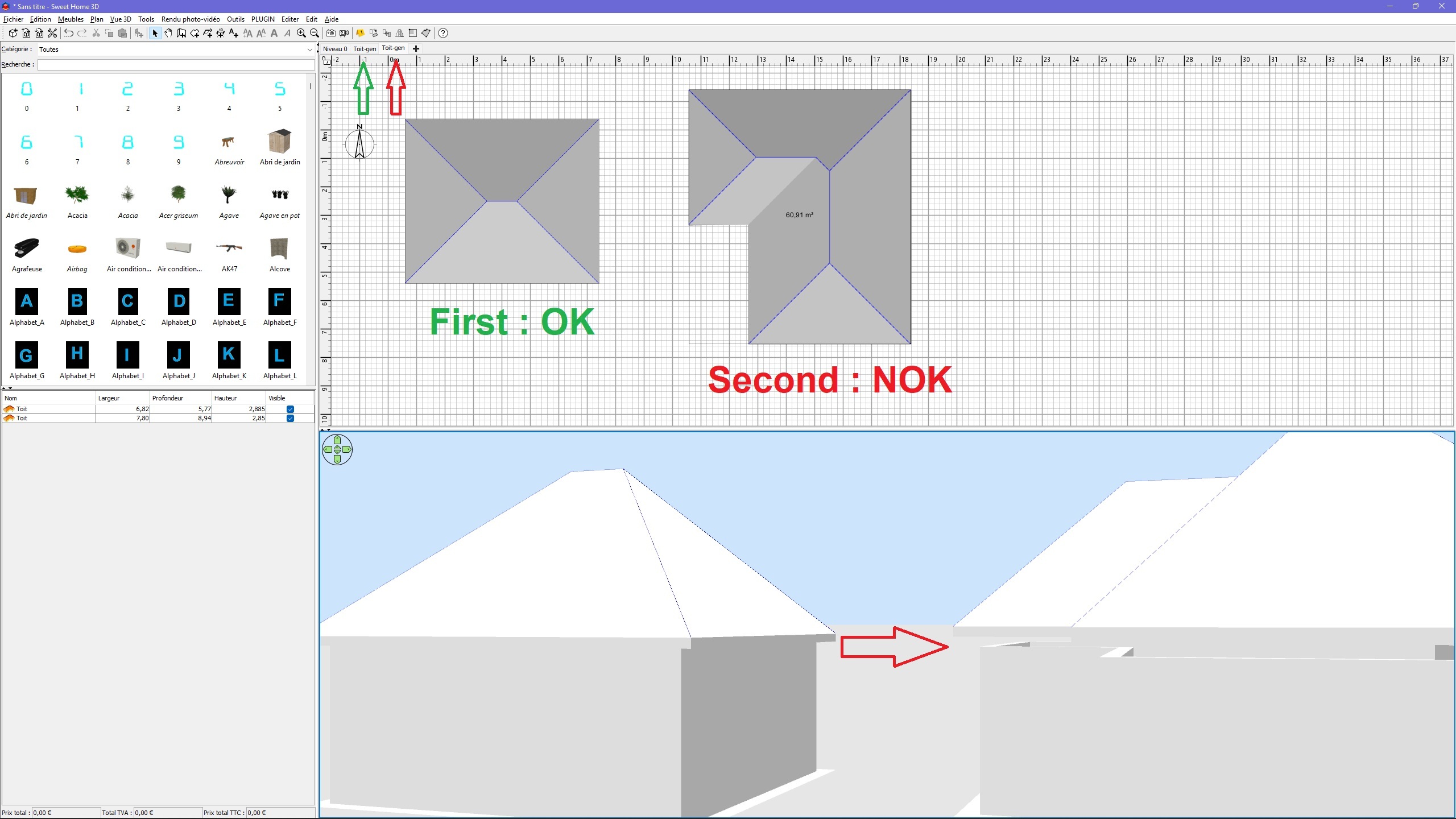
After downloading and installing this plug-in, it works one time (for the garages) and not twice (for the main house) !

After done many tries, I think that I found first bug... [:D]

Image

Why ?

Good luck and HNY !

[:(]
.
Evil progresses when good people do nothing!
---
SH3D 7.1 and nothing else - W11 64b in 4K
Post Reply New Topic

Who is online

Users browsing this forum: No registered users and 1 guest