Generate roof plugin

This topic has been viewed 2463942 times and has 338 replies
Thread status: Active
Questions about extending features and developing plug-ins [img]http://www.sweethome3d.com/images/flags/en_small.gif[/img]
User avatar
dorin
Posts: 824
Joined: Thu Apr 24, 2014 9:14 am
Country: Vatra Dornei, Suceava, Romania

Re: Generate roof plugin

Post by dorin »

@crackwood01 GRT thank you very much!
2d elevation in black and white on wich you can take measurements

Please explain me with more details (eventually with some pictures).
If it's possible for me, I'll try.
A computer program does what you tell it to do, not what you want it to do. Murphy's Law
When all else fails, read the instructions. Murphy's Law
If you don't like "AS IS", DIY. Dorin's law
Mike53
Posts: 678
Joined: Sat Jan 06, 2018 1:02 am
Country: UK

Re: Generate roof plugin

Post by Mike53 »

Hi Dorin, you and Daniel have made a much needed plug work very well, thumbs up from me.
crackwood01
Posts: 68
Joined: Wed Oct 14, 2020 12:05 am
Country: Canada

Re: Generate roof plugin

Post by crackwood01 »

Hi Dorin,

from now the only way to have 2d elevation is by using the plugin recently made.

The problem is that we prefer having black and white elevations and the possibility to take mesaures on it wich is not possible right now without exporting the image and reimport it as a background.


Image
crackwood01
Posts: 68
Joined: Wed Oct 14, 2020 12:05 am
Country: Canada

Re: Generate roof plugin

Post by crackwood01 »

Honestly, i think you have a lot of good stuff to start with.

You could try modidy the existing elevation plugin "side view" in adding a black and white option (and maybe some standard "black and white textures").
You could try to modifiy the "draw 3d dimensions line" to be able to use it on he 2d dialog.

Being able to export all 4 sides in pdf would be great to.
User avatar
dorin
Posts: 824
Joined: Thu Apr 24, 2014 9:14 am
Country: Vatra Dornei, Suceava, Romania

Re: Generate roof plugin

Post by dorin »

Hi to all and tanks for your appreciations.
@crackwood01
Now I understudy what you propose.Thanks for enlightening me!
You've right but, in SH3D, we have 2 different things:
-1. The elevation which are measured from the bottom of piece;
-2. The high of piece;
We need both.
I think that could be solved by Daniels118 trough them 3D Dimension plugin to make it to be able to measure objects even outside the wall or building.
At that moment we could improve some options in this plugins.
Anyway we will try to do something in this way.
Will be useful to many other users.
A computer program does what you tell it to do, not what you want it to do. Murphy's Law
When all else fails, read the instructions. Murphy's Law
If you don't like "AS IS", DIY. Dorin's law
User avatar
dorin
Posts: 824
Joined: Thu Apr 24, 2014 9:14 am
Country: Vatra Dornei, Suceava, Romania

Re: Generate roof plugin

Post by dorin »

It's appear we write in the same time.
Your proposal are also in my mind for few years.
Step by step we (including you) will make it (SH3D) better.
A computer program does what you tell it to do, not what you want it to do. Murphy's Law
When all else fails, read the instructions. Murphy's Law
If you don't like "AS IS", DIY. Dorin's law
User avatar
dorin
Posts: 824
Joined: Thu Apr 24, 2014 9:14 am
Country: Vatra Dornei, Suceava, Romania

Re: Generate roof plugin

Post by dorin »

The GRT offer you a new beta version Generate roof v.4.0.beta2
It was planed to appear at the end of 2023.
Without priceless help of Daniele this version are not possible to exist.

All users have to thank to crackwood01 and Klaus60 who "bought" a year for you!

1. It's a beta version so, Used with care!

2. Whats new:
-add roof thickness;
-compute holes in roof projection;
-make faces invisible in preview;
-add a fine tuning slider;
-remove Help button as useless;
-remove room under the roof;
-add some translations(IT and CN).

3. TO DO:
-add some specific property to the roof object(I don't know yet what or which);
-add a entry in the Help menu (for this are needed more collaboration. Maybe hansmax could do this);
-implement the other functions already programed by Tom Kelly.

4. Some pictures with some explanations:

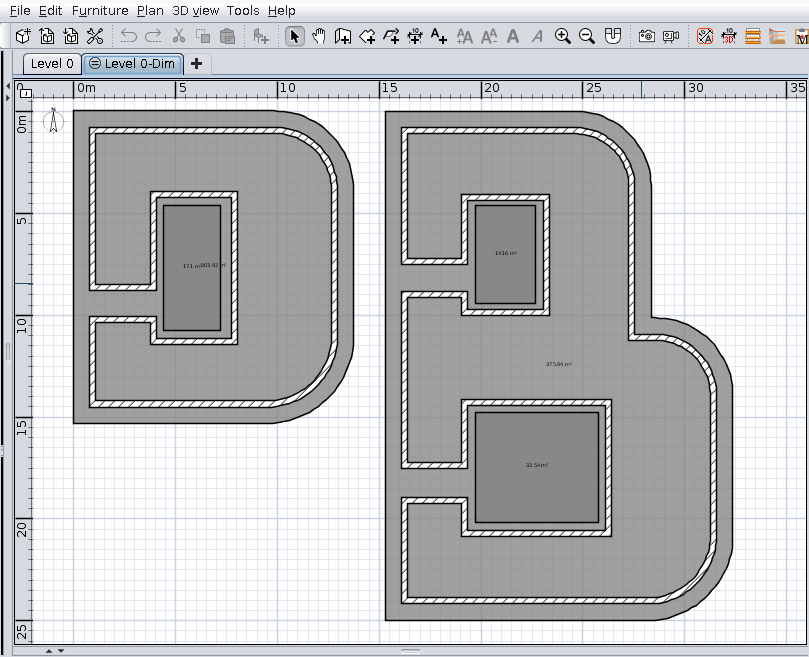
Here are two letters with holes
Image

Ctrl+A to select all (not mandatory). You could also select only needed rooms.
Image

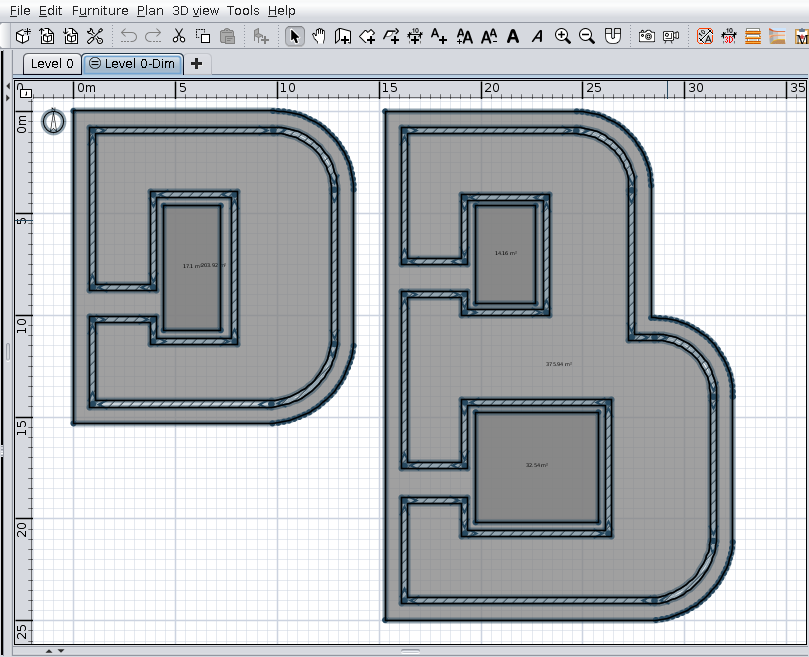
Tools->Generate roof...
As you could see ONLY the B are generated because is the bigger from selection.
If you want D you have to select only D.
Image

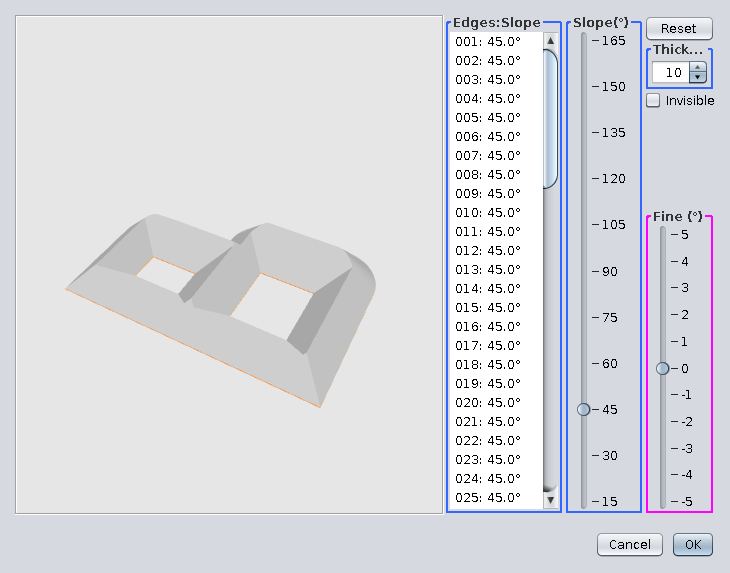
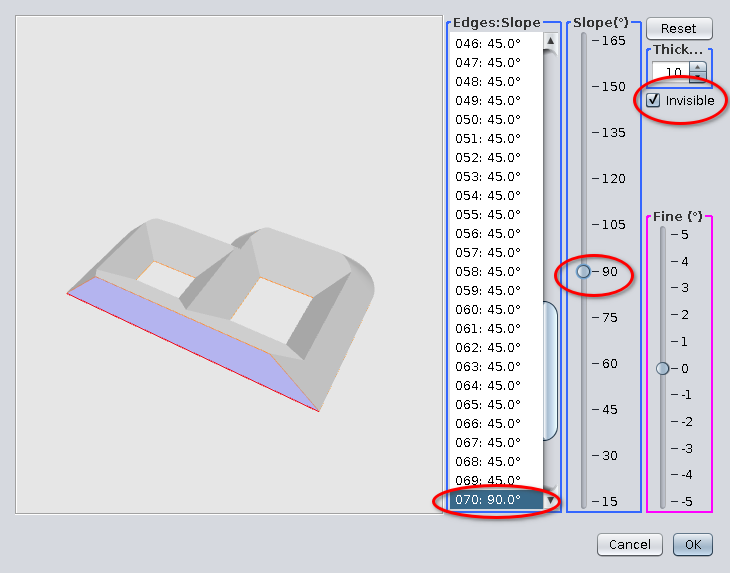
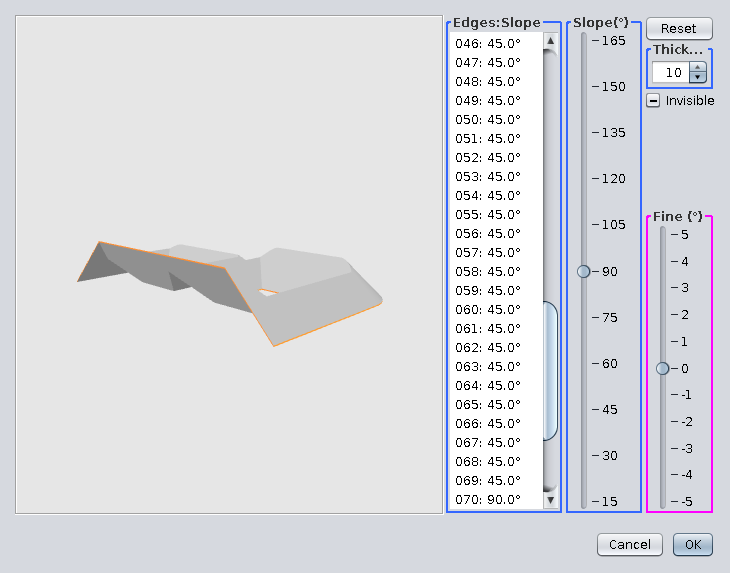
Select one or more faces;
Modify slope as needed and make it invisible.
Image

This could be the result in preview. OK.
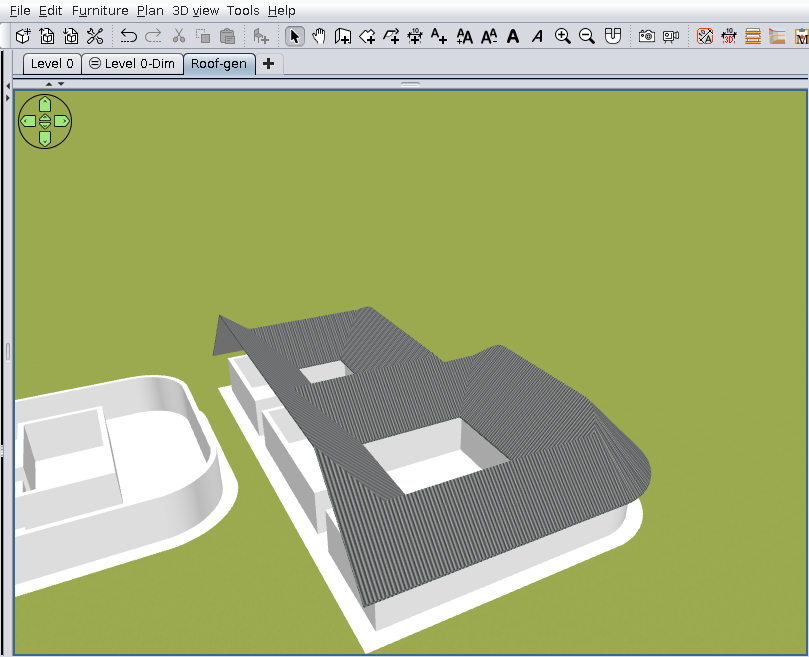
Image

Set materials texture and you could have this:
Image

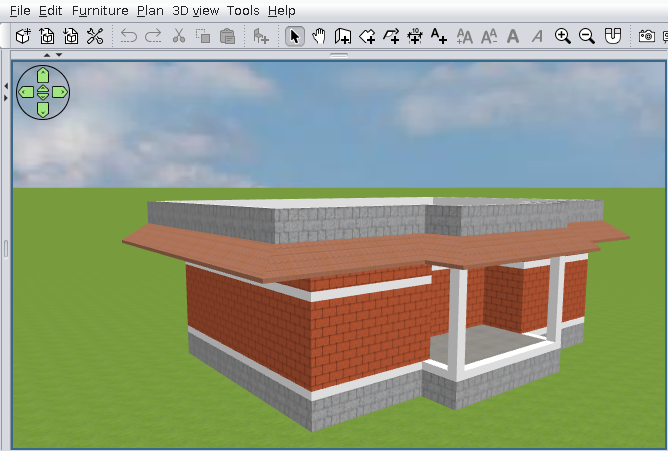
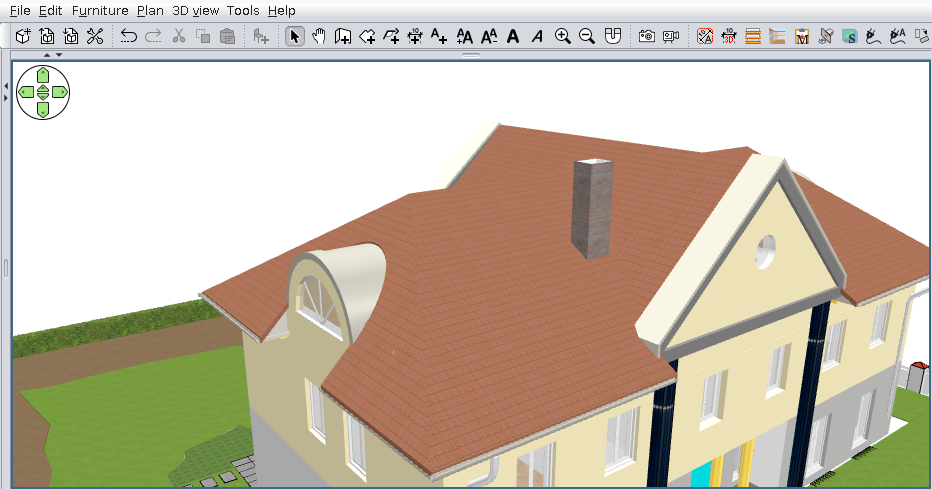
Finally few roofs made with this plugin:
This one I've use the holes feature:
Image

For this one I've have to made a lot of aids walls and rooms until I've find an optimal solution
Are made from three different pieces of roof.
Image

We (GRT) wish you all good health and a new year at least as good as the last!

Also on Source Forge

A computer program does what you tell it to do, not what you want it to do. Murphy's Law
When all else fails, read the instructions. Murphy's Law
If you don't like "AS IS", DIY. Dorin's law
User avatar
Keet
Posts: 1807
Joined: Fri Apr 08, 2022 7:13 am
Country: Netherlands

Re: Generate roof plugin

Post by Keet »

WOW! This plugin is getting really professional. Congratulations to the GRT team and thank you very much for your efforts.
Dodecagon.nl
1300+ 3D models, manuals, and projects
User avatar
hansmex
Posts: 4027
Joined: Sat Sep 26, 2009 11:36 am
Country: Netherlands

Re: Generate roof plugin

Post by hansmex »

@Dorin

Thanks again for this magnificent work.
Let me know what you need as Help text, and I'll see what I can do.

H
Hans

new website - under constuction
hansdirkse.info
User avatar
Vinci68
Posts: 71
Joined: Thu Feb 24, 2022 3:20 pm
Country: France

Re: Generate roof plugin

Post by Vinci68 »

Congratulations to the group, it's a great job. Happy holidays to all !
Post Reply New Topic

Who is online

Users browsing this forum: No registered users and 1 guest