Also remember that you can change the shininess of materials from the furniture modification dialog, and export the object to check what changes in the mtl file.
Object surfaces reflect environment?
This topic has been viewed 5394 times and has 15 replies
-
Daniels118

- Posts: 503
- Joined: Wed Nov 17, 2021 9:04 pm
- Country: Italy
Re: Object surfaces reflect environment?
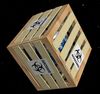
Have you tried this?
Re: Object surfaces reflect environment?
For some reason I thought one could not export one of the "in use" objects.... Unfortunately, I can't find that option (to export a furniture object)
*sigh* must be another item that's right in front of me.
*sigh* must be another item that's right in front of me.
Selden
Re: Object surfaces reflect environment?
There's an "export to csv" but that just exports the list of in-use objects... and it's actually an "export to TAB separated values", not "Comma separated values"
Selden
-
Daniels118
- Posts: 503
- Joined: Wed Nov 17, 2021 9:04 pm
- Country: Italy
Re: Object surfaces reflect environment?
The export command is in the 3D view menu. You have to select the object to export first. You may also use this function to merge 2 or more objects.
Re: Object surfaces reflect environment?
Oh. Of course. I've even used it a kajillion times. *sigh*
Anyhoo...
I did a save-to-obj for the object both when it was reflective and when it wasn't. The only difference between the matt .mtl and the reflective .mtl is the Ns value.
Reflective:
===================
newmtl brown
illum 2
Ka 0.2 0.2 0.2
Kd 0.533 0.4 0.267
Ks 0.0 0.0 0.0
Ns 128.0
===================
NON-reflective:
===================
newmtl brown
illum 2
Ka 0.2 0.2 0.2
Kd 0.533 0.4 0.267
Ks 0.0 0.0 0.0
Ns 1.0
===================
Anyhoo...
I did a save-to-obj for the object both when it was reflective and when it wasn't. The only difference between the matt .mtl and the reflective .mtl is the Ns value.
Reflective:
===================
newmtl brown
illum 2
Ka 0.2 0.2 0.2
Kd 0.533 0.4 0.267
Ks 0.0 0.0 0.0
Ns 128.0
===================
NON-reflective:
===================
newmtl brown
illum 2
Ka 0.2 0.2 0.2
Kd 0.533 0.4 0.267
Ks 0.0 0.0 0.0
Ns 1.0
===================
Selden
Re: Object surfaces reflect environment?
Fortunately, it turns out that an NS of 0.0 works just as well as 1.0
I've been using Anim8or to create my obj models. Ns seems to be controlled by a combination of Anim8or's material values of "Rough" and "Brilliance". Setting them both to 1 yields an Ns of 0.0
I've been using Anim8or to create my obj models. Ns seems to be controlled by a combination of Anim8or's material values of "Rough" and "Brilliance". Setting them both to 1 yields an Ns of 0.0
Selden
Who is online
Users browsing this forum: No registered users and 0 guests