I'm trying to render a floor plan, but have the ground/space outside my floor plan render as transparent. Is it possible to do this natively from SH3D?
Here's a sample image online of what I'd like to mimic (the outside shadows around image are nice but not in scope of this inquiry):
Try in the 3D view menu under modify 3D view to put a *.png transparent texture. In that case the ground is completely black in the sunflow render engine. The background remains easy to remove.
Awww, thank you for the solution. I would have never known this! I'll have to import it into Affinity Photo to remove the black, but it gets the job done.
You can also simply set the background color of the 3D view to a different color. All a photo editor needs is a single color to set as transparent. The transparent texture png does that but a simple color should do the same. The advantage of using a 3D view background color is that you can choose a color that is nowhere used in your project. This avoids that parts in your project also become transparent when you set that color to transparent in the photo editor.
Dodecagon.nl
1300+ 3D models, manuals, and projects
@Keet, are there some additional settings needed if you wanted to use a simple solid color as you suggested? When I do that instead of the transparent texture approach the rendering engine will cast shadows and thus make the color delete afterwards a pain.
I didn't think of the shadows. Using black (#000000) should avoid that.
And you still have the option of using the transparent png if that still doesn't work. Rendering is maybe a lot faster with a black color instead of a transparent png but you can try both options.
Dodecagon.nl
1300+ 3D models, manuals, and projects
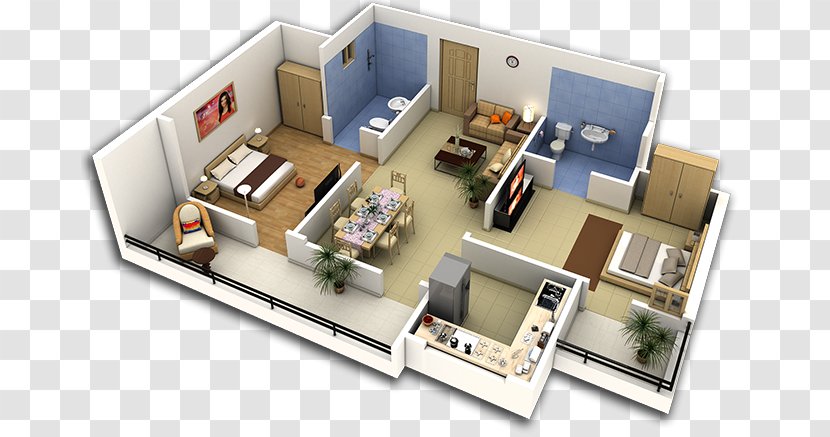
 Transparent Ground outside floor plan