I've been having alot of problems with my texture files, and one friend told me that texture files work best in the bit power, as he put it, or in the multiples of 16, 32, 64, and so on... I did not know this, and feel like such a newbie, but I thought about a way to convert my huge texture files from other programs and remembered a program on my computer that I've had a long time, and that I love. It called Pixel Toolbox. You can download it here...
http://www.axiomx.com/PixelToolbox/
It will only do up to 64 ppi but for taking odd sized textures and making them within the "best" file size, I have cut out alot of problems with my textures. This might be old news for some, and I apologize if I am repeating, but I had such a bad time with textures, I am happily sharing my relief... and a great little free program that I have alays used.
I hope someone else finds it useful... [:)]
textures
This topic has been viewed 10138 times and has 16 replies
Re: textures
Thank you whippetsleek for the link.
If you don't mind me adding another useful program. You (plus others using a Windows computer) may also find PIXresizerPortable useful, it is free software.
Read about the portable test release here or view the software Home page here
The portable version is easier (and seems to work well for a test release) because it doesn't need installing, once extracted users then run it from their HD (Hard Drive) or it can also be put on a USB thumb drive / portable HD and taken with you.
Good to hear you are solving the problems with your textures. [:)]
db4tech
If you don't mind me adding another useful program. You (plus others using a Windows computer) may also find PIXresizerPortable useful, it is free software.
Read about the portable test release here or view the software Home page here
The portable version is easier (and seems to work well for a test release) because it doesn't need installing, once extracted users then run it from their HD (Hard Drive) or it can also be put on a USB thumb drive / portable HD and taken with you.
Good to hear you are solving the problems with your textures. [:)]
db4tech
-
whippetsleek

- Posts: 121
- Joined: Sat Jul 31, 2010 11:54 pm

-
whippetsleek
- Posts: 121
- Joined: Sat Jul 31, 2010 11:54 pm
Re: textures
I did.. [:p]
I felt a bit accomplished though after that render. I figured that had to be one of the most messed up and out of wack renders around. So that was my pat on the back. [:">]
We should have "Strange and Unusual Renders" thread, with trophies and awards... lol... I almost had rainbow and wood floor chairs in that render up above.
I must say I like the sparkle kitchen though, that would be nice to have in real life. The sparkle effect is from the object's sheen?
I felt a bit accomplished though after that render. I figured that had to be one of the most messed up and out of wack renders around. So that was my pat on the back. [:">]
We should have "Strange and Unusual Renders" thread, with trophies and awards... lol... I almost had rainbow and wood floor chairs in that render up above.
I must say I like the sparkle kitchen though, that would be nice to have in real life. The sparkle effect is from the object's sheen?
Re: textures
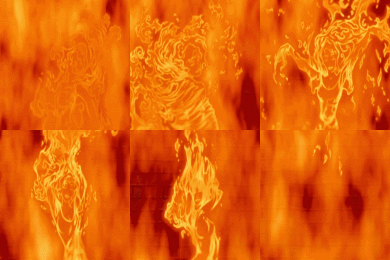
Yes I think there are some slight (cough cough) UV mapping texture problems with the corner fire, so you win the prize! [;)]
The sparkles you see in the kitchen are actually from the way Uber version 1.4 interpenetrates texture values, they do look quite nice though. [:)]
db4tech
The sparkles you see in the kitchen are actually from the way Uber version 1.4 interpenetrates texture values, they do look quite nice though. [:)]
db4tech
-
whippetsleek
- Posts: 121
- Joined: Sat Jul 31, 2010 11:54 pm
Re: textures
I was in Singapore a while back, and a shopping mall there had a floor that looked exactly like those sparkles, it was about the prettiest thing I've ever seen for flooring. I don't know how they did it, but if I ever go back, I'm taking pictures and making a texture out of it. Your kitchen reminded me of that.
Now I just need to find out why my transparent material for my vases, and a glass shelf I made is turning black in the render. The Glass is transparent in the 3D view, but it turns back in the render. It came from a 3ds file, and I do not know how to edit them... any ideas?
Now I just need to find out why my transparent material for my vases, and a glass shelf I made is turning black in the render. The Glass is transparent in the 3D view, but it turns back in the render. It came from a 3ds file, and I do not know how to edit them... any ideas?

Re: textures
Don't look further Chris, SunFlow rendering engine doesn't support transparent textures yet. [:(]
Emmanuel Puybaret, Sweet Home 3D creator
-
whippetsleek
- Posts: 121
- Joined: Sat Jul 31, 2010 11:54 pm
Re: textures
ohh.... that would be probably why eh. lol
This might be a silly question, but if you have a render system that is going to be released with all the competition, why would you not support a type of texture that I'm sure alot of people use in their models? I know that sounds like a whining question, but truely I am just curious as to the reason why. I am guessing it is just much more difficult to compute transparencies?
This might be a silly question, but if you have a render system that is going to be released with all the competition, why would you not support a type of texture that I'm sure alot of people use in their models? I know that sounds like a whining question, but truely I am just curious as to the reason why. I am guessing it is just much more difficult to compute transparencies?
Re: textures
Emmanuel please can we also use the Sunflow Thin glass shader in the rendering engines?
It would have been great for the stained glass window I'm using in my scene.

If you've not seen the thread, plus it contains other information you may be interested in here is the link.
whippetsleek,
I would imagine they use tiny thin metal flakes, or particles, for their shopping mall floor.

When you say material, did you mean a texture map or just a colour?
You could always use Blender or AoI to convert your 3DS files into OBJ.
For the above glass image I just set a d value of less than one and played with the Kd values to change colour and lightness. Rendered with the Advanced render.
db4tech
It would have been great for the stained glass window I'm using in my scene.
If you've not seen the thread, plus it contains other information you may be interested in here is the link.
whippetsleek,
I would imagine they use tiny thin metal flakes, or particles, for their shopping mall floor.
When you say material, did you mean a texture map or just a colour?
You could always use Blender or AoI to convert your 3DS files into OBJ.
For the above glass image I just set a d value of less than one and played with the Kd values to change colour and lightness. Rendered with the Advanced render.
db4tech
Who is online
Users browsing this forum: No registered users and 2 guests