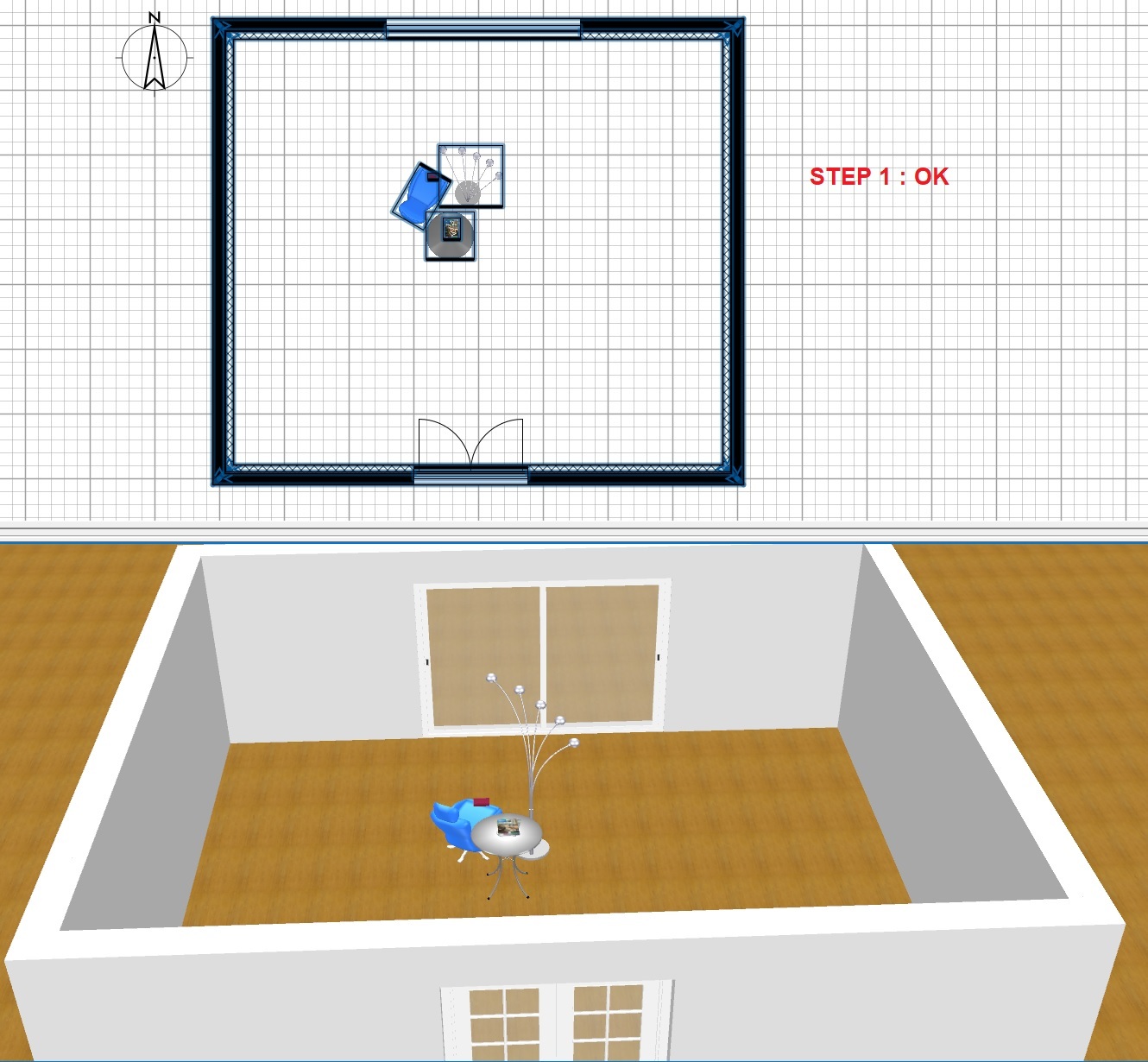
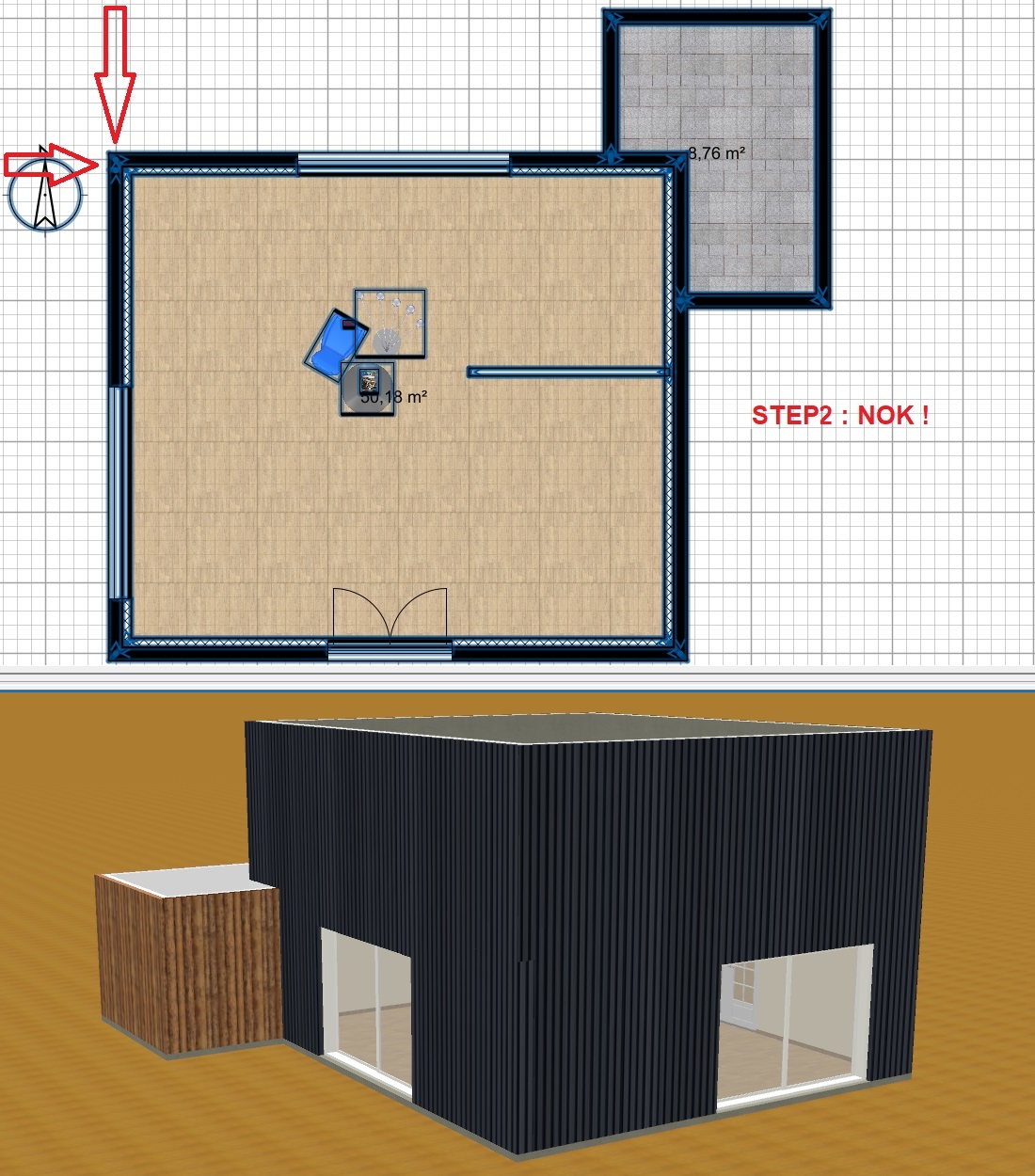
Almost a month without any return or consideration??? [:(]
I think, I found the process to reproduce the bug.
Step 1: creation of walls and rooms on 3 levels.
Removal of the ground floor room.
Addition of a French window (left side).
Addition of the room with recalculation and walls AND........... BOOM!
It is the bug of the piece of wall which returns.
Adding a room or adding a piece of furniture don't compute any new wall, and even don't change any information on existing walls. It must be something else...
I found a way to reproduce your issue which is not bound to the version 7.0.
It's bound to the way walls are recomputed when you select the Recompute walls option in the room modification dialog box to change the appearance of the walls at room border.
In your case, the inner and outer walls at room border are slightly superimposed and this cause program think that it should recompute the outer walls too. Don't superimpose inner and outer walls or more simply unselect the Recompute walls option and it will work properly.
I found a way to reproduce your issue which is not bound to the version 7.0.
It's bound to the way walls are recomputed when you select the Recompute walls option in the room modification dialog box to change the appearance of the walls at room border.
In your case, the inner and outer walls at room border are slightly superimposed and this cause program think that it should recompute the outer walls too. Don't superimpose inner and outer walls or more simply unselect the Recompute walls option and it will work properly.
Before 6.6, the issue did not exist... [:D]
.
Evil progresses when good people do nothing!
---
SH3D 7.1 and nothing else - W11 64b in 4K
I found a way to reproduce your issue which is not bound to the version 7.0.
It's bound to the way walls are recomputed when you select the Recompute walls option in the room modification dialog box to change the appearance of the walls at room border.
In your case, the inner and outer walls at room border are slightly superimposed and this cause program think that it should recompute the outer walls too. Don't superimpose inner and outer walls or more simply unselect the Recompute walls option and it will work properly.
Why for one corner and not the three others ? [:D]
.
Evil progresses when good people do nothing!
---
SH3D 7.1 and nothing else - W11 64b in 4K
I just tested with version 5.5 and this issue exists also in that version (older versions are less interesting since it was more complicated to place a door which would make a hole in two walls).
Why for one corner and not the three others ?
I have no idea and sorry, I won't search. Just avoid to overlap walls.