How to add any picture to the wall ?

This topic has been viewed 5868 times and has 3 replies
Thread status: Active
How can I do this? [img]http://www.sweethome3d.com/images/flags/en_small.gif[/img]
Post Reply New Topic
Yanoda
Posts: 2
Joined: Sat Jul 30, 2016 5:16 pm

How to add any picture to the wall ?

Post by Yanoda »

Hi there :)

Is there a possibillity to put a jpg or any image file on the wall ? I don't want to fill the entire wall, just put a logo on it.

Regards
Miker777
Posts: 426
Joined: Sun May 08, 2016 7:30 pm
Country: UK

Re: How to add any picture to the wall ?

Post by Miker777 »

Hi Yanoda
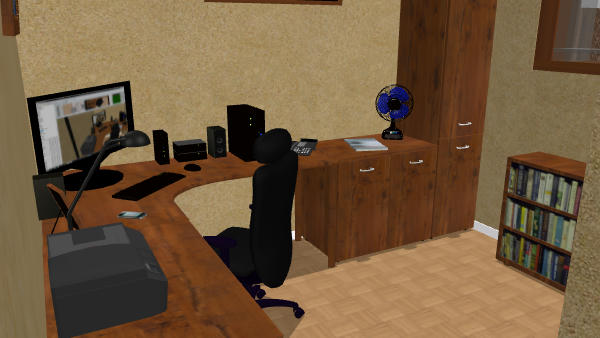
Might be simplist to add the image to one of the frames already in the library the position as normal, i did similar here, Image
with the screen and the bookcase, i did find it easier to import both the screen and the box as objects and lie them flat to apply the image.
Hope this helps.
Mike
User avatar
Puybaret
Posts: 9440
Joined: Mon Nov 07, 2005 12:00 pm
Country: Paris, France
Contact:

Re: How to add any picture to the wall ?

Post by Puybaret »

Add a box found in Miscellaneous category to your plan, change its size to make it thin and in its modification dialog box, click on Materials to change the front side with the texture of your choice.
See also this tip.
Emmanuel Puybaret, Sweet Home 3D creator
Yanoda
Posts: 2
Joined: Sat Jul 30, 2016 5:16 pm

Re: How to add any picture to the wall ?

Post by Yanoda »

Thanks gays for reply.
Puybaret - it works perfectly !
Post Reply New Topic

Who is online

Users browsing this forum: No registered users and 1 guest