I have run into a small problem making videos with the "same rendering as in the 3D view"-setting. What I see in the preview window does not match the video output.
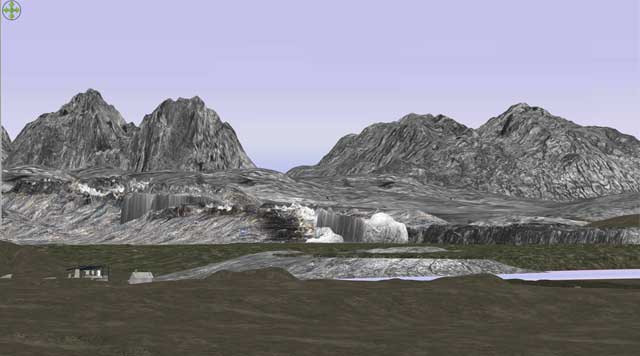
This is my terrain as viewed in the preview window( screenshot):
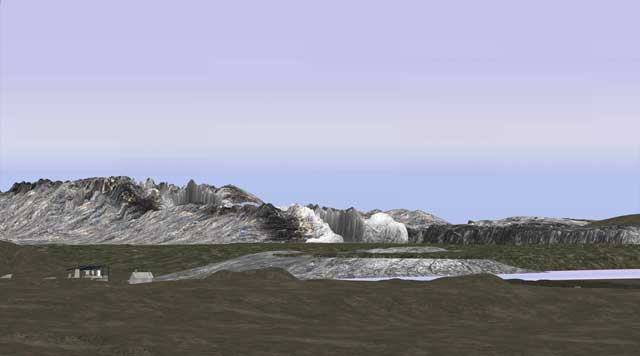
And this it is how it appears when making a video or creating a photo using the "same rendering as in the 3D view"-setting.
Rendering with photo-quality though, always gives the same result as viewed in the preview-window.
Is this maybe an OpenGL-issue, and is there any way to get around this?
This looks similar to something I have seen before, where the photo rendering shows a different perspective for distant objects. Then there were a couple of pictures with a tree-line outside a window. I am sure I have seen it somewhere, but cannot find it. Anyone remember? ok
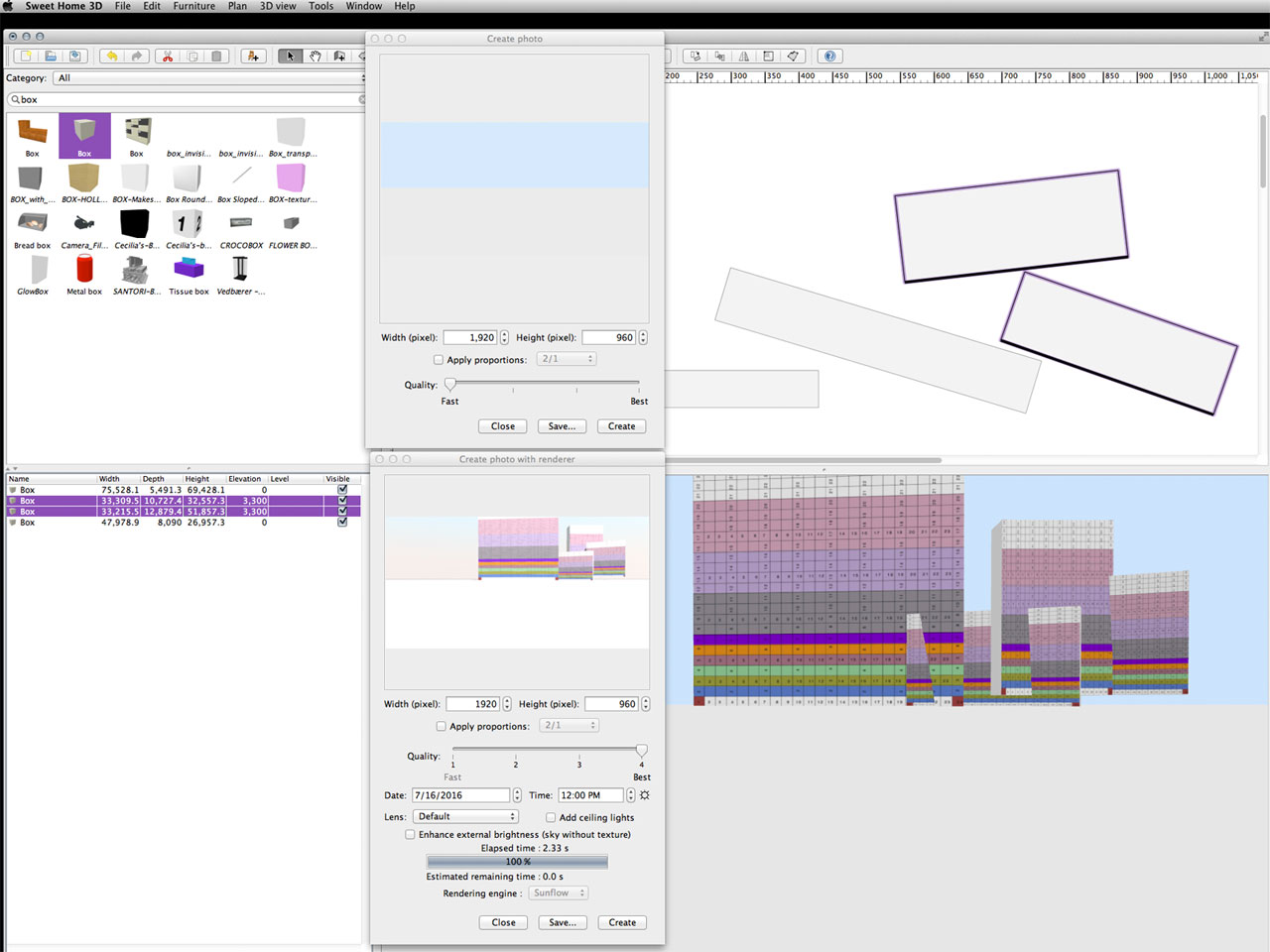
The reason I'm wondering if this is a hither-and-yon-problem, is that although none of the boxes are overlapping, they appear to be overlapped in the preview-window.
Rendering with "same as preview"-setting, none of the boxes are visible, while rendering with HQ, everything appears perfectly normal.
Maybe, it could be a bug that happens on how the frustrum is used in offscreen and onscreen modes. How far are the far away objects from the camera? Could you send [url=mailto:[email protected]]me[/url] a simple case showing the problem?
I made some tests and this is definitively bound to the upper distance of the frustrum beyond which objects are not displayed in 3D. The astonishing thing is that this distance is the same in onscreen (3D view) and offscreen (i.e. Q1 and Q2 photos) modes, but your objects are very close to the limit set in Sweet Home 3D. If you move away the observer a few hundred meters more away from the scene, they will disappear too.
I could increase this upper distance to make far objects viewable, but then there would be some risks that objects in the nearby of the camera wouldn't look correct [:-/]
Thanks for your answer. I suspected that was the case, but it's nice to get it confirmed.
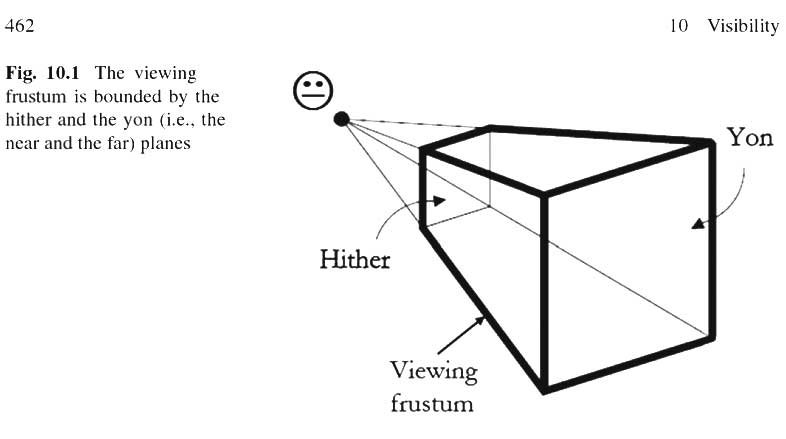
(Illustration just in case someone who reads this post is wondering about hither / yon and frustum):
I was wondering; would it be possible to implement the hither/yon-adjustments in a future version, or maybe as a plugin?
The obvious work-around is of course to make far-away objects smaller and place them closer to the camera,
or accept a slightly lower quality and use screen-recording to capture the video directly from the preview-window.
The front and back distances (hither / yon) are computed differently in version 5.5, in the hope this should solve your issue. Objects placed very far should been seen in much more cases now as long as you don't place also objects behind the point of view.