Multiple paste & Distribute elevation plug-in

This topic has been viewed 35944 times and has 26 replies
Thread status: Active
Questions about extending features and developing plug-ins [img]http://www.sweethome3d.com/images/flags/en_small.gif[/img]
User avatar
dorin
Posts: 824
Joined: Thu Apr 24, 2014 9:14 am
Country: Vatra Dornei, Suceava, Romania

Multiple paste & Distribute elevation plug-in

Post by dorin »

Finally I reach the target for what I've start learning java.
Maybe is time to start to forget, to make room for other knowledge.
This plug-in add two necessary (IMHO) tools:
1. Multiple paste (under Edit->Paste special...)
2. Distribute elevation (under Furniture->Distribute elevation)
While SH3D is a 3D software I think is must to have a complete set of tools including for manipulation in 3D.
Anyway I don't intend to spend time to write an user manual for this; Nobody read it!
So: risk, try, fail, observe & learn and try again.
You could find the plug-in here Paste special & Distribute elevation or on Source Forge.

Few screen shoot:
Insert objects in plan then select and copy (Ctrl+C) the desired object(s) then deselect them
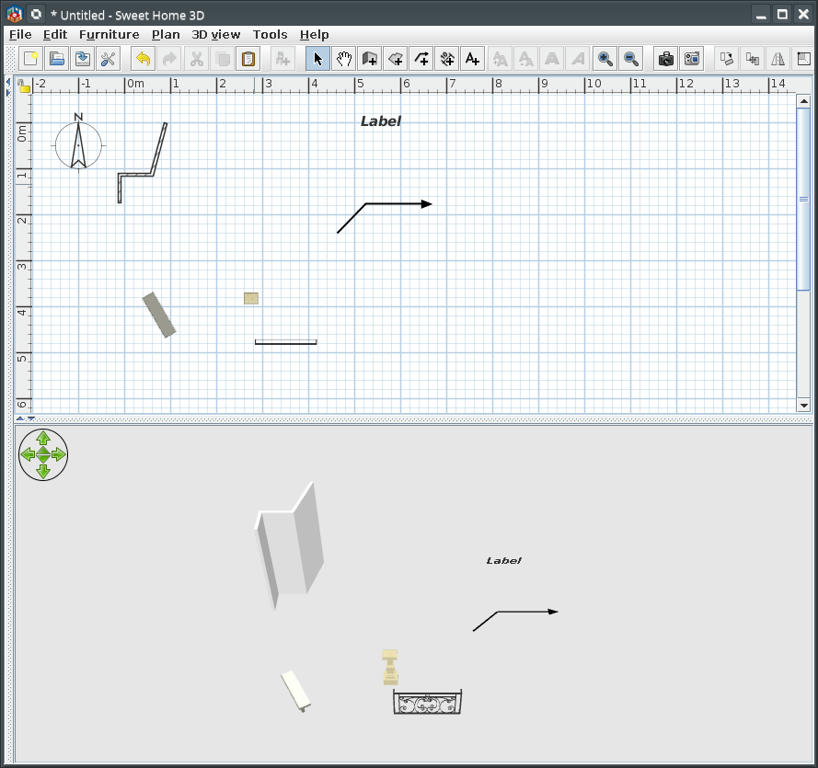
Image

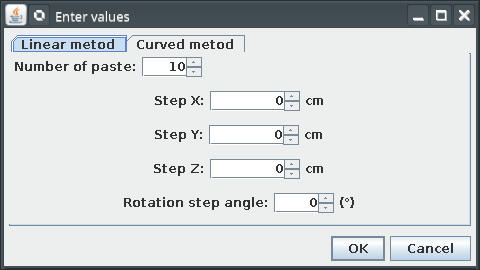
Edit->Paste special... and insert values
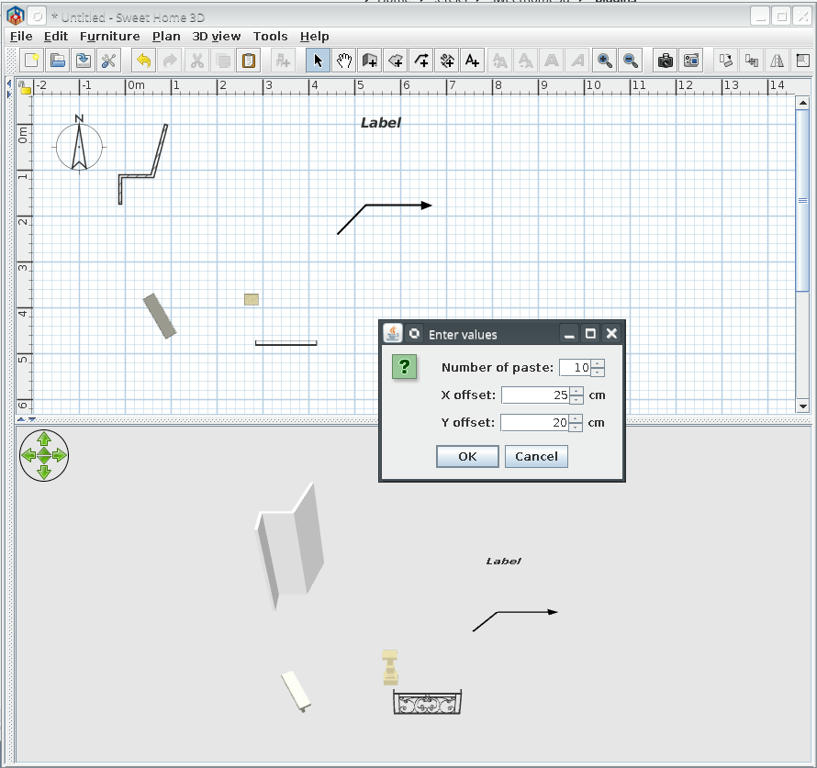
Image

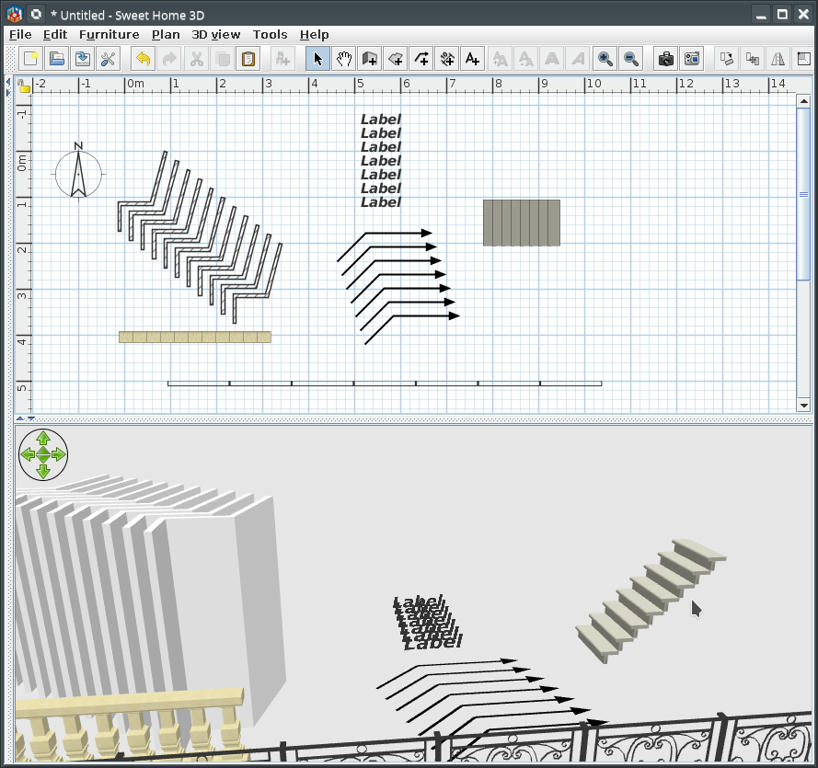
This could be the results for different values and objects
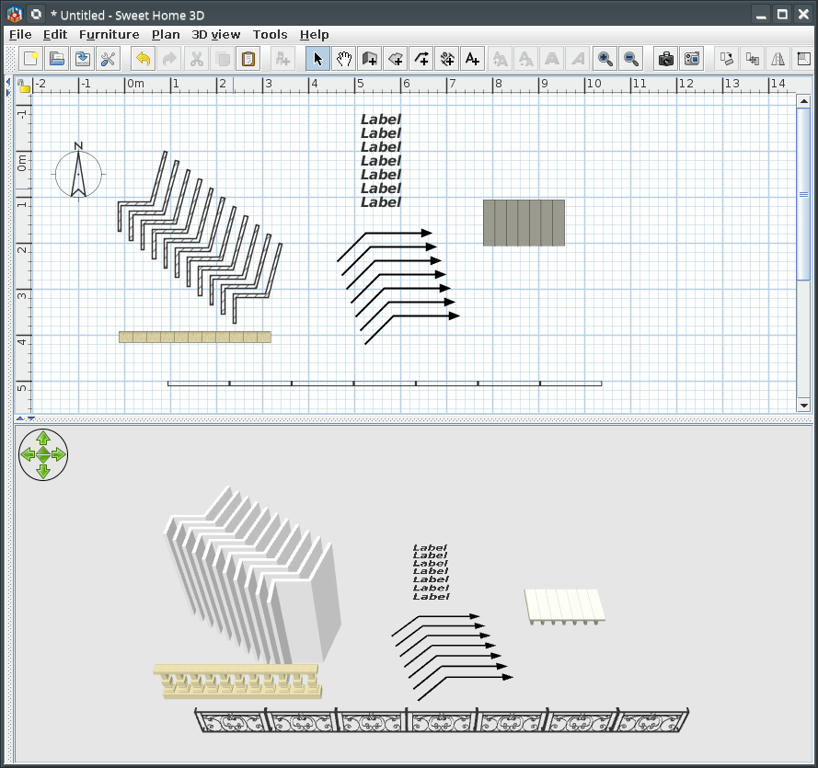
Image

Example of use distribute elevation to make stairs
Elevate one step to maximum necessary; select all steps and...
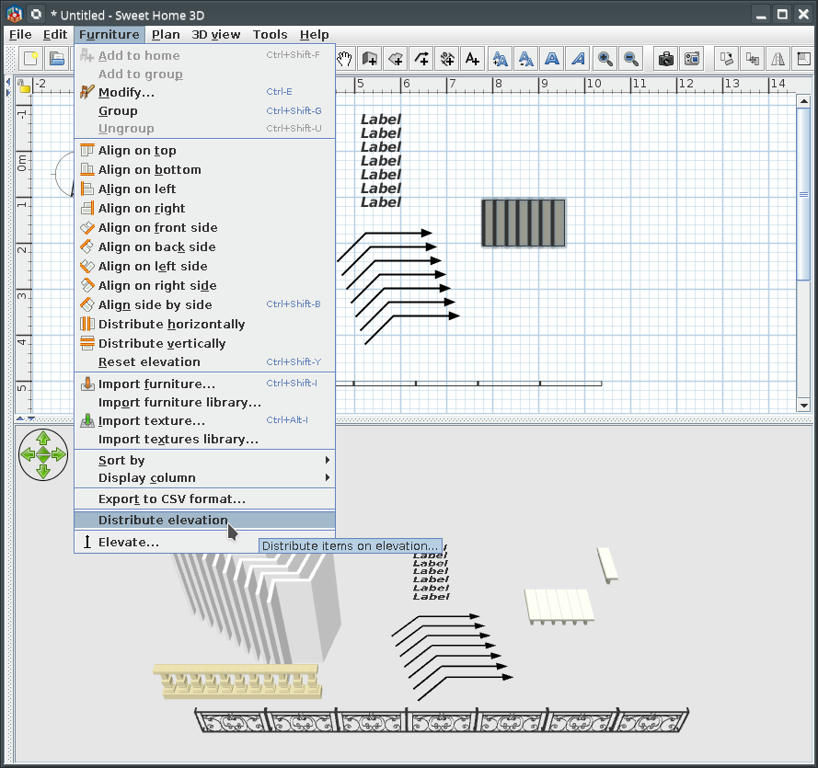
Image

This could be the result
Image

Of course I know someone for who will don't work but I can't help him [:(]
PS:
This plug-in is a little late for VeroniQ but could be useful for future tutorials.

A computer program does what you tell it to do, not what you want it to do. Murphy's Law
When all else fails, read the instructions. Murphy's Law
If you don't like "AS IS", DIY. Dorin's law
VeroniQ
Posts: 886
Joined: Tue Mar 03, 2015 9:01 am
Country: France

Re: Multiple paste & Distribute elevation plug-in

Post by VeroniQ »

Many thanks, Dorin. Very useful. I'll try it!
User avatar
hansmex
Posts: 4027
Joined: Sat Sep 26, 2009 11:36 am
Country: Netherlands

Re: Multiple paste & Distribute elevation plug-in

Post by hansmex »

Dorin,

Thanks for this useful plug-in.
I tested it and found the following problems:

1 - I open a new instance of SH3D without any furniture.
2 - I insert one (1) model and select that model. I then look at Edit -> Paste Special, but that option is still gray and cannot be used. I have to select that model and copy-paste it, before I can use Paste Special. When the copy of that model is selected and I use Paste Special, the plug-in copies the first instance of the model, not the second one that is selected.
3 - When (after step #2 above) I insert a second model and I try to copy that model, the plug-in copies the first model, not the second.

As an extra feature, it would be very nice if you could add Rotate to your plug-in. That would make it possible to make a spiral staircase (and many other things).

I'm using Windows 10 64 bit and SH3D v6.1.2

I hope this helps you.

Hans
Hans

new website - under constuction
hansdirkse.info
User avatar
dorin
Posts: 824
Joined: Thu Apr 24, 2014 9:14 am
Country: Vatra Dornei, Suceava, Romania

Re: Multiple paste & Distribute elevation plug-in

Post by dorin »

@VeroniQ
I'm happy You find it useful.
I forget to mention: is localized in french (google help).
Use with caution!!
You could insert hundred pieces at once but then, if something You don't like it, You will have to make hundred undo (Ctrl+Z).
Don't forget this is a controlled paste (Ctrl+V) so will have all the original paste characteristics with good & bad.
Keep in mind two things:
1. After You select and copy (Ctrl+C)- deselect it or select other object to activate the plugin (at least on first use).
2. The number of paste NOT include the original object(s).
A computer program does what you tell it to do, not what you want it to do. Murphy's Law
When all else fails, read the instructions. Murphy's Law
If you don't like "AS IS", DIY. Dorin's law
User avatar
dorin
Posts: 824
Joined: Thu Apr 24, 2014 9:14 am
Country: Vatra Dornei, Suceava, Romania

Re: Multiple paste & Distribute elevation plug-in

Post by dorin »

@hansmex
I'm glad You find it useful too.
@2-When You drag&drop a furniture on the plan and immediately right click to modify it You will don't find the Modify furniture menu; is the way how SH3D work; the furniture are registered when You deselect it by clicking somewhere in plan.
This plug-in work with clipboard NOT with selected items.
You have to copy (Ctrl+C)+deselect and than You could use Paste(Ctrl+V) or Paste special...
@Rotate -I have this in my mind but I don't verify if it could be applied to ALL kinds of items (especially for walls).
Maybe another tool something like Distribute angle ?????
A computer program does what you tell it to do, not what you want it to do. Murphy's Law
When all else fails, read the instructions. Murphy's Law
If you don't like "AS IS", DIY. Dorin's law
Mike53
Posts: 678
Joined: Sat Jan 06, 2018 1:02 am
Country: UK

Re: Multiple paste & Distribute elevation plug-in

Post by Mike53 »

Great idea Dorin. I look forward to trying it.
Bubblobill
Posts: 77
Joined: Sun May 21, 2017 2:09 pm
Country: Australia

Re: Multiple paste & Distribute elevation plug-in

Post by Bubblobill »

We are one step closer to being able to build staircases.
User avatar
Ceciliabr
Posts: 637
Joined: Sun Jul 07, 2013 3:41 pm
Country: Copenhagen, Denmark
Contact:

Re: Multiple paste & Distribute elevation plug-in

Post by Ceciliabr »

Beautiful, Dorin!

Thank you!

Cecilia
User avatar
dorin
Posts: 824
Joined: Thu Apr 24, 2014 9:14 am
Country: Vatra Dornei, Suceava, Romania

Re: Multiple paste & Distribute elevation plug-in

Post by dorin »

New version 1.1 and also on Source Forge
-add icons
-improve localization files
For other tools like rotation I need more advises about how You expect to act'it.
Thanks to all who appreciate and need this tool.
A computer program does what you tell it to do, not what you want it to do. Murphy's Law
When all else fails, read the instructions. Murphy's Law
If you don't like "AS IS", DIY. Dorin's law
User avatar
dorin
Posts: 824
Joined: Thu Apr 24, 2014 9:14 am
Country: Vatra Dornei, Suceava, Romania

Re: Multiple paste & Distribute elevation plug-in

Post by dorin »

New version 2.0 and also on Source Forge
-change interface
-add a curve method
-add elevation and rotation in both method

The operations remain the same:
1. Select->Copy->Deselect
2. Menu->Edit->Paste Special...
.....and than You are on own risk!

I don't try to write an user manual while nobody read it.
RECOMMENDATION: exercise on a new file until You handle how it work.
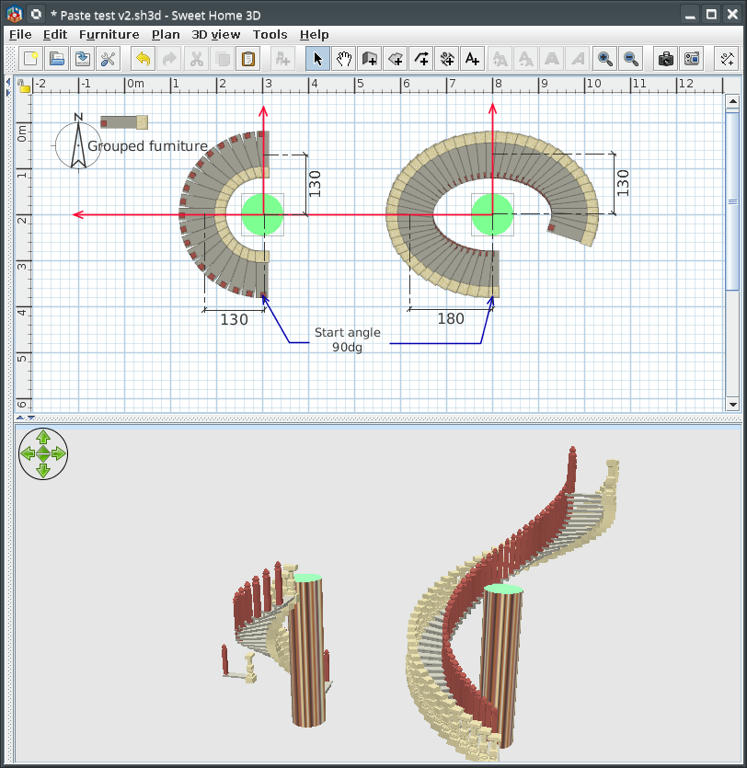
Few hints:
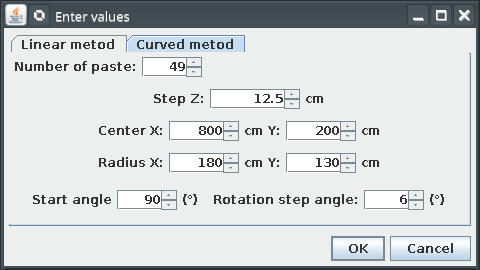
Image Image
The second image have the input used for ellipse
Image

You can use undo for delete one-by-one latest objects.
A computer program does what you tell it to do, not what you want it to do. Murphy's Law
When all else fails, read the instructions. Murphy's Law
If you don't like "AS IS", DIY. Dorin's law
Post Reply New Topic

Who is online

Users browsing this forum: No registered users and 1 guest