Is it feasible to add a shininess slider to the baseboard modification window? Separating them from wall settings.
Could this window have a choice of profiles?
Would these options be better suited to a plug-in, if so maybe include dado and cornice options.
Baseboards
This topic has been viewed 9180 times and has 5 replies

Re: Baseboards
Sorry Hans
In the Uk we have :
Skirting boards....sh3d call them Baseboards
Dado Rails....usually, but not always used with Wainscoting
Anther, much older, term for dado rail was chair rail, this usually had a much higher elevation and was used to hang chairs on when they were not in use to clear floor space.
Cornice, molding.
If anyone has other terms for these features i would love to know them.
Mike
In the Uk we have :
Skirting boards....sh3d call them Baseboards
Dado Rails....usually, but not always used with Wainscoting
Anther, much older, term for dado rail was chair rail, this usually had a much higher elevation and was used to hang chairs on when they were not in use to clear floor space.
Cornice, molding.
If anyone has other terms for these features i would love to know them.
Mike
Re: Baseboards
typo correctedAnother, much older, term for dado rail was chair rail, this usually had a much higher elevation and was used to hang chairs on when they were not in use to clear floor space. Cornice, molding.
It would appear that the term chair rail was changed to picture rail, self explanatory, then all collectively became known as dado
-
HerbertSherbert
- Posts: 3
- Joined: Tue Oct 01, 2019 8:12 am
- Country: UK
Re: Baseboards
Point of info. A "Chair rail" was not to hang chairs on, but rather to protect the (expensive, sometimes even hand-painted silk) wallpaper from damage caused by sliding chairs against the wall.

Re: Baseboards
@Mike53
I've made this Moulding-plugin and this moulding furniture library .
It's an alpha stage but is all I can do at that moment.
USE IT WITH CARE!!
Few indications:
1. The furniture MUST have a horizontal orientation (0 or +/- 180 dg) at time when are inserted (from furniture library).
2. The room(s) and the moulding must both be selected (use Shift+click).
3. At that moment the plugin add moulding around room in interior and depend of how is room created (clockwise or counter clockwise).
Now few images:
-Create room(s);
-Insert mouldings somewhere in the plan;
-Set the elevation for them.
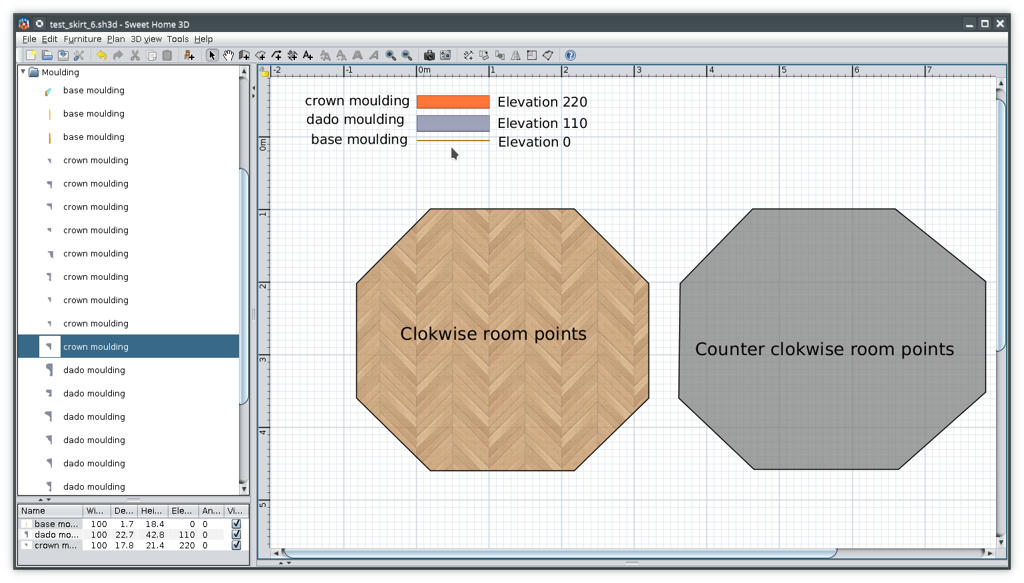
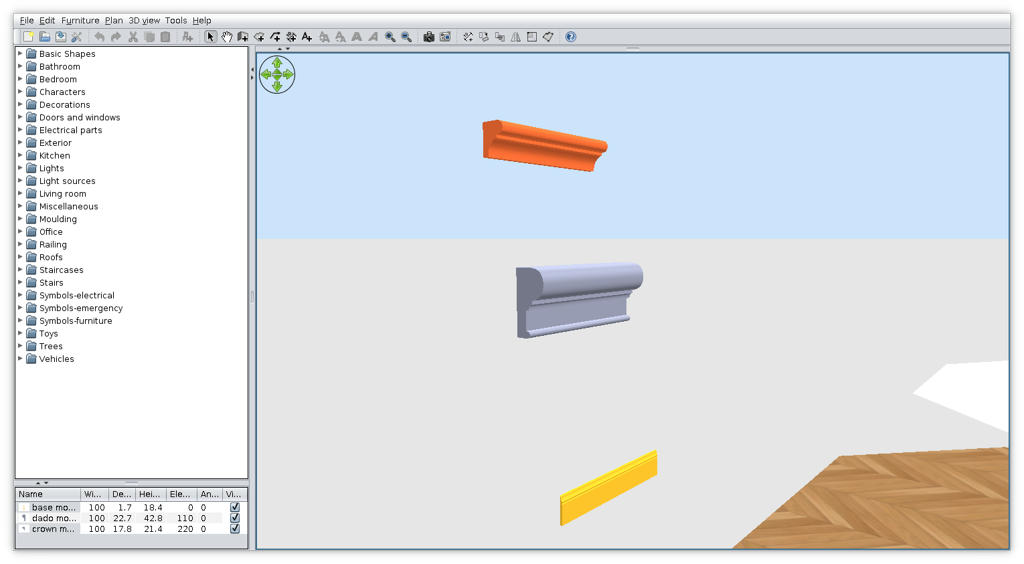
-Select room AND the moulding (in that case the base);
-Tools->Add moulding around room(s)
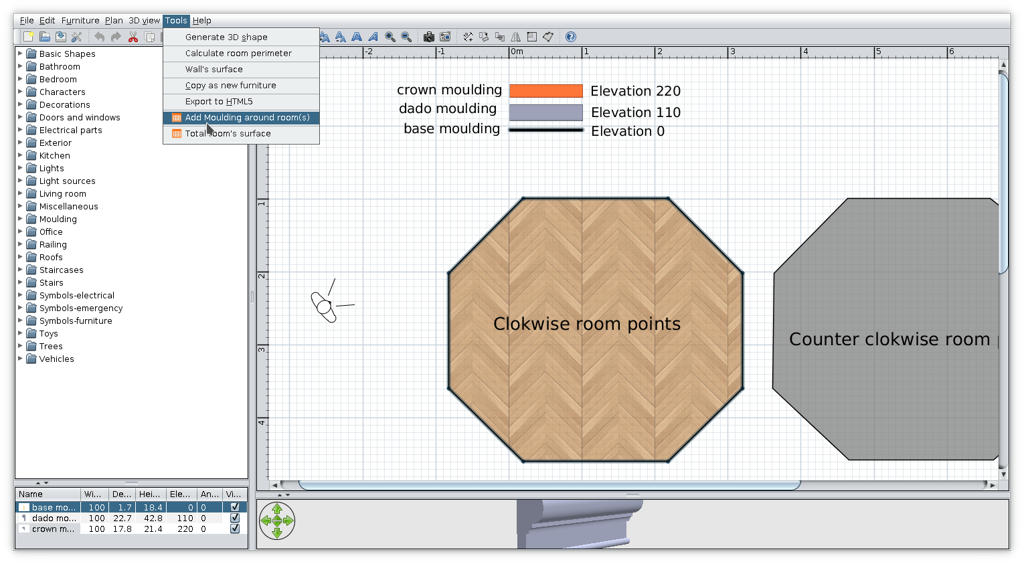
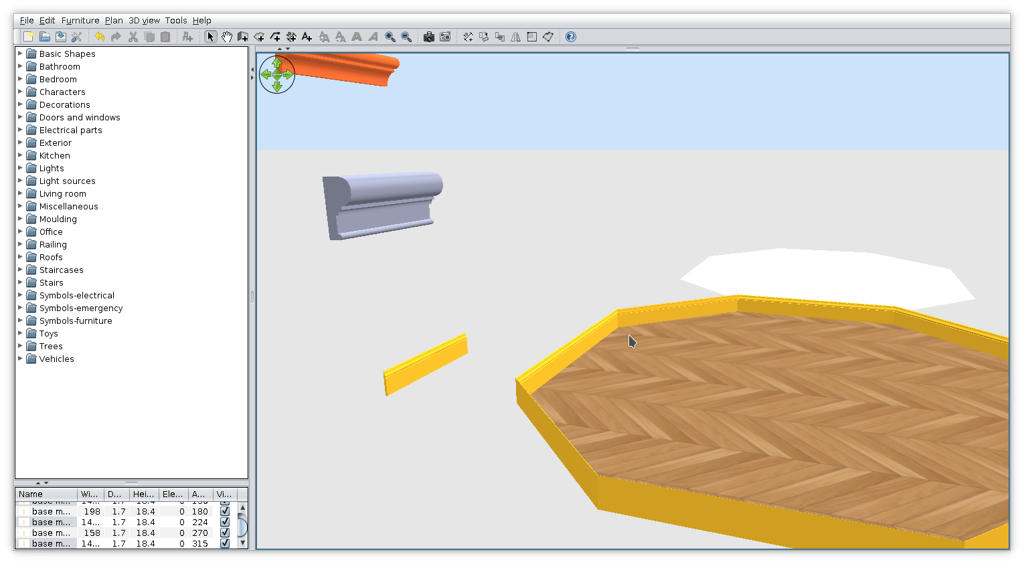
-Repeat the procedure for other piece (dado and crown);
-This could be the result
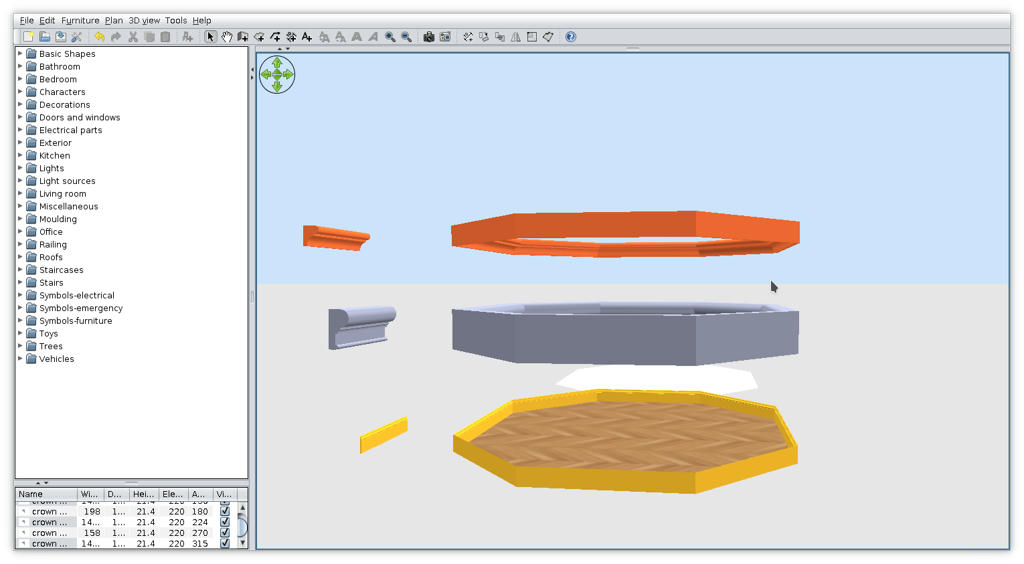
-I inserted walls around room and delete some of them and some moulding to have a good view
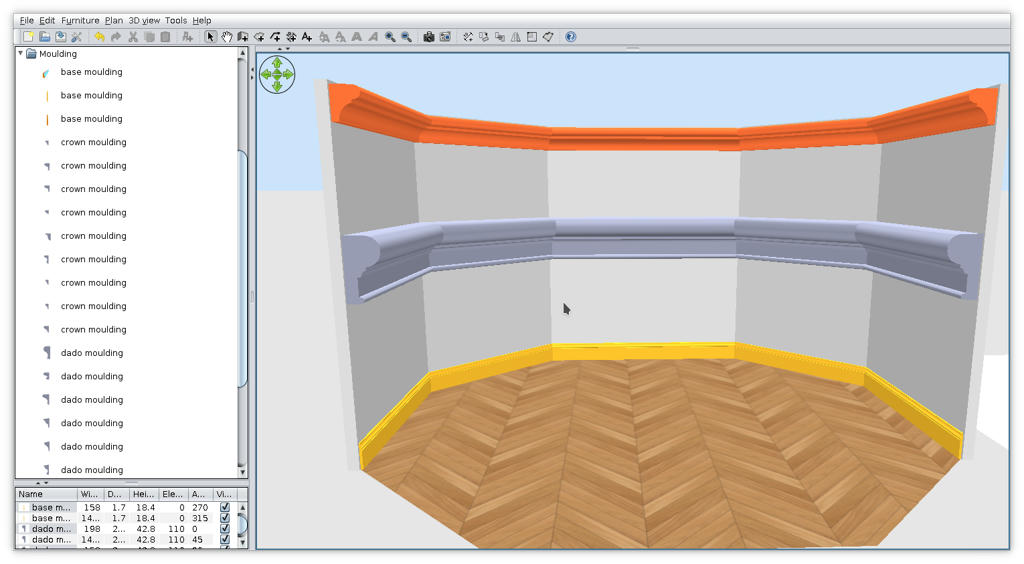
I know is not what You expect but that's for now.
If you're good, Santa brings you more [:o)]
I've made this Moulding-plugin and this moulding furniture library .
It's an alpha stage but is all I can do at that moment.
USE IT WITH CARE!!
Few indications:
1. The furniture MUST have a horizontal orientation (0 or +/- 180 dg) at time when are inserted (from furniture library).
2. The room(s) and the moulding must both be selected (use Shift+click).
3. At that moment the plugin add moulding around room in interior and depend of how is room created (clockwise or counter clockwise).
Now few images:
-Create room(s);
-Insert mouldings somewhere in the plan;
-Set the elevation for them.
-Select room AND the moulding (in that case the base);
-Tools->Add moulding around room(s)
-Repeat the procedure for other piece (dado and crown);
-This could be the result
-I inserted walls around room and delete some of them and some moulding to have a good view
I know is not what You expect but that's for now.
If you're good, Santa brings you more [:o)]
A computer program does what you tell it to do, not what you want it to do. Murphy's Law
When all else fails, read the instructions. Murphy's Law
If you don't like "AS IS", DIY. Dorin's law
When all else fails, read the instructions. Murphy's Law
If you don't like "AS IS", DIY. Dorin's law
Who is online
Users browsing this forum: No registered users and 1 guest