I've been successfully using this easy and very clean software for a couple a months, and now stuck on a new problem of non-supported files.
I've always been able to download files from the data banks linked in this site, which mostly appear as .jpg when they're Textures. But my SH suddenly seems to have decided it won't work any more.
I get this error screen when trying:
Has anyone a clue about what's going on there?
(sorry for the errors, English isn't my native language).
I'm not completely sure about this, but I recently discovered in recent versions that some issues could arise when the folder name (or its parents) contains some accentuated letters. Would it be your case?
Checked, and there's no accent anywhere in this folder or it's parents
I wonder why it did work before and bugs now? As far as I know, the settings are the same and I haven't changed anything to the folders...
The screen shown in the first message of this thread, is for importing 3D models, and NOT for importing images.
If you want to import a JPG (to use as a texture?), then you should
- select a model
- select Modify furniture
- select Texture
- select Import texture.
Read the section in the User Guide about editing walls. This works the same for walls and furniture.
Gosh... Very big shame on me..... It does work that way! Thank you VERY much, Hansmex!
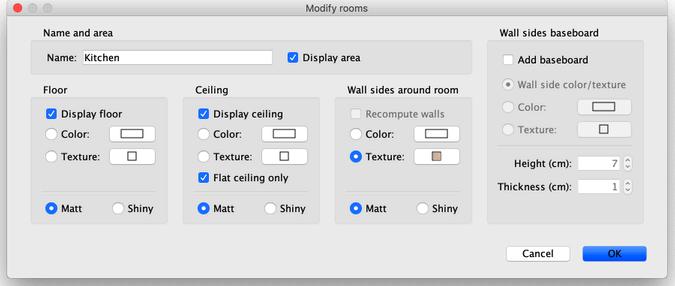
Remains only the problem of importing a new floor texture as a JPEG image. When clicking on the room surface in the 2D-plan, one should be able to change the color or texture of floor and ceiling, and if needed add new ones.
I can't do that. Is it also a stupid "click-error", do you think?