massive color-difference

This topic has been viewed 34955 times and has 30 replies
Thread status: Active
Still a problem with your graphic card? [img]http://www.sweethome3d.com/images/flags/en_small.gif[/img]
Mike53
Posts: 678
Joined: Sat Jan 06, 2018 1:02 am
Country: UK

Re: massive color-difference

Post by Mike53 »

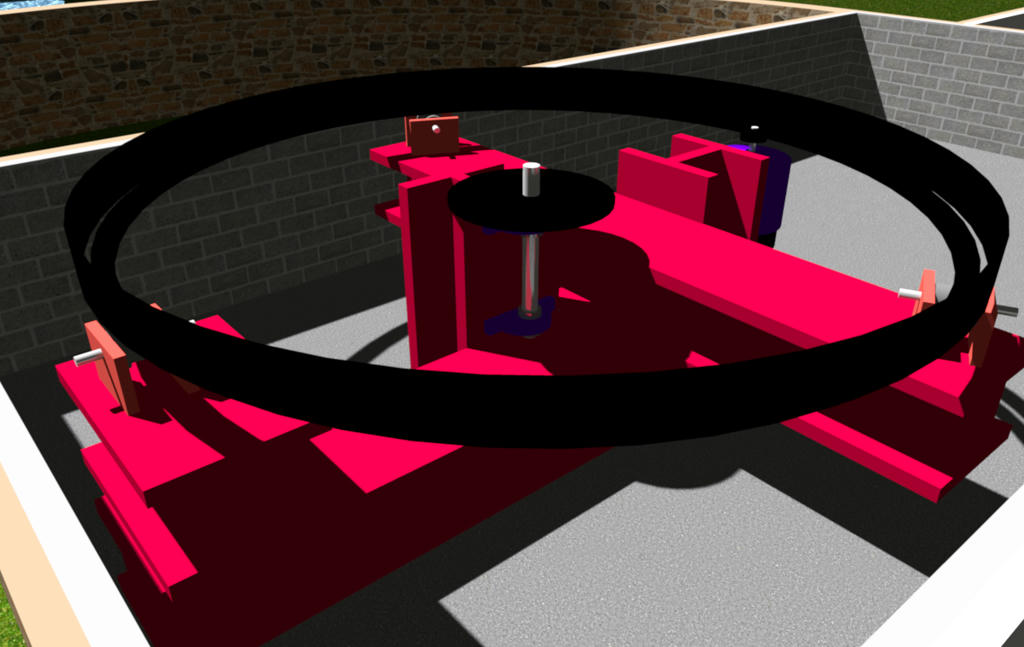
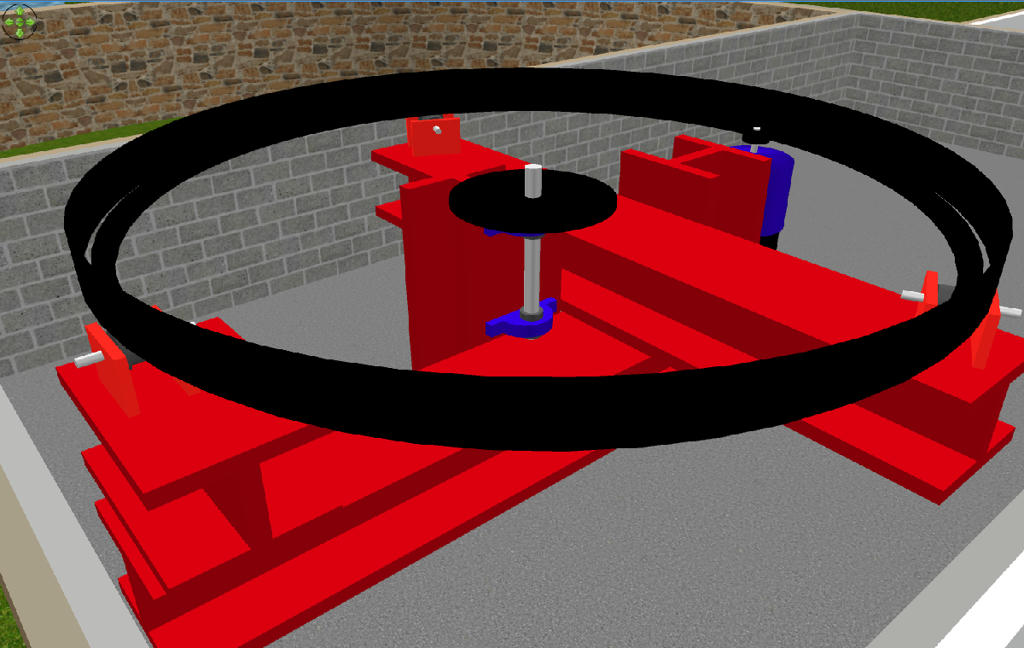
Not so sure this is a new topic, i seem to recall questioning it a couple of years ago, i have found that using textures is far more accurate than colors, here are 2 images, 1 a screenshot the other a render.
Image
and this is a Q4 render
Image
not only does the red change to pink but it also shows how different objects color differently, the I beams are rooms and the roller support brackets are box's, both have the same color applied to them.
Mike
User avatar
hal9000
Posts: 152
Joined: Wed May 09, 2012 10:27 am
Country: Spain

Re: massive color-difference

Post by hal9000 »

Well, more than 1 year after the last post, but... Has somebody tried to render one of these projects with YafaRay to see if the color difference between a pure color and a texture of the same color is still there?
If a long walk every day were healthy, mailmen would be immortal. [:p]
User avatar
UbuntuBirdy
Posts: 421
Joined: Thu Aug 31, 2017 10:31 pm
Country: Switzerland
Contact:

Re: massive color-difference

Post by UbuntuBirdy »

Interesting idea. Yes, I have, but unfortunately I have changed all my projects from colored to textured objects.
But I will this give a try.
Pascal

SH3D 6.6 / Ubuntu 22.04 (Mainline-Kernel) / Radeon RX580 / Ryzen 7 5800x
enkonyito
Posts: 607
Joined: Thu May 28, 2015 4:52 pm

Re: massive color-difference

Post by enkonyito »

@UbuntuBirdy
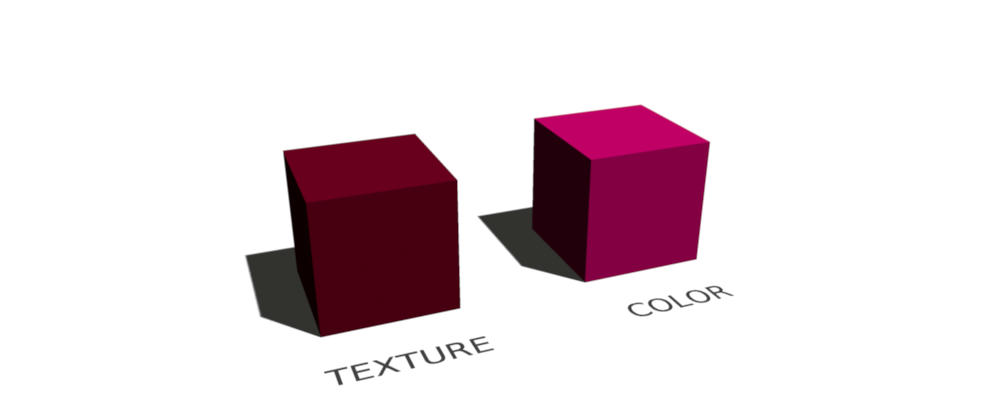
This picture shows what's wrong in my opinion:
Image
- The left cube has a texture which is only colored as #520015
- The right cube has the color #520015 directly

In my opinion both cubes should look the same, we should see exactly the same color. But only the textured cube shows the color #520015 as it should be.
I think the difference comes from the way Java 3D processes colors or textures.

Example of rendering in quality 1.
Image

Enko
EnkoNyito
Mike53
Posts: 678
Joined: Sat Jan 06, 2018 1:02 am
Country: UK

Re: massive color-difference

Post by Mike53 »

Not sure if this issue has been attended to but i am still getting the same issue

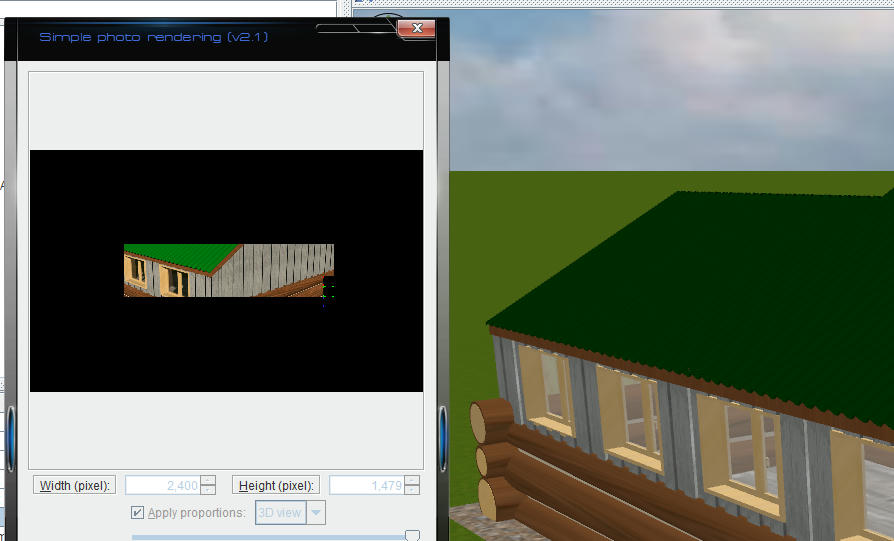
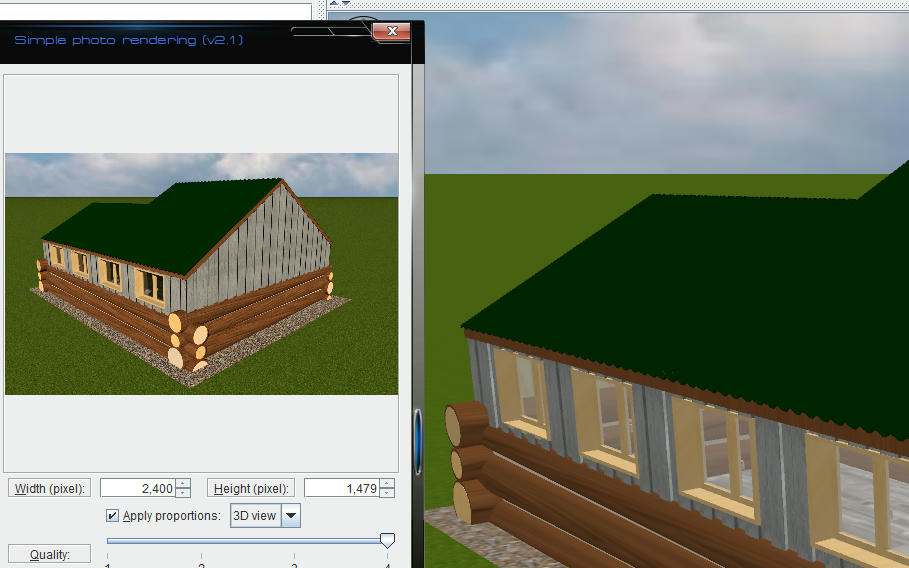
Roof with colour:-

Image

Roof with texture:-

Image
User avatar
hansmex
Posts: 4027
Joined: Sat Sep 26, 2009 11:36 am
Country: Netherlands

Re: massive color-difference

Post by hansmex »

This is a known "problem". Using an even-coloured texture is the solution, as you already found out.

H
Hans

new website - under constuction
hansdirkse.info
Mike53
Posts: 678
Joined: Sat Jan 06, 2018 1:02 am
Country: UK

Re: massive color-difference

Post by Mike53 »

Just because it is something that is a "KNOWN PROBLEM" shouldn't mean we have to continue with "work arounds" rather than sorting the issues.
As a maintenance engineer i quite often use "work arounds" when needed to get a machine running, but, these are temporary, I return as soon as possible to properly make repair.
reddy.shyam
Posts: 28
Joined: Tue Feb 09, 2021 4:56 am

Re: massive color-difference

Post by reddy.shyam »

While we are at it, is my issue same as well? All my bright colors become pale when I generate an image. Please see attached.

Any setting I need to change while generating image?

Image

Cannot attach any image host files for some reason. Tried imgur and prnt.sc`
kutlu9
Posts: 7
Joined: Sun Mar 14, 2021 7:46 am

Re: massive color-difference

Post by kutlu9 »

I'm having same problem as reddy.shyam. I was using the programm without any problems, suddenly my images become over exposed. Uninstall/reinstall didn't solved it.

I noticed sky texture or color doesn't render (rendering with only pure white color) making final image over exposed.
c0d3z3r0
Posts: 8
Joined: Wed Dec 18, 2024 5:34 pm

Re: massive color-difference

Post by c0d3z3r0 »

The problem seems to be that Java3D expects Linear RGB as input color space:https://forum.jogamp.org/sRGB-and-gamma ... 38946.html

I've tested this by manually setting the RGB value of a wall to a gamma-corrected value ( lin=255*(val/255, 2.2) ), which makes yafaray and sunflow output the correct color.

There are two options: 1) feed in a generated texture or 2) convert the colors to linear RGB
Post Reply New Topic

Who is online

Users browsing this forum: No registered users and 1 guest